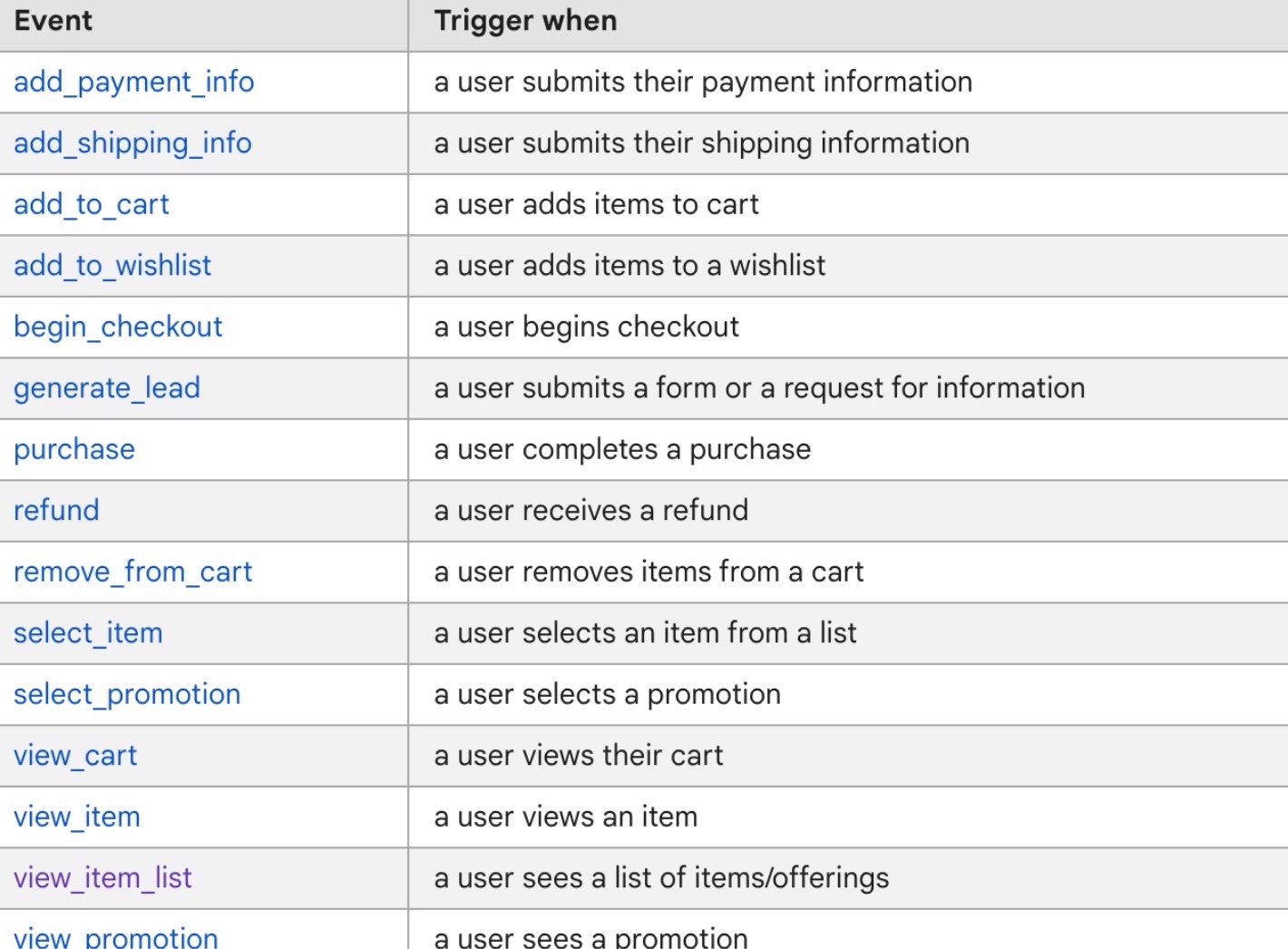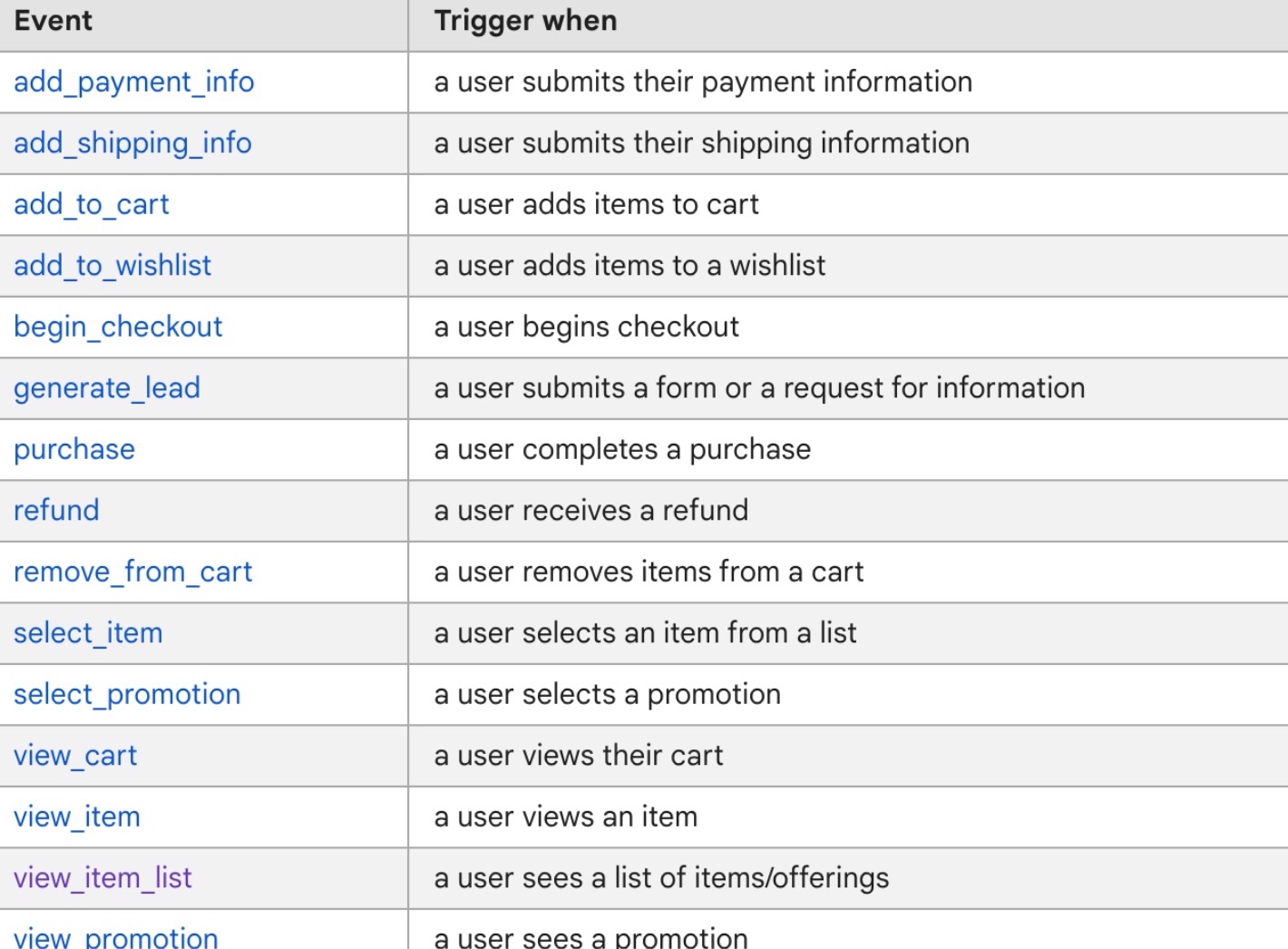
GA4 Volusion Enhanced eCommerce Tracking using Google Tag Manager

Standard

Setting Up GA4 Volusion  Enhanced eCommerce Tracking via Google Tag Manager

Recently one client asks to setup GA4 Volusion Enhanced eCommerce Tracking using Google Tag Manage, Once I looked around the Volusion store to set up enhanced eCommerce tracking for a Volusion store, I used an exiting data layer Converted for GA4 eCommerce and Enhanced eCommerce tracking for the Volusion.
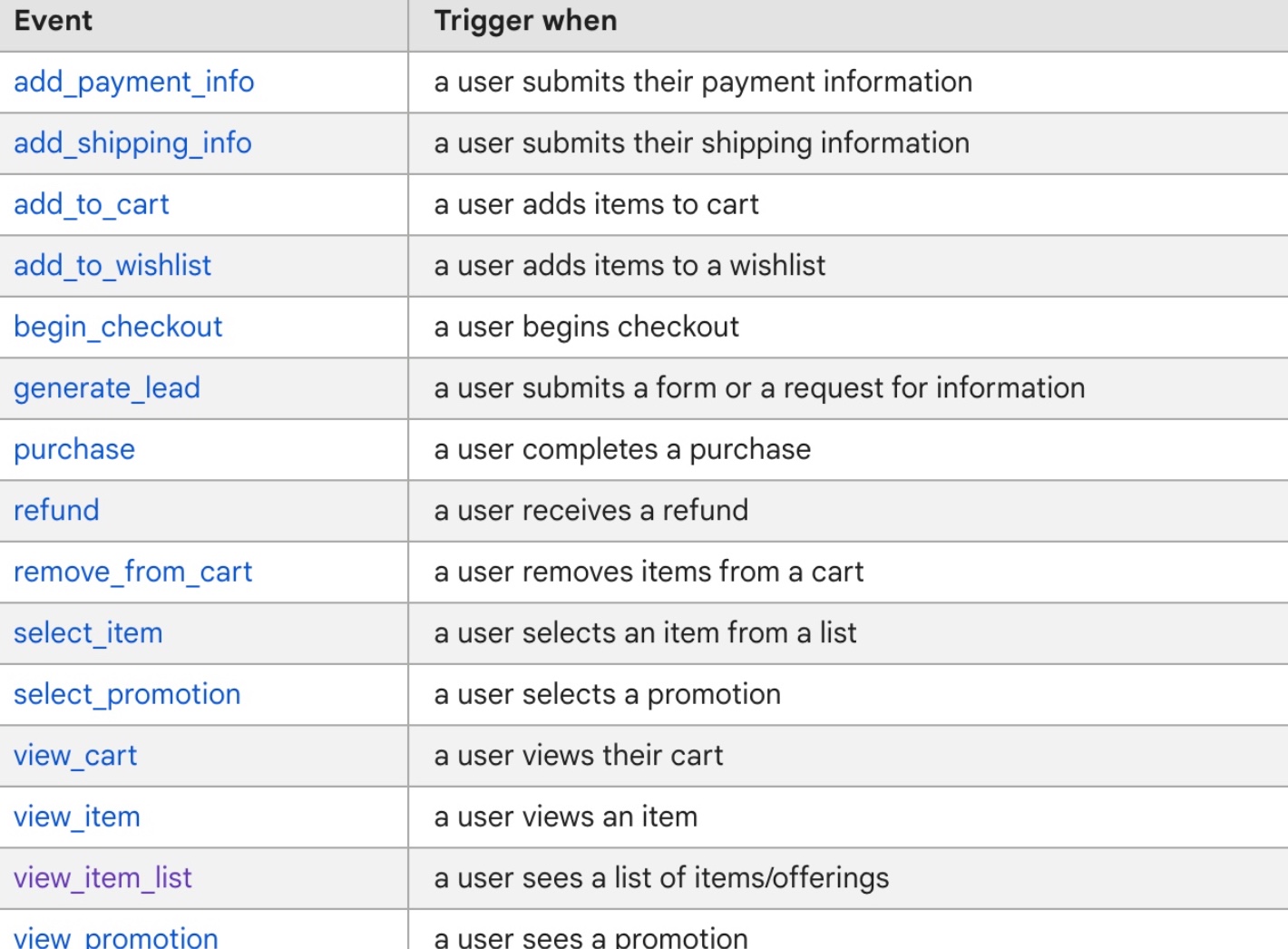
Google Analytics 4 (GA4) Ecommerce Tracking in Volusion

Google Analytics 4 (GA4) Ecommerce Tracking in Volusion using Google Tag Manager

GA4 (Google Analytics 4) Volusion Enhanced Ecommerce Tracking using Google Tag Manager 

Paste this code as high in the <head> of the page as possible:

<!– Google Tag Manager –>

<script>(function(w,d,s,l,i){w[l]=w[l]||[];w[l].push({‘gtm.start’:
new Date().getTime(),event:’gtm.js’});var f=d.getElementsByTagName(s)[0],
j=d.createElement(s),dl=l!=’dataLayer’?’&l=’+l:”;j.async=true;j.src=
‘https://www.googletagmanager.com/gtm.js?id=’+i+dl;f.parentNode.insertBefore(j,f);
})(window,document,’script’,’dataLayer’,’GTM-XXXX’);</script>
<!– End Google Tag Manager –>

Additionally, paste this code immediately after the opening <body> tag:
<!– Google Tag Manager (noscript) –>
<noscript><iframe src=”https://www.googletagmanager.com/ns.html?id=GTM-XXXX”
height=”0″ width=”0″ style=”display:none;visibility:hidden”></iframe></noscript>
<!– End Google Tag Manager (noscript) –>

Note: Make you will replace GTM Tracking Code with your GTM ID XXXXX

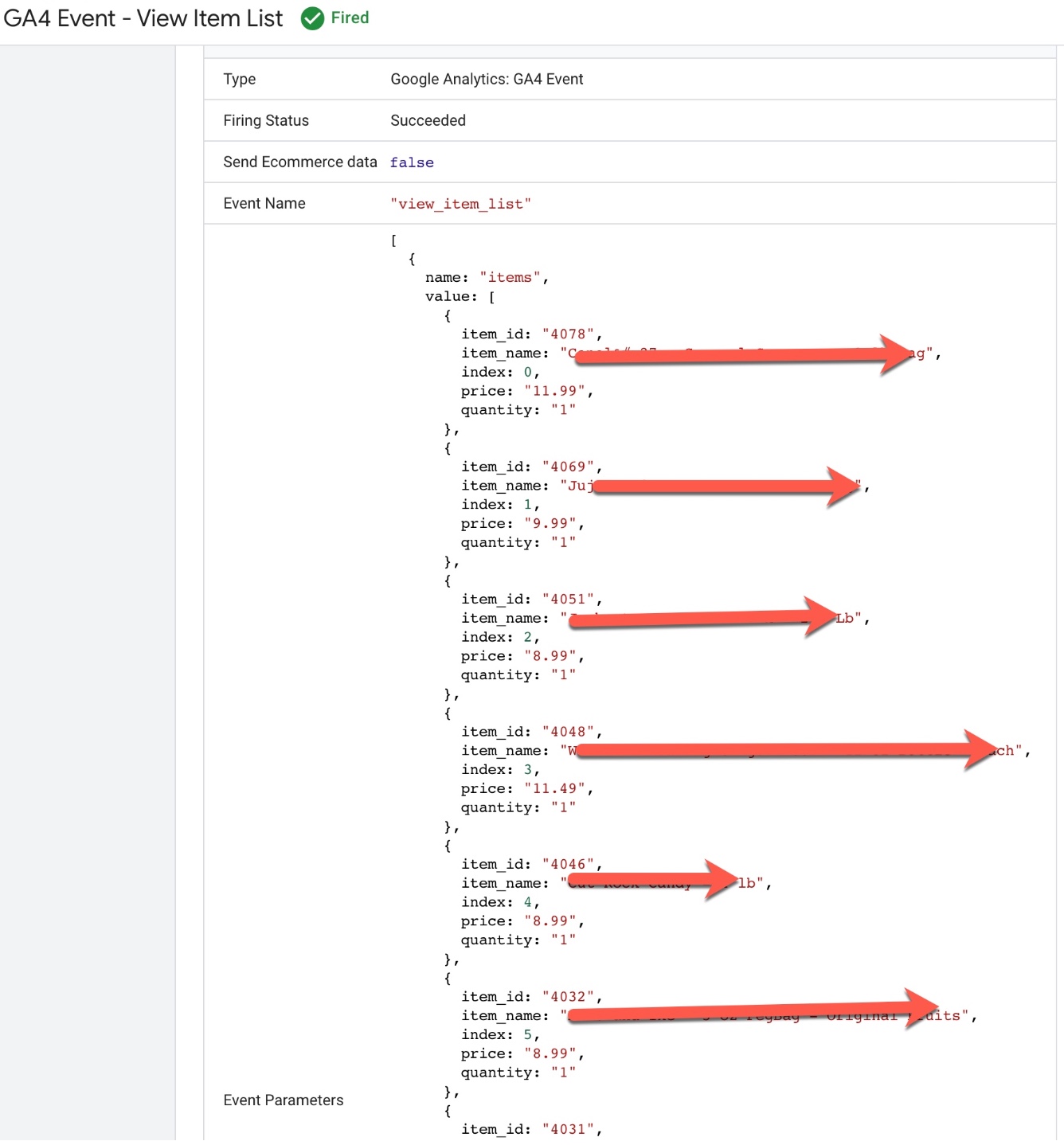
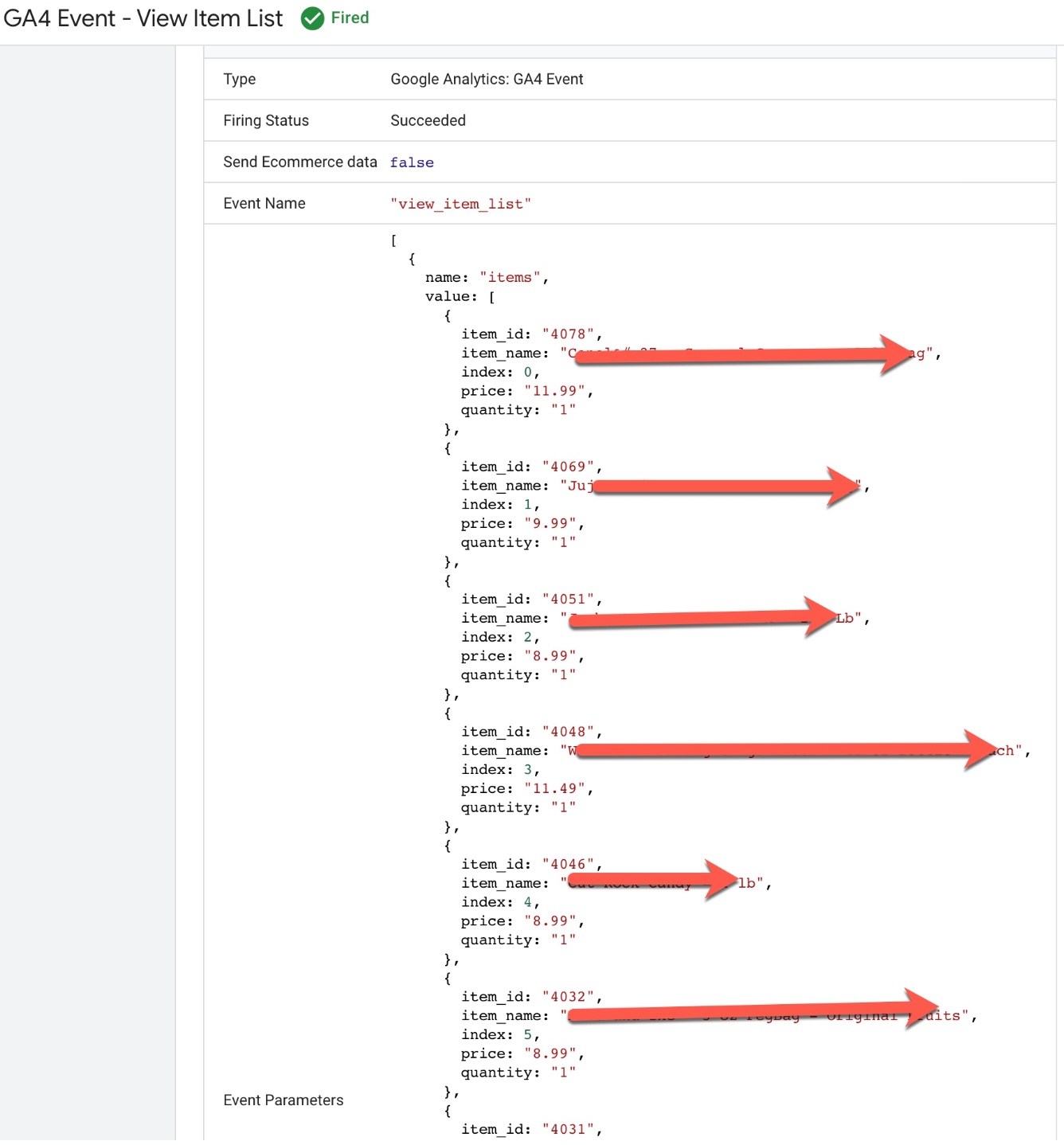
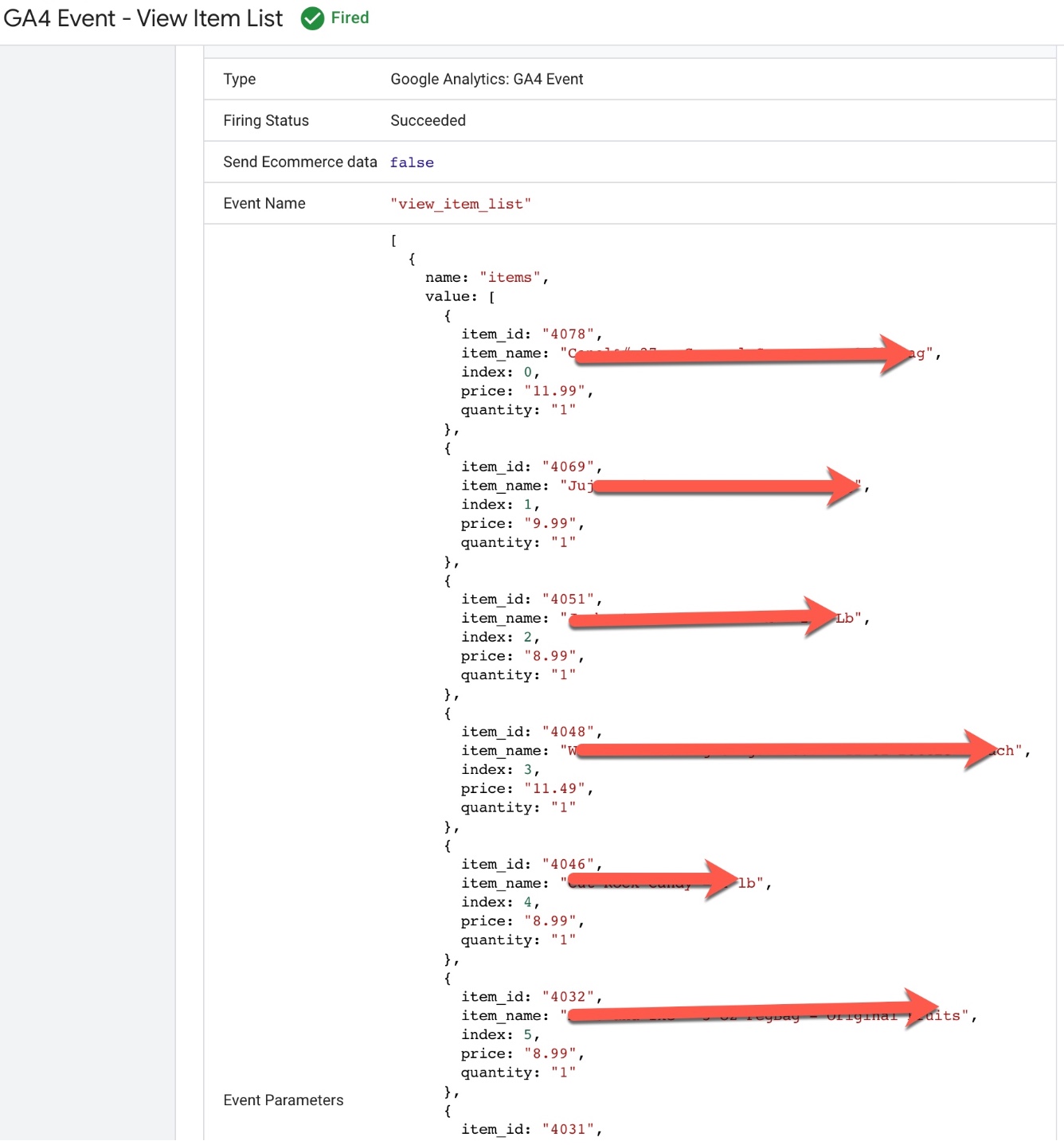
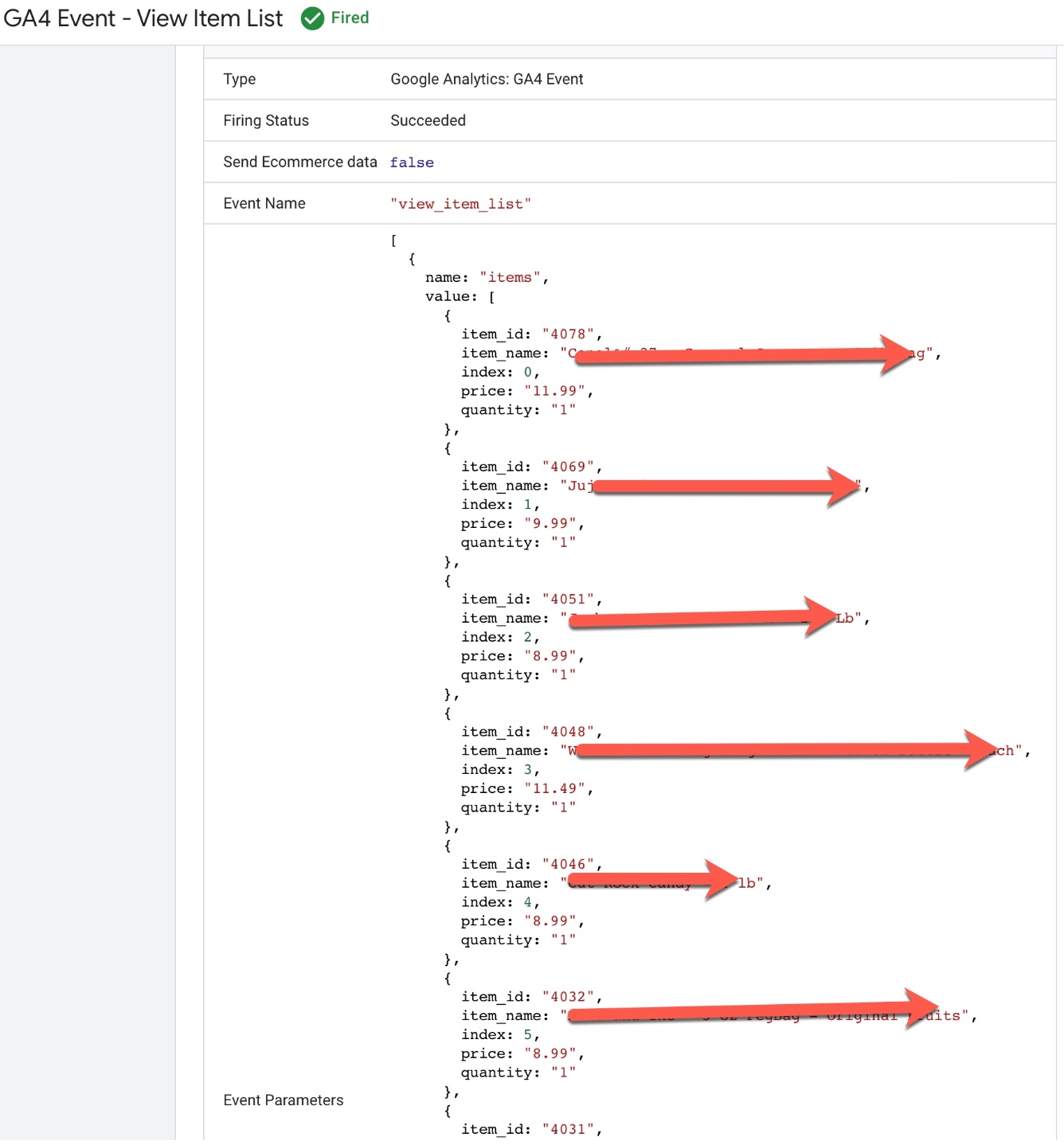
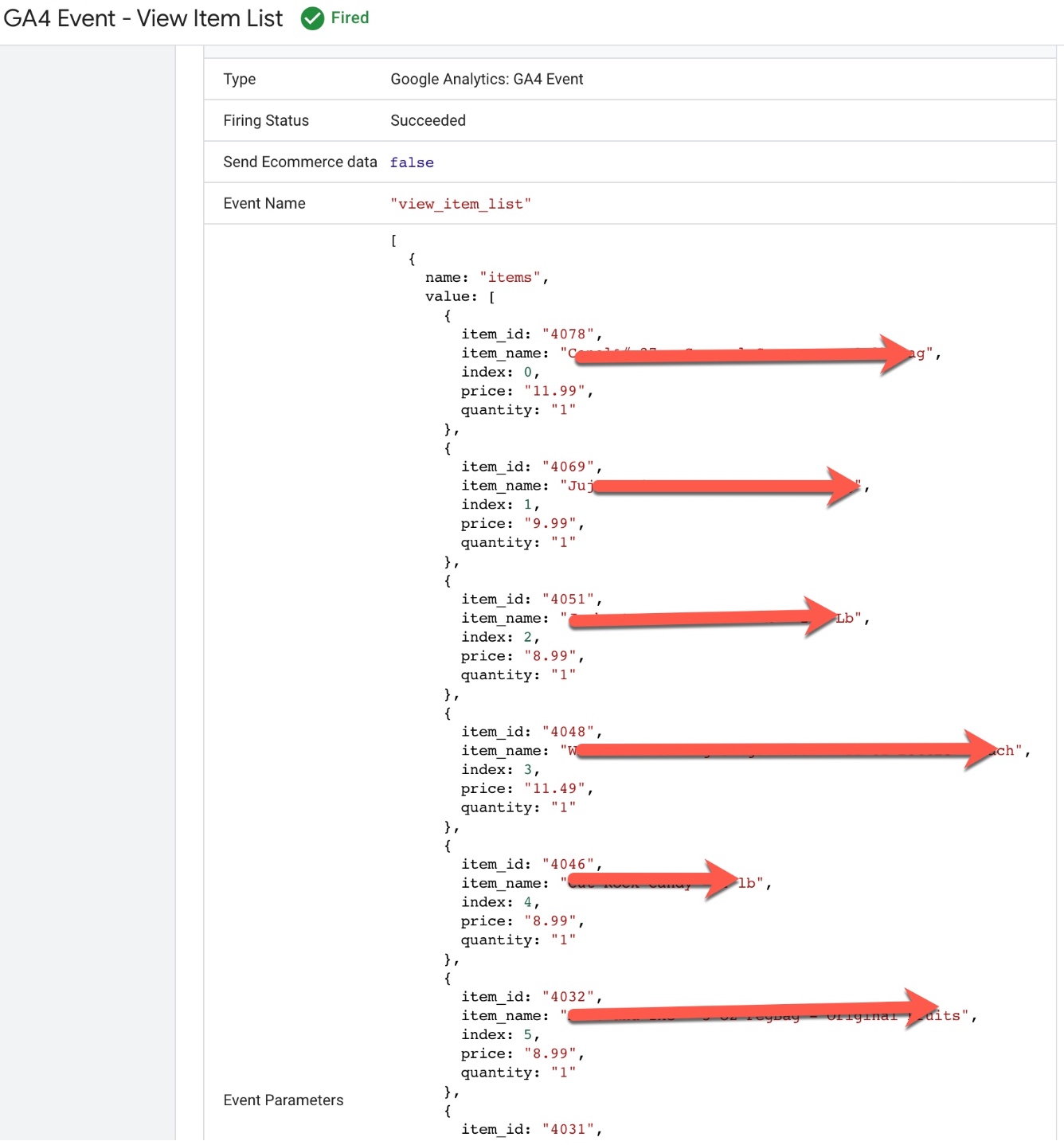
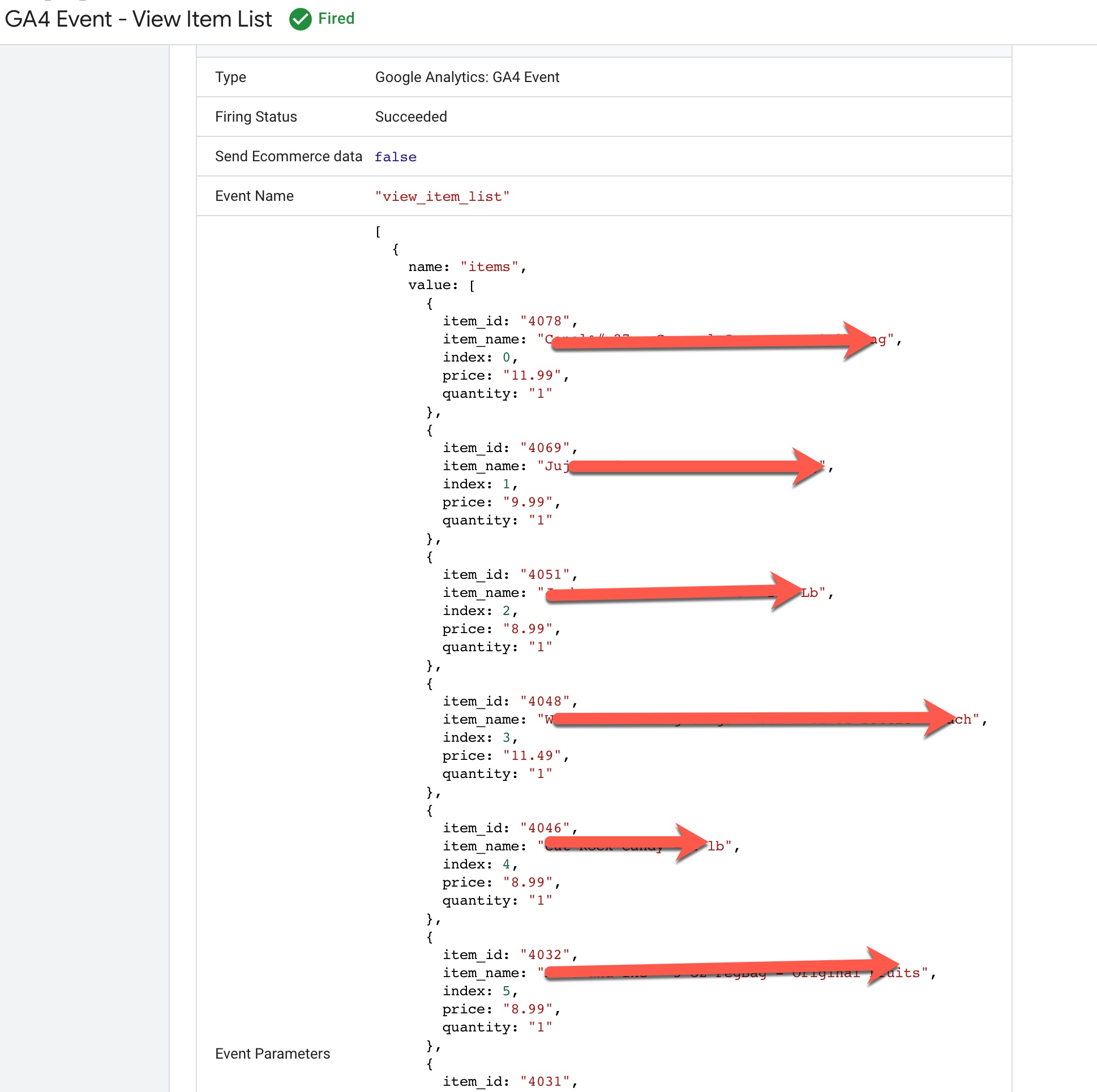
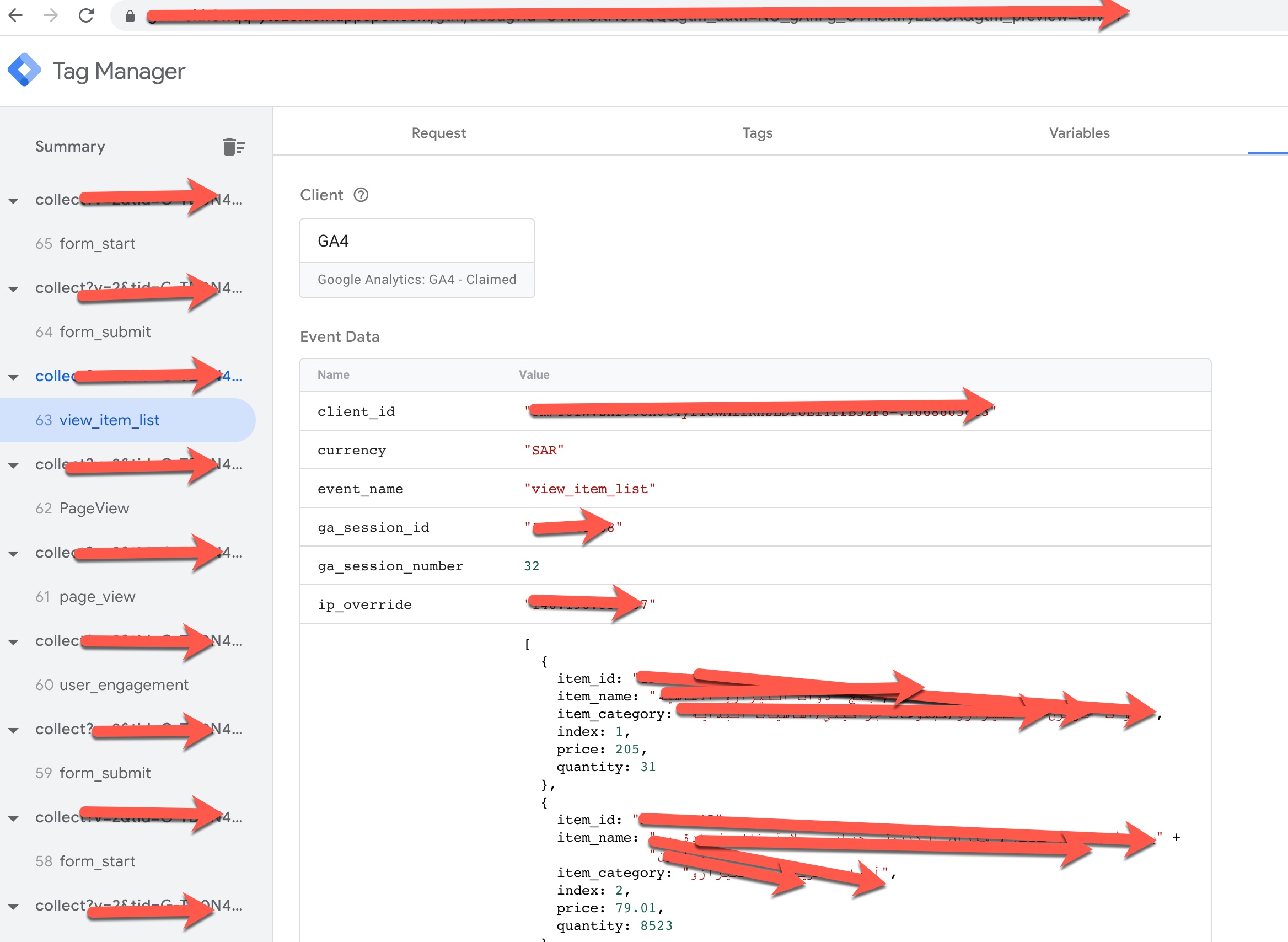
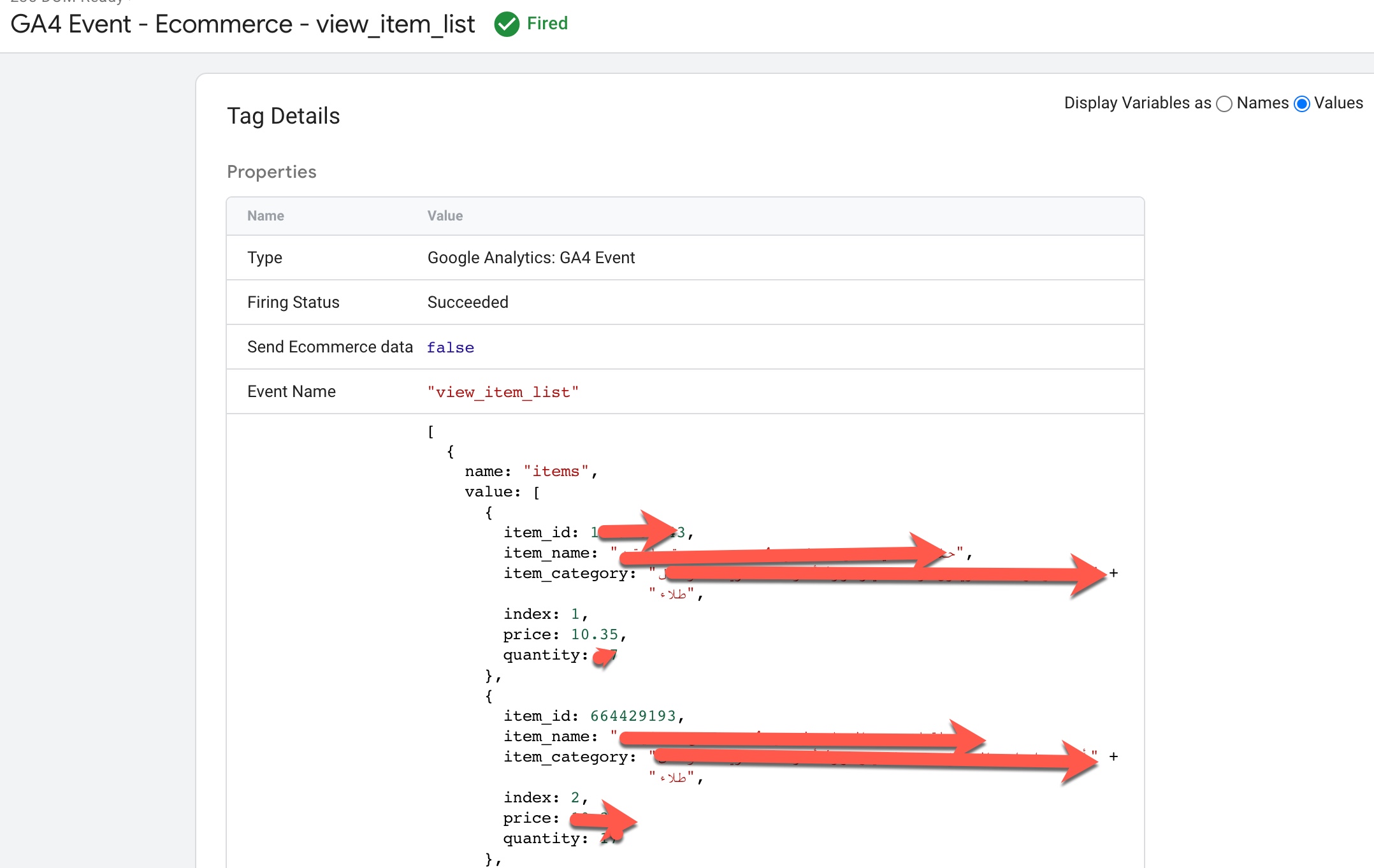
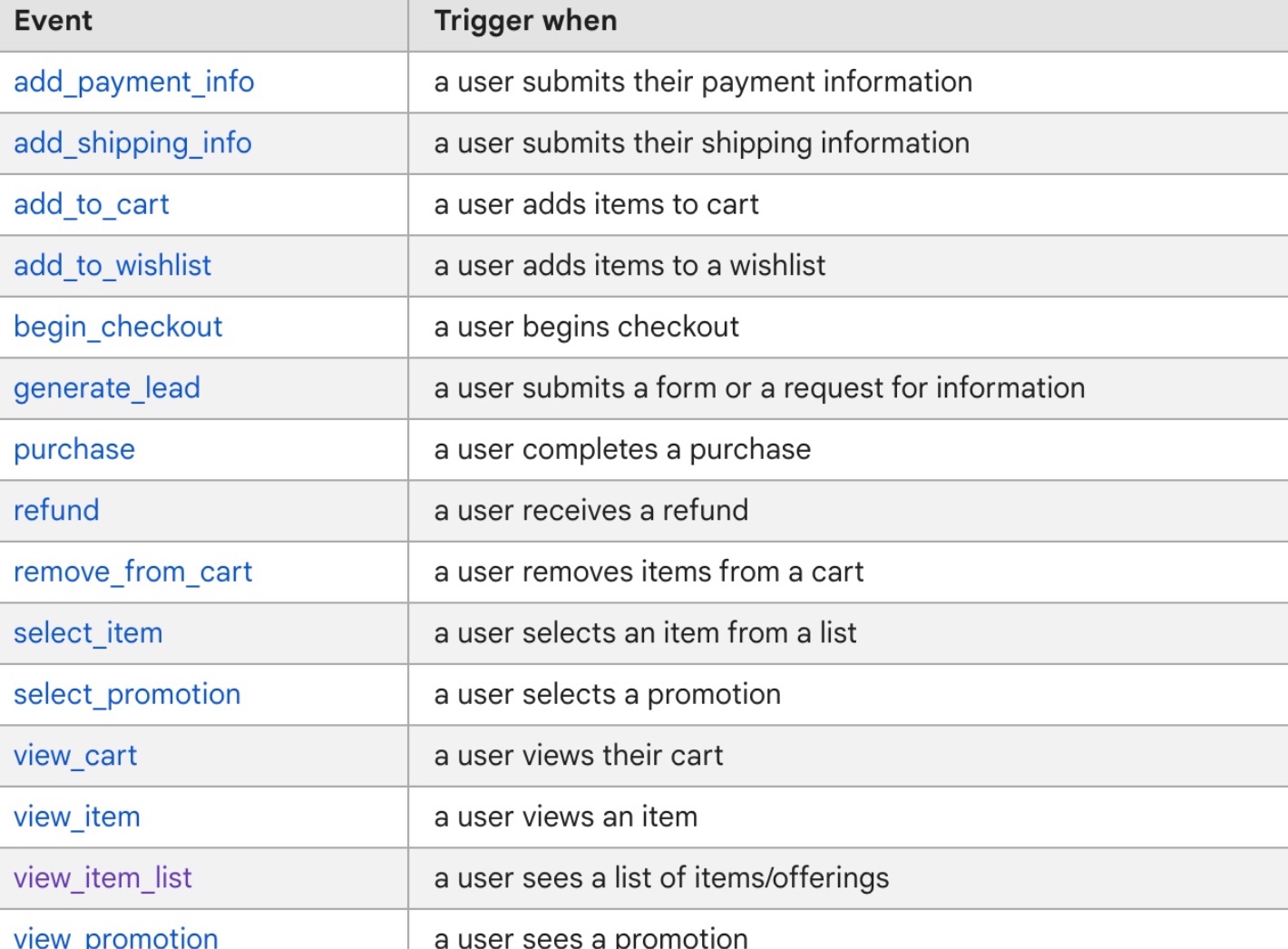
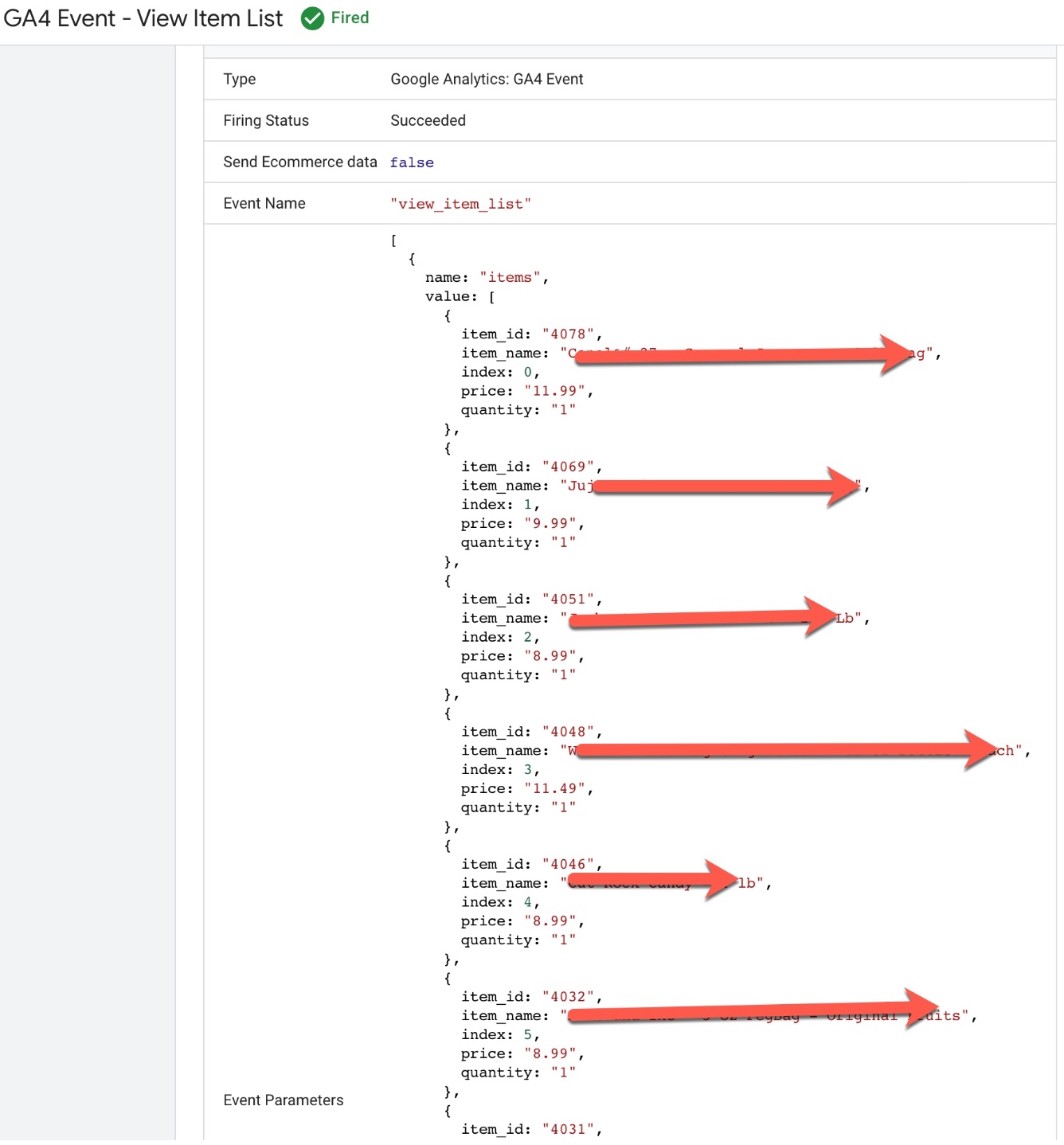
Volusion GA4 Enhanced Ecommerce Events for view_item_list: To Track when user reach out category pages where list of product listed on the Page for GA4 (Google Analytics 4) Enhanced Ecommerce Tracking for Volusion using Google Tag Manager
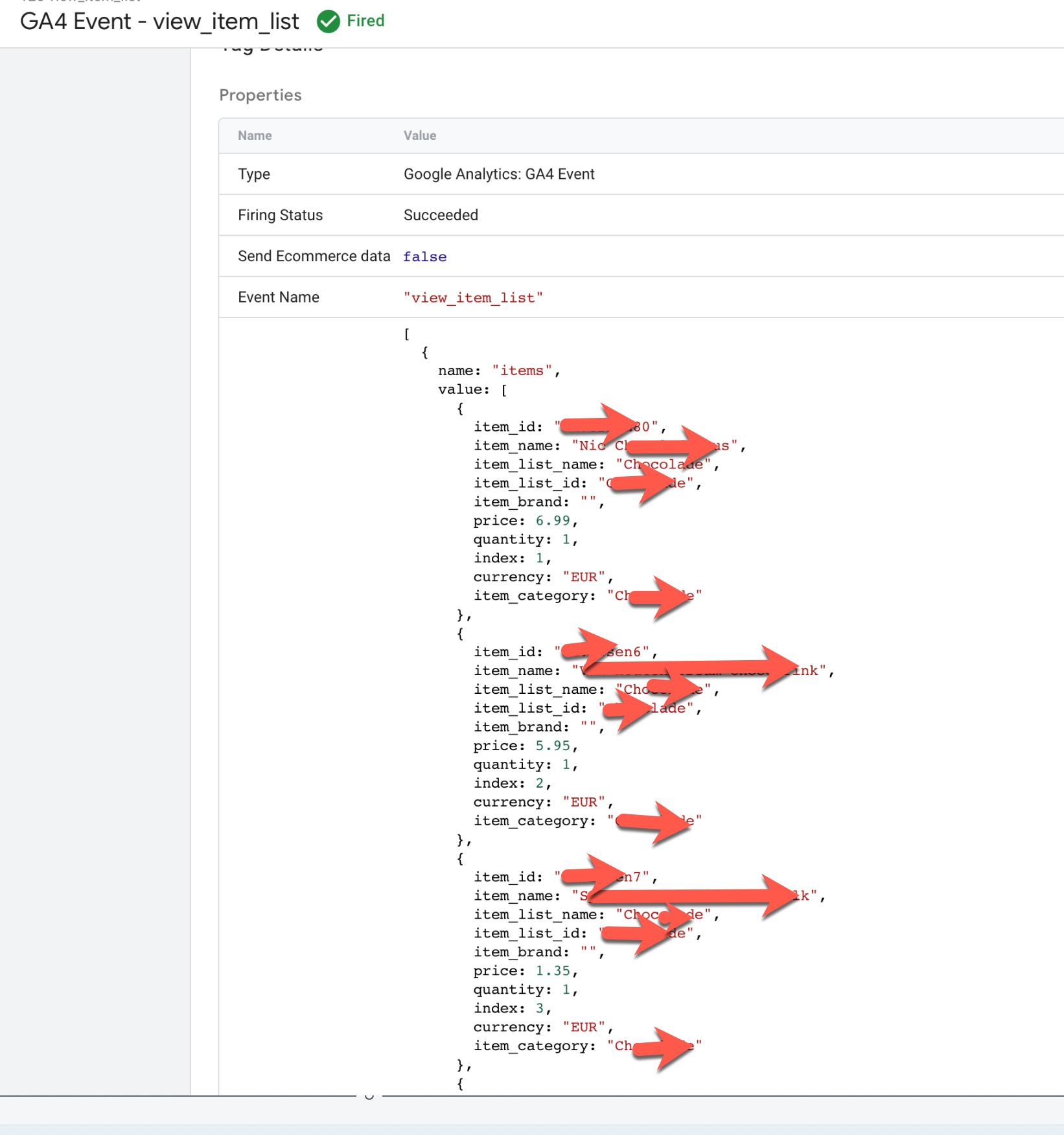
Volusion GA4 E-Commerce Conversion Tracking

Volusion Google Analytics 4 (GA4) Ecommerce Tracking via Google Tag Manager

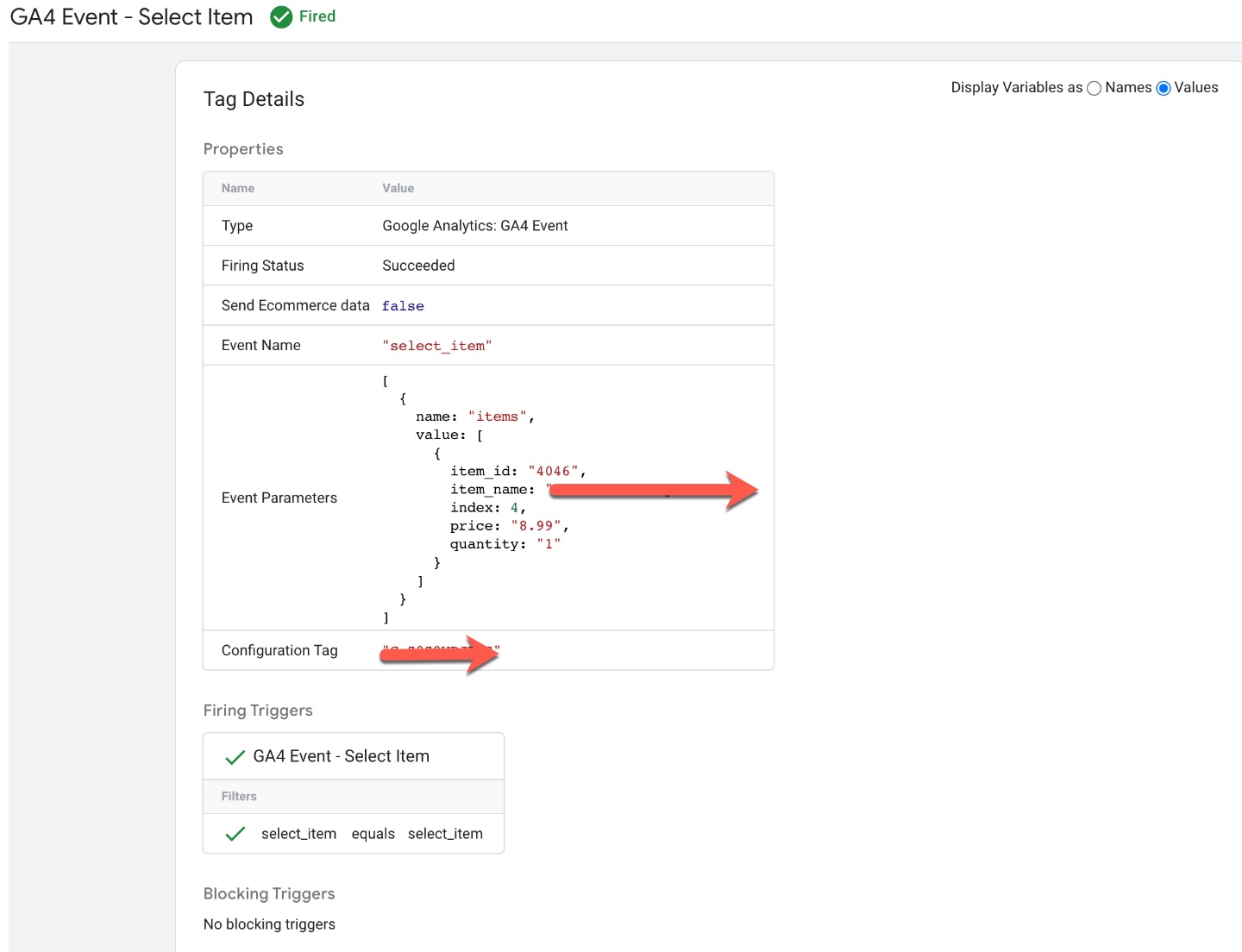
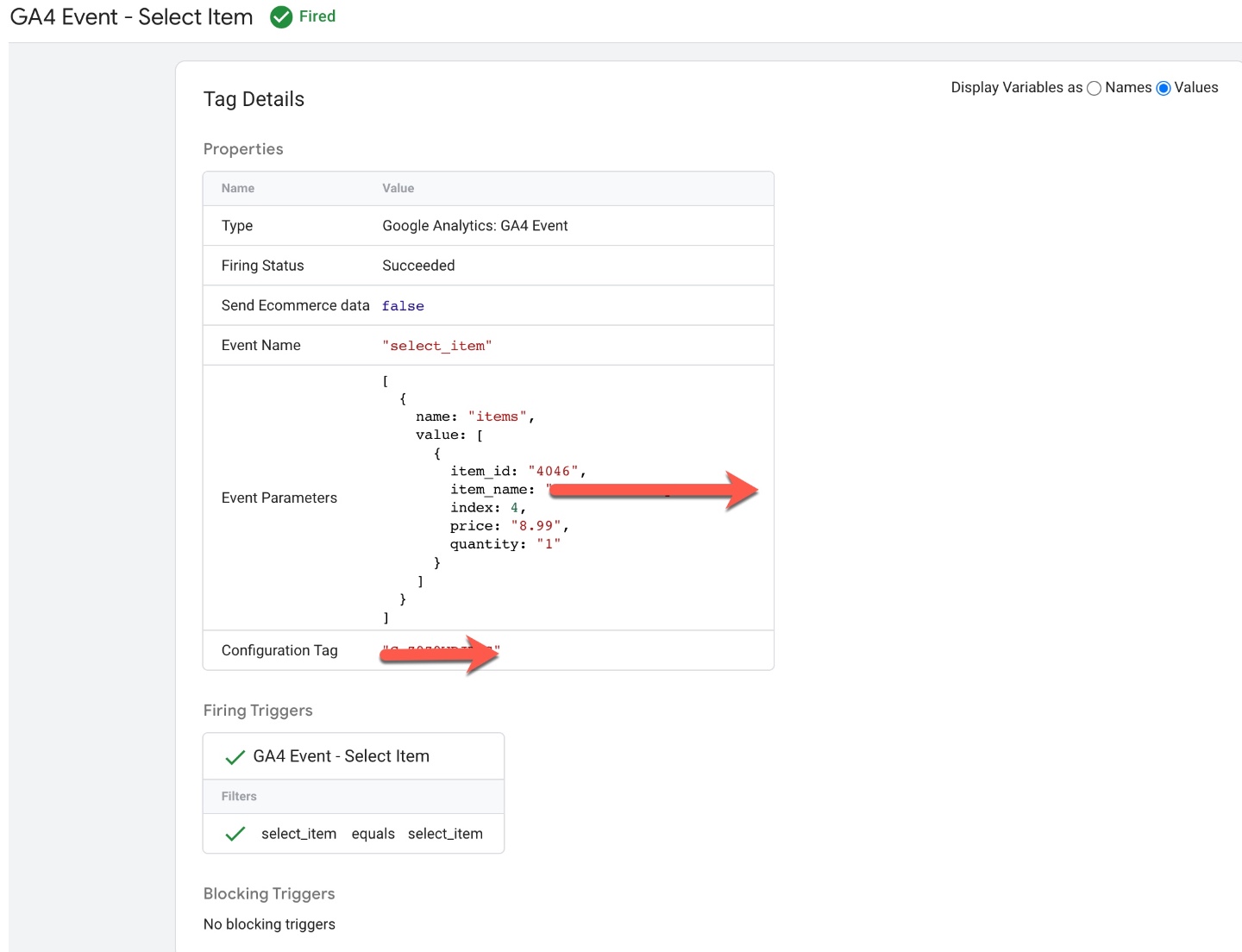
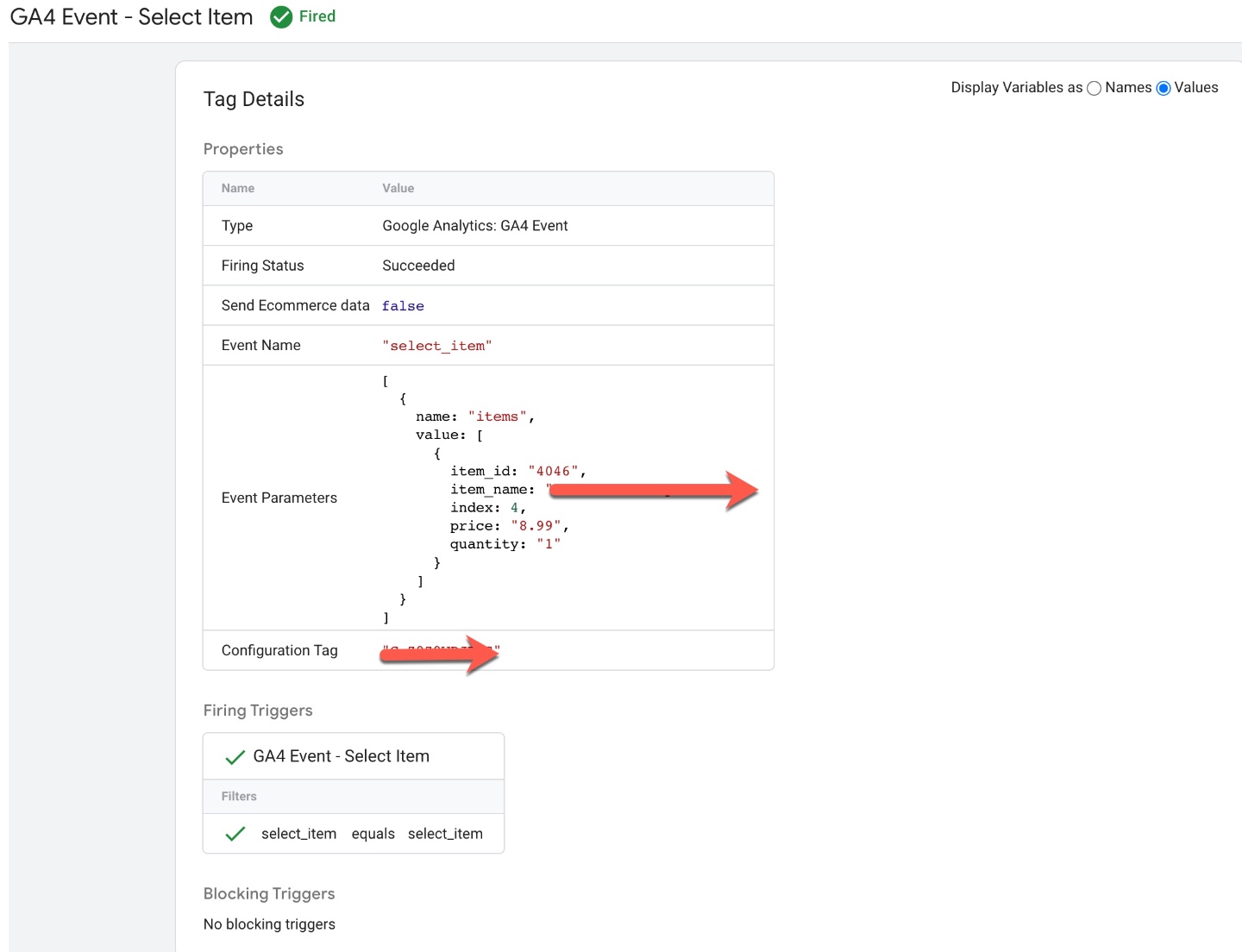
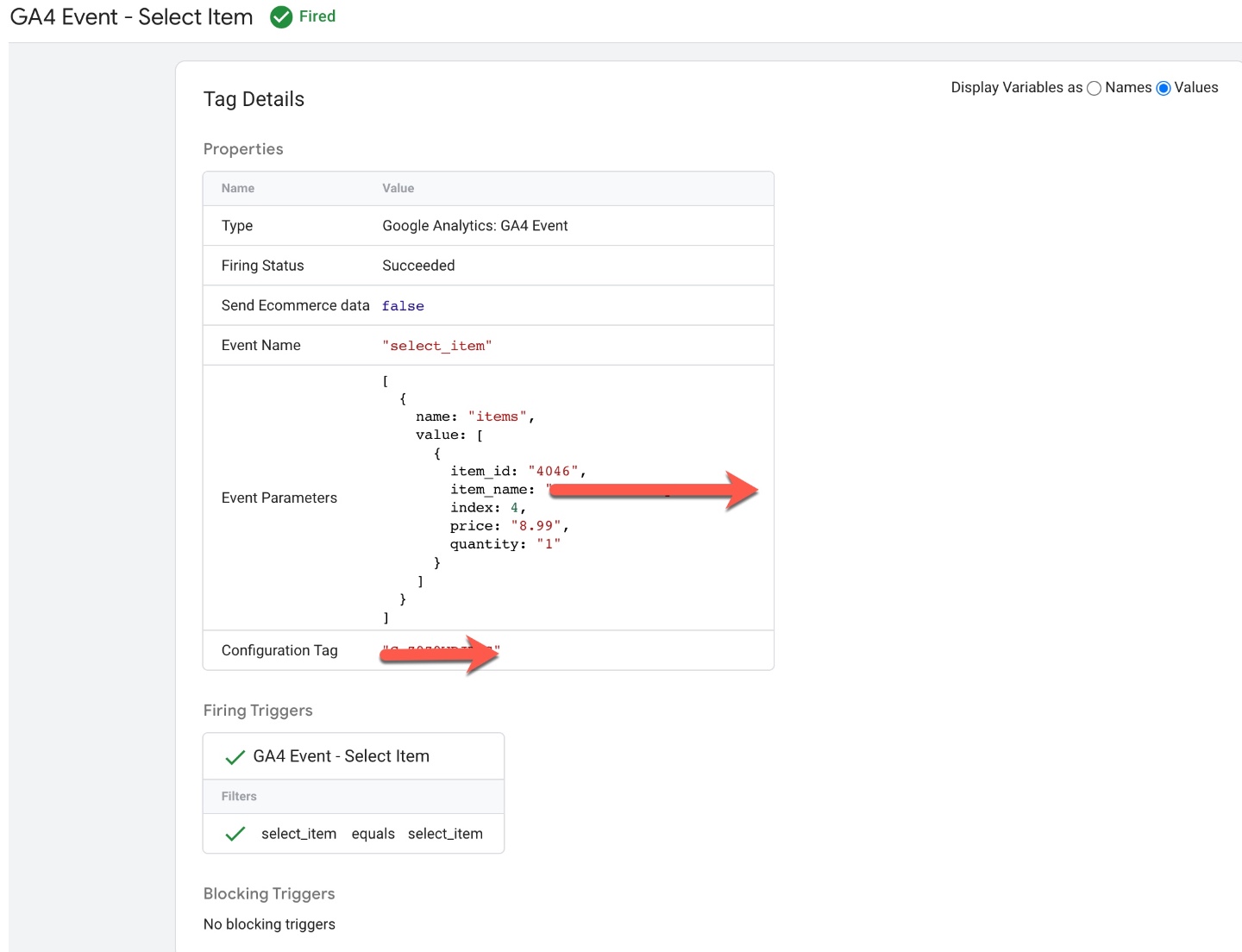
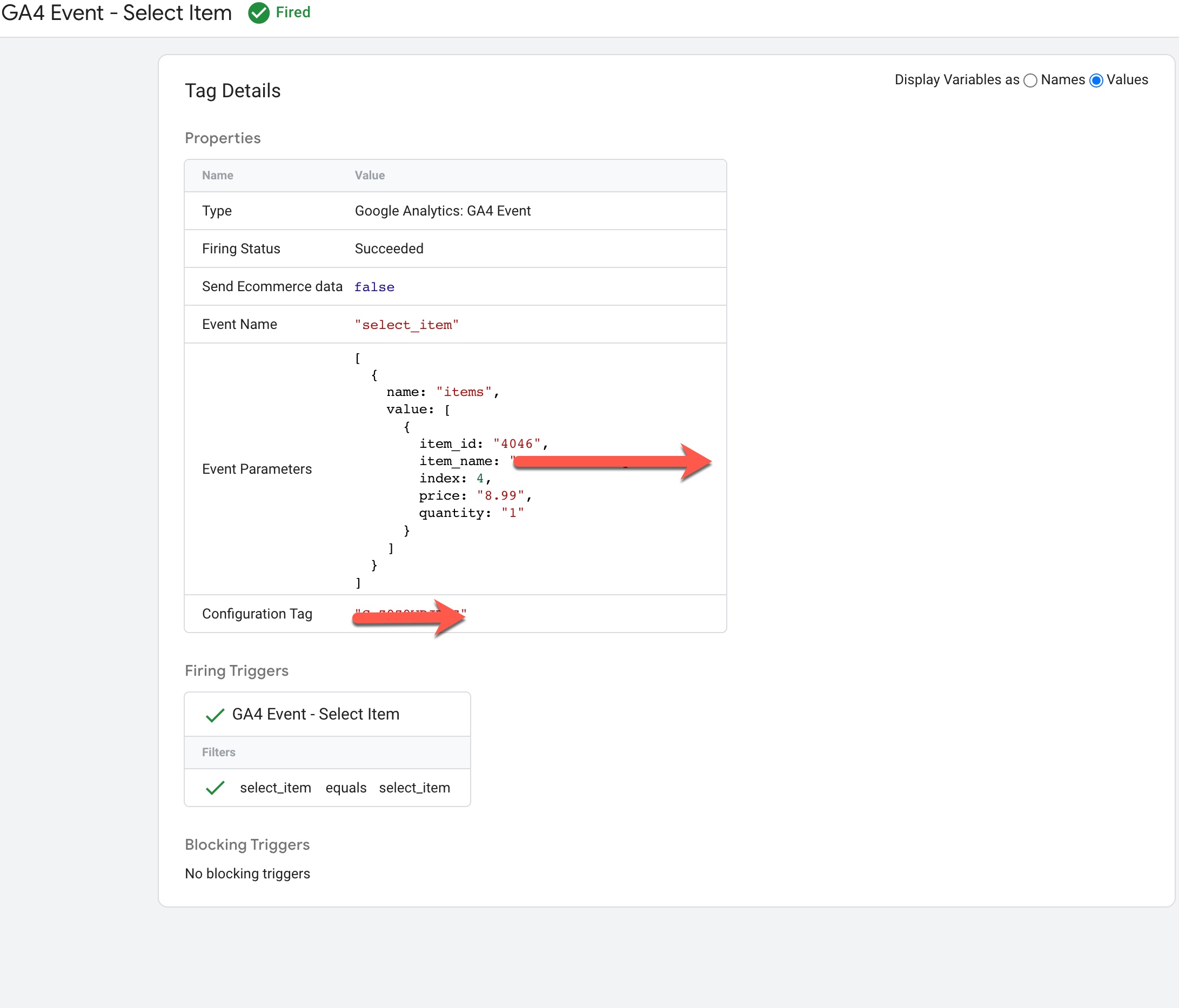
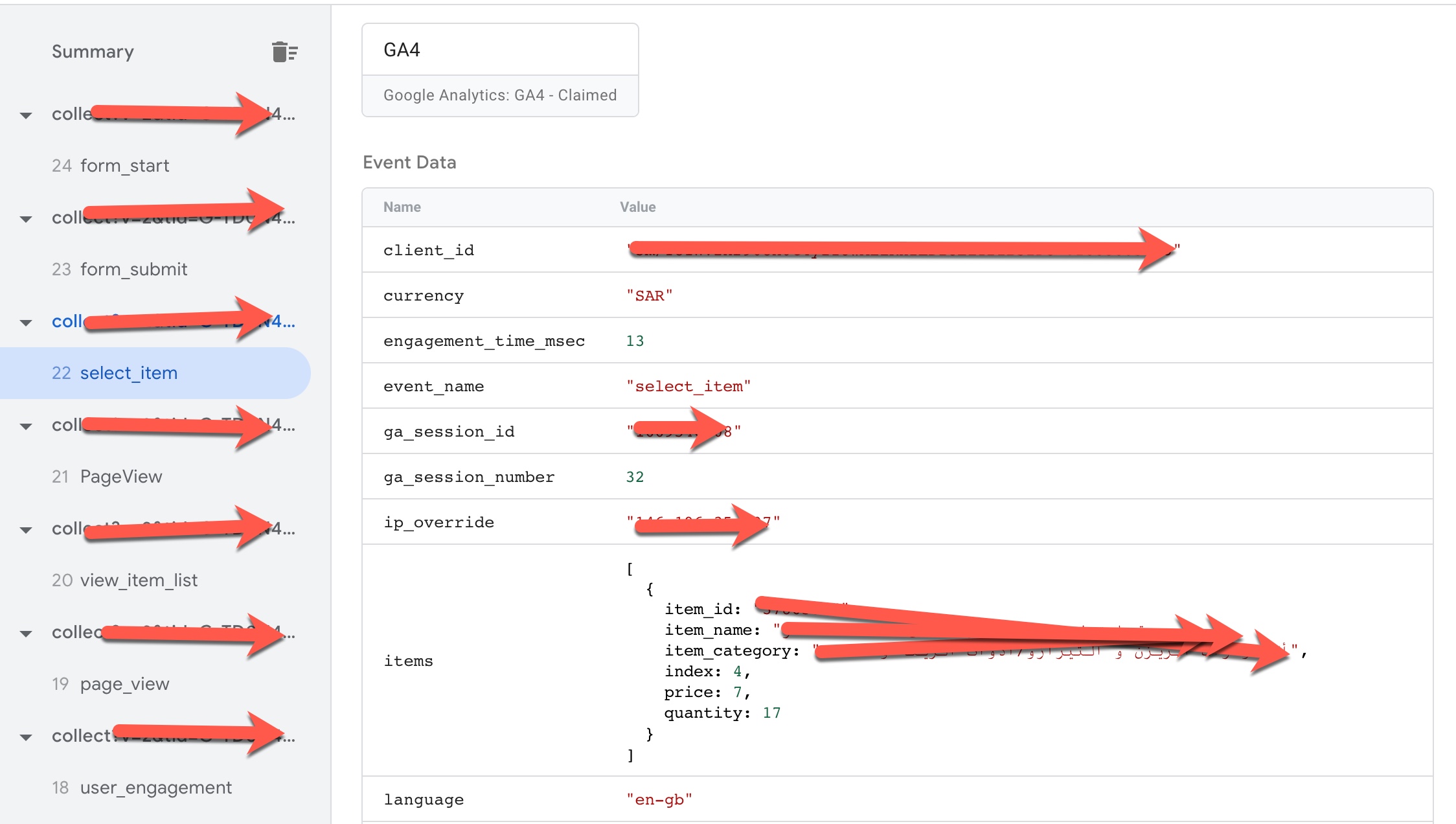
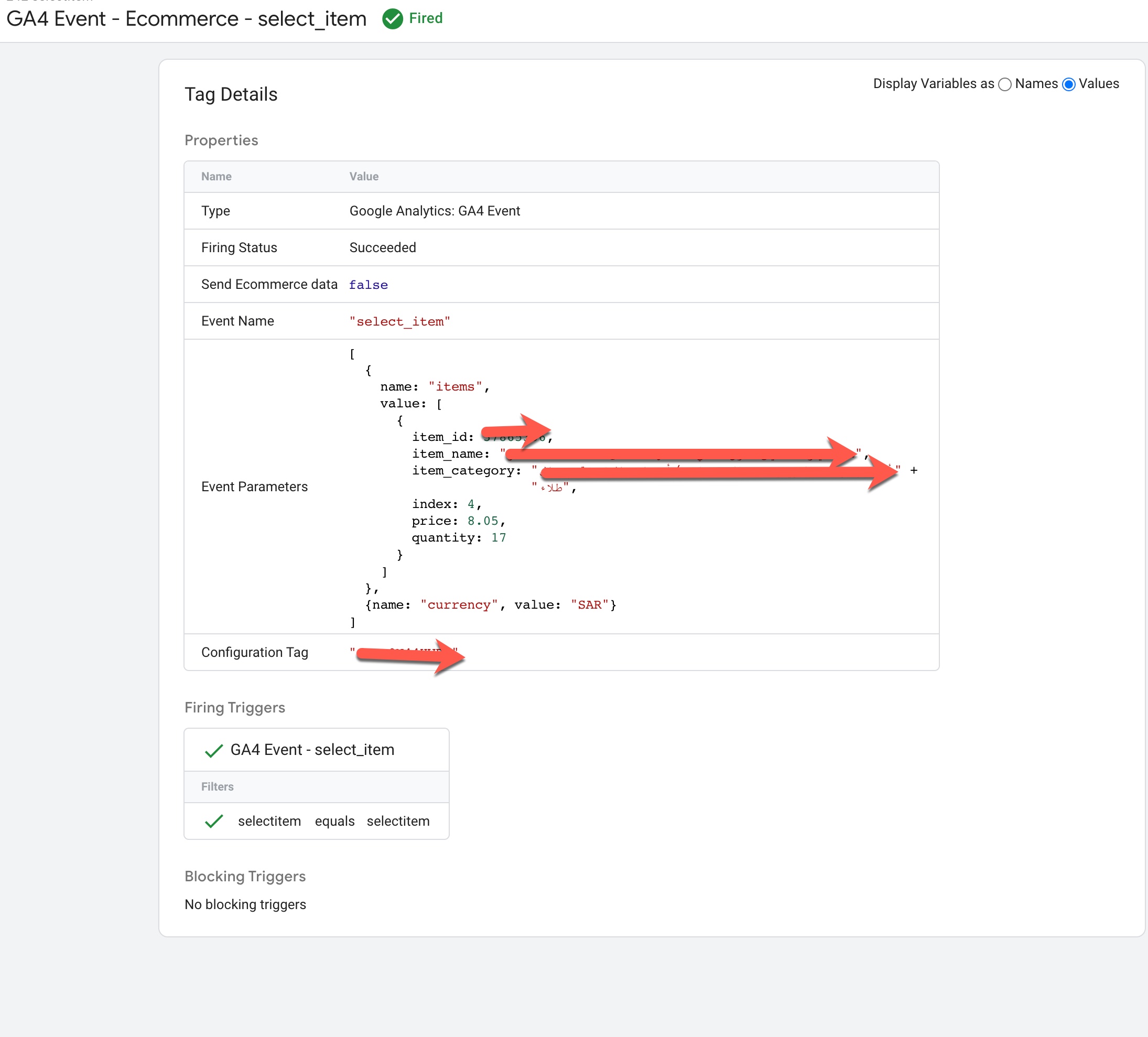
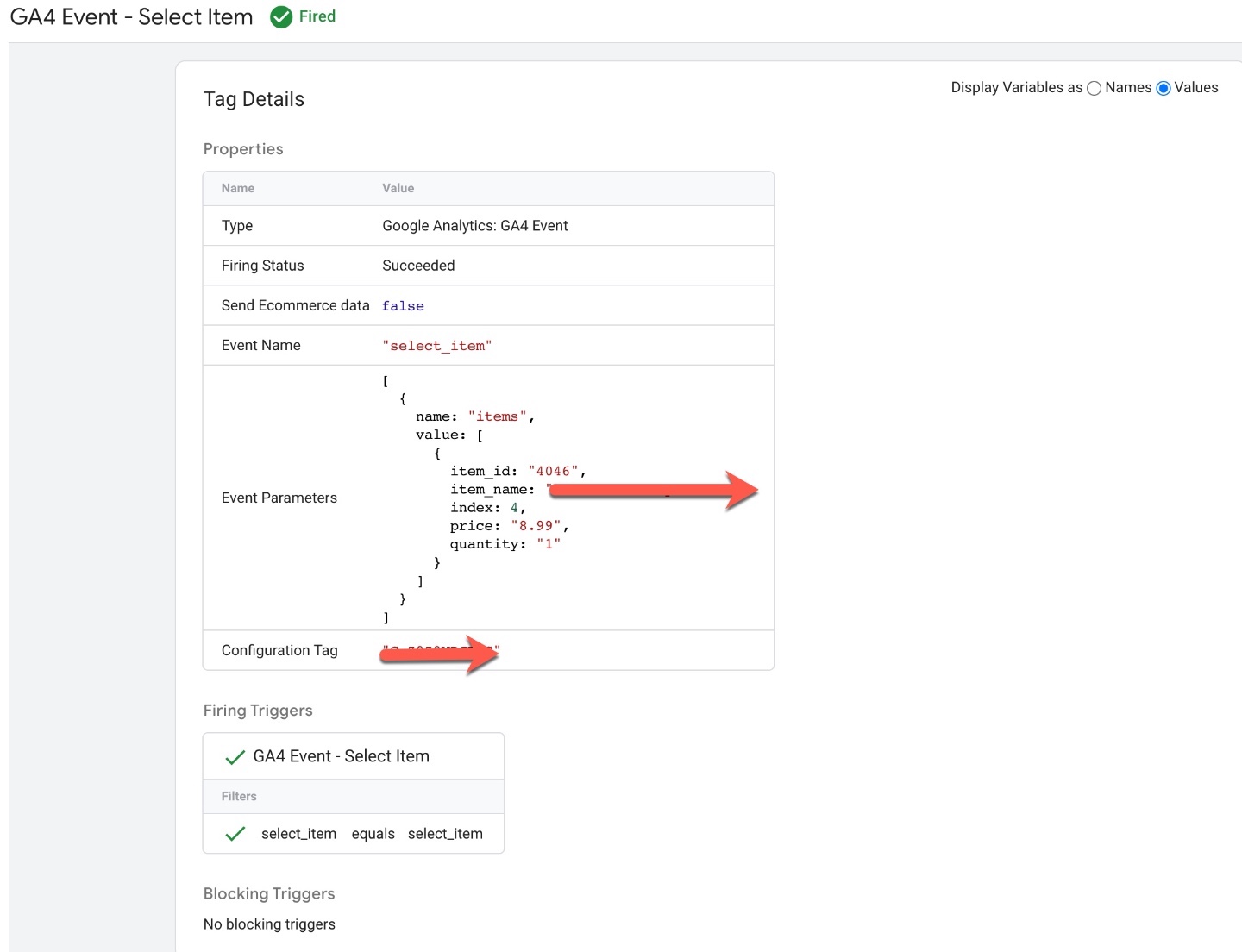
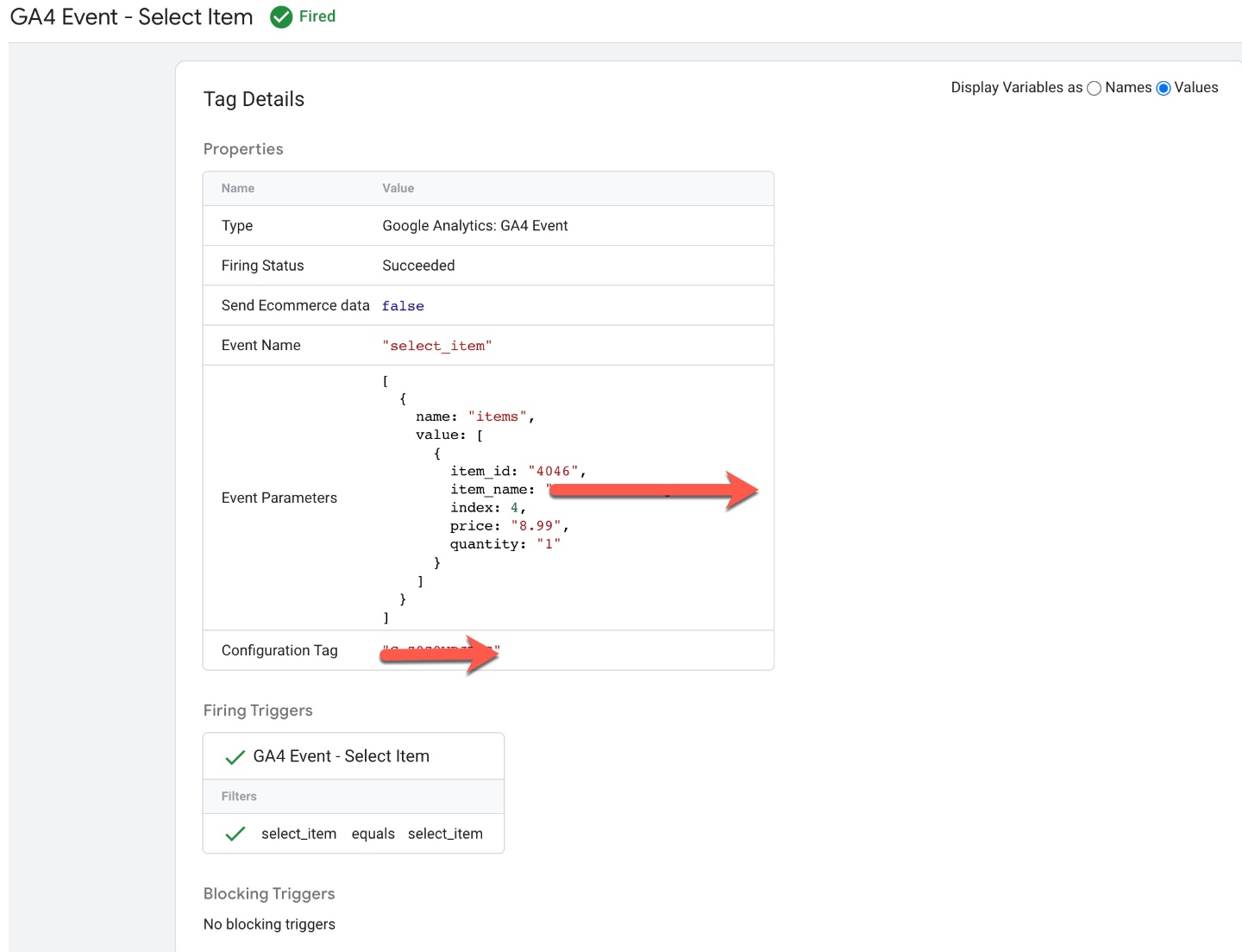
Volusion GA4 Enhanced Ecommerce Events for select_item: To Track when user click on list of product listed on the pages using GA4 Volusion Enhanced Ecommerce Tracking for Volusion using Google Tag Manager
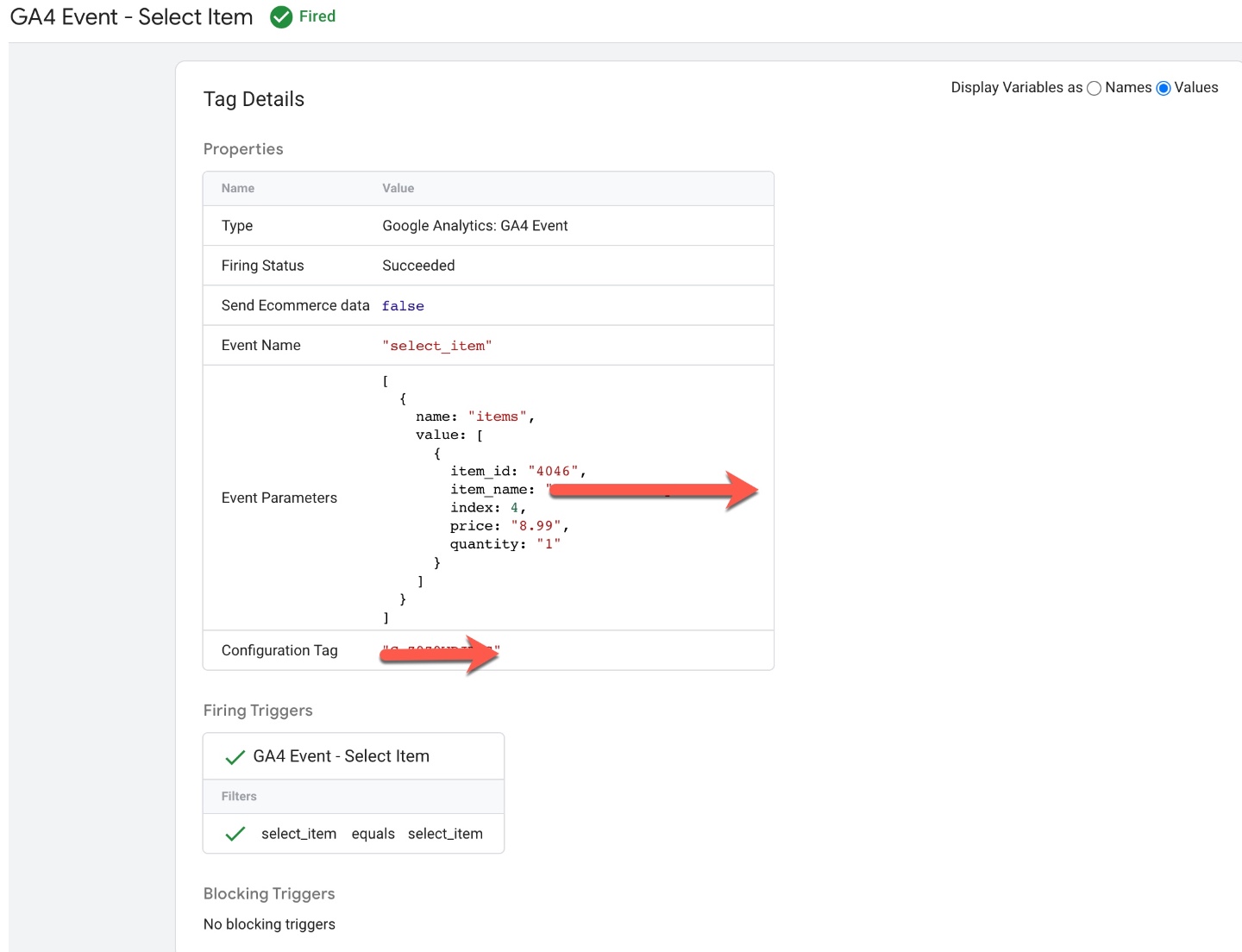
GA4 eCommerce Tracking

GA4 eCommerce Tracking Volusion Store using Google Tag manager

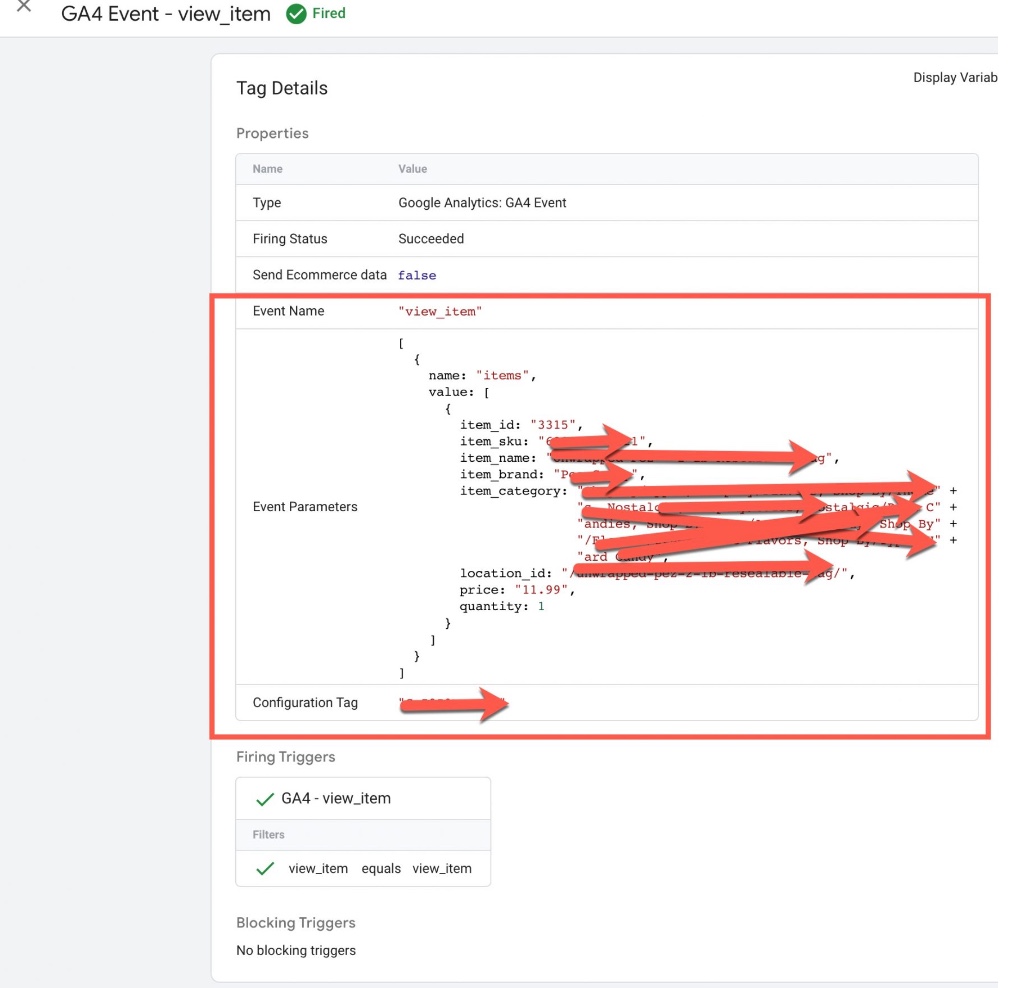
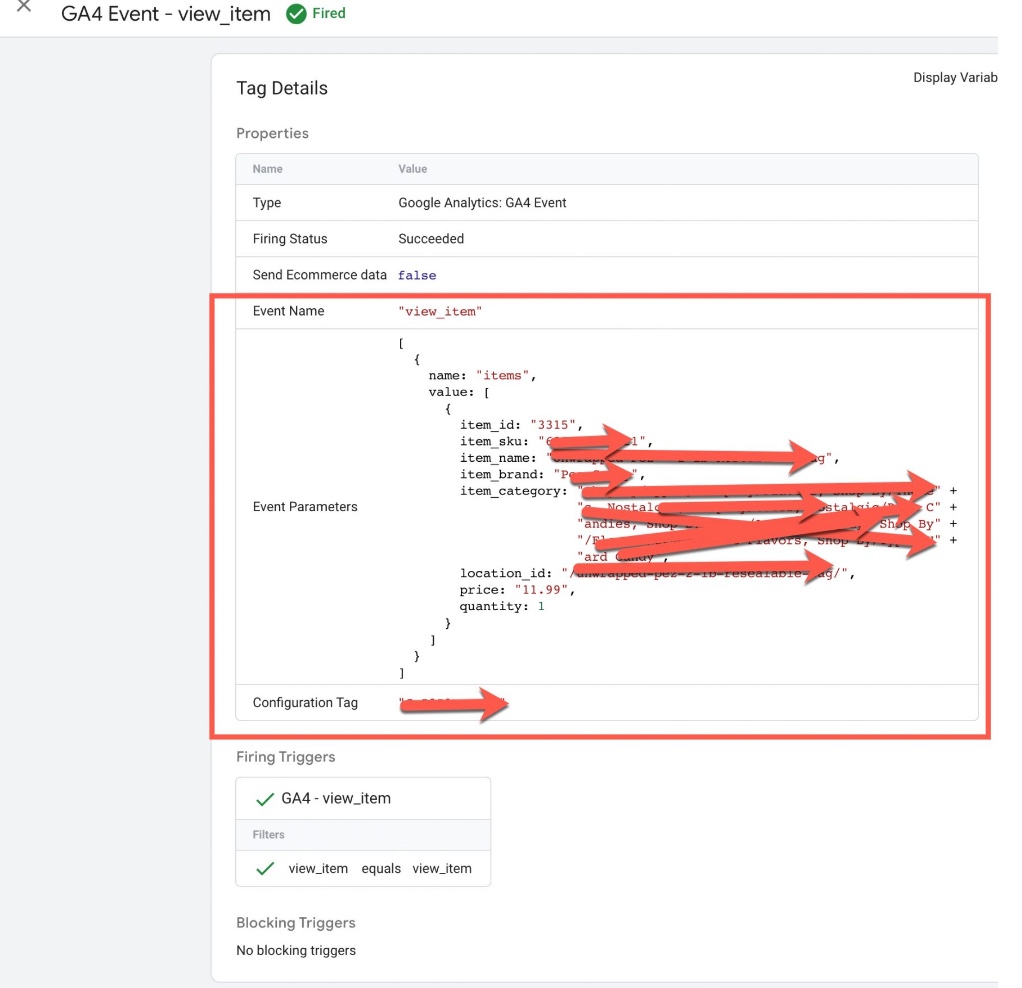
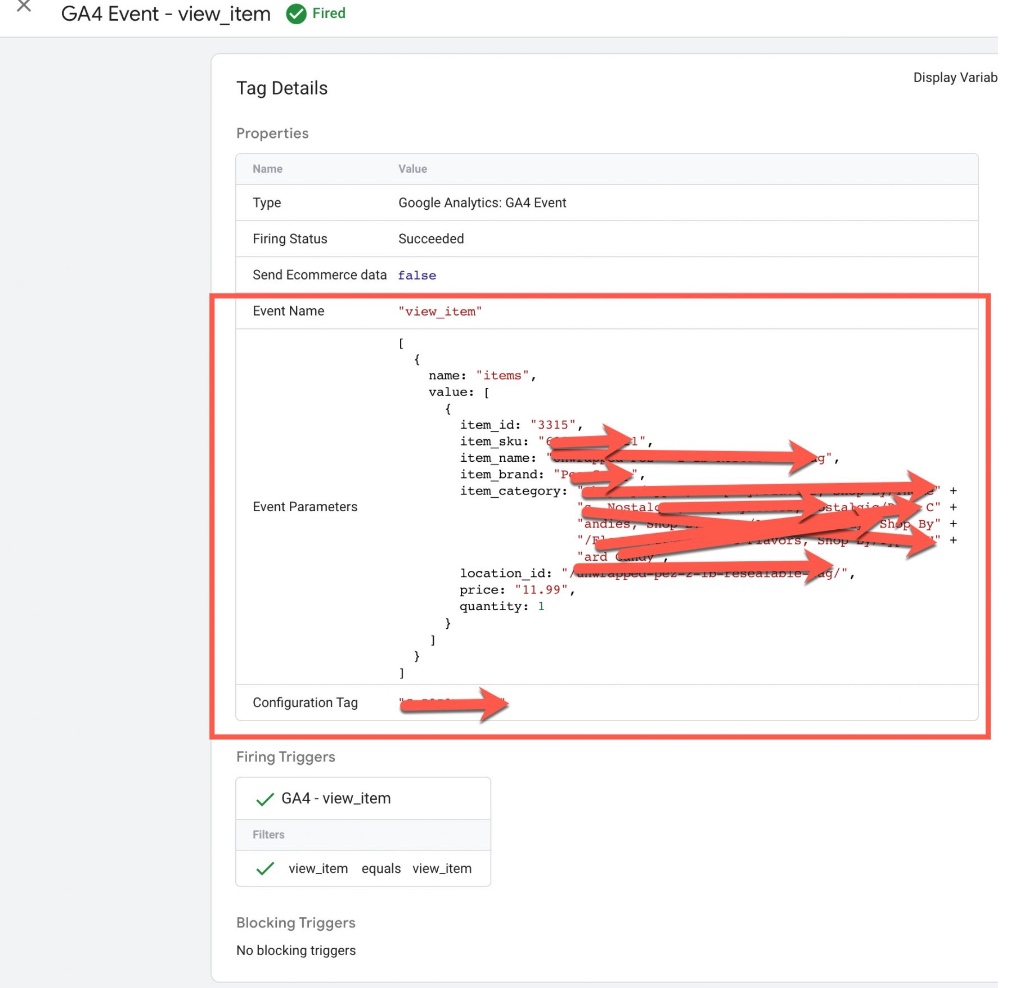
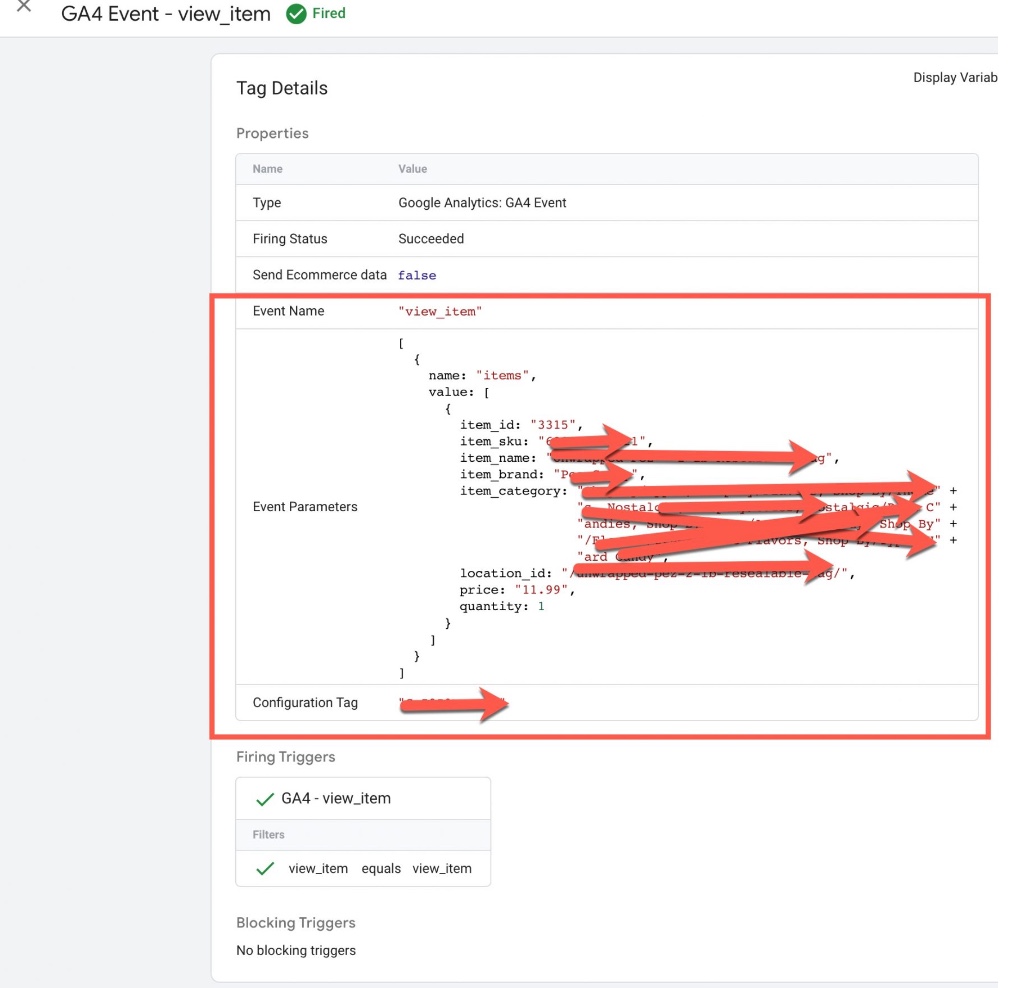
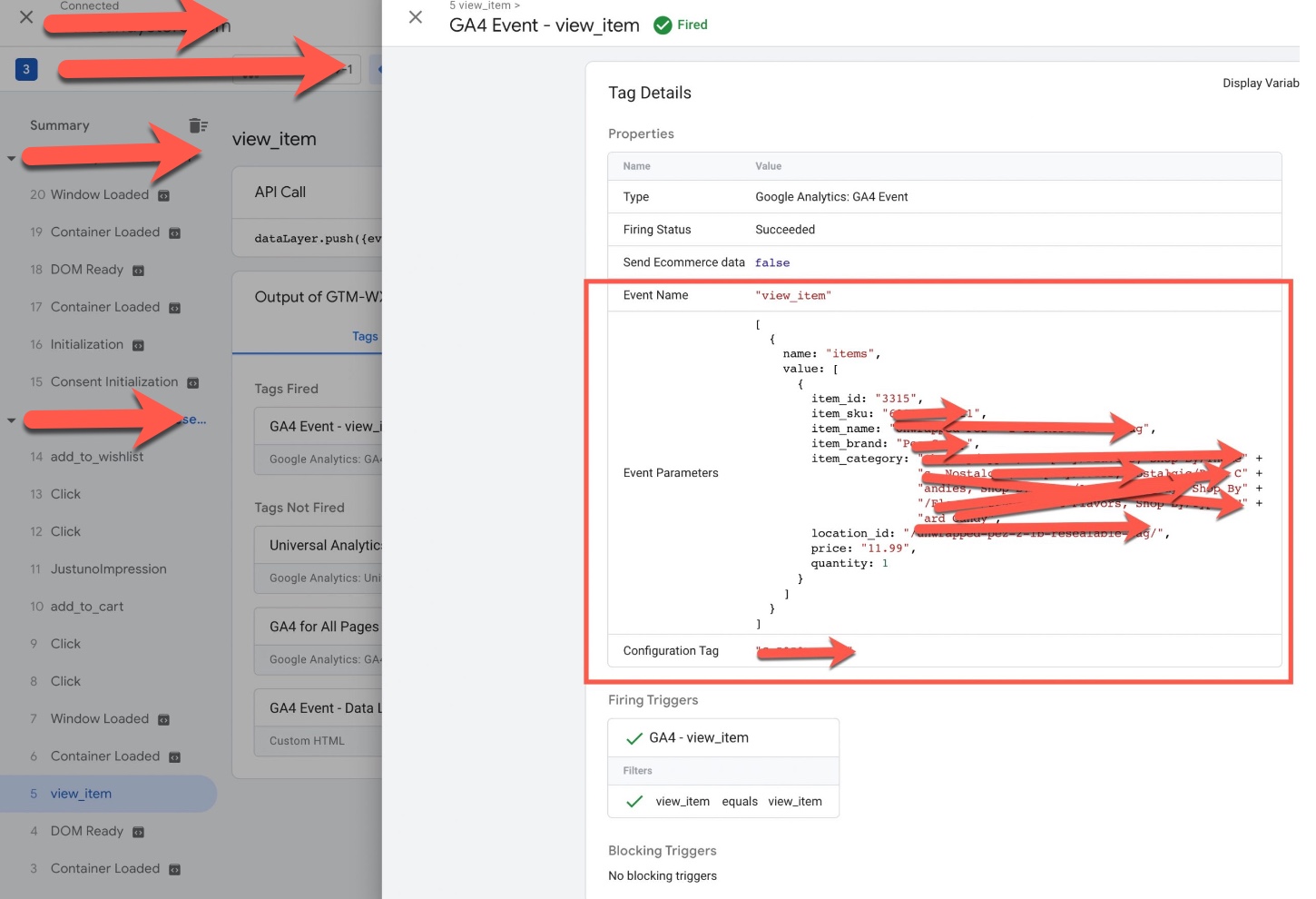
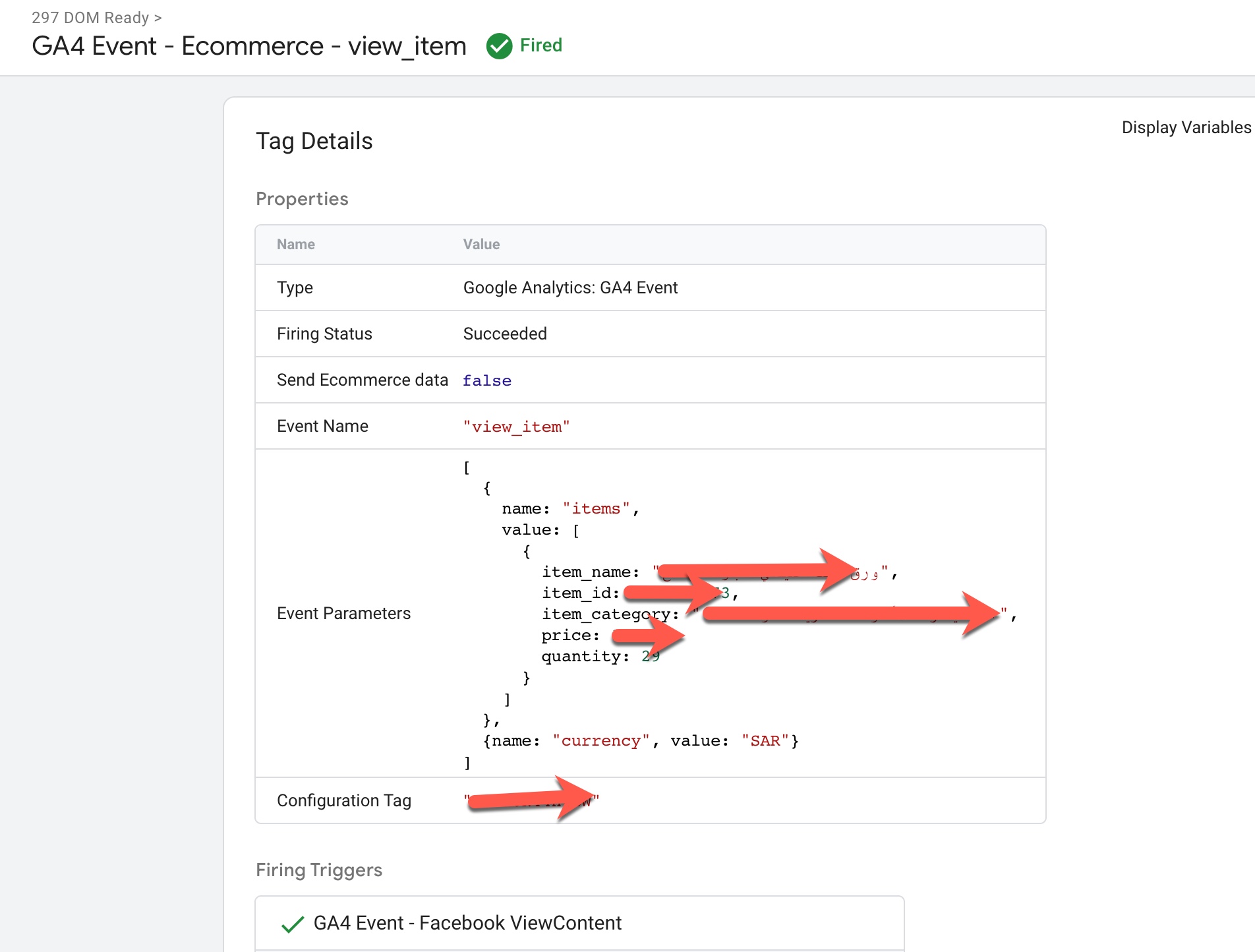
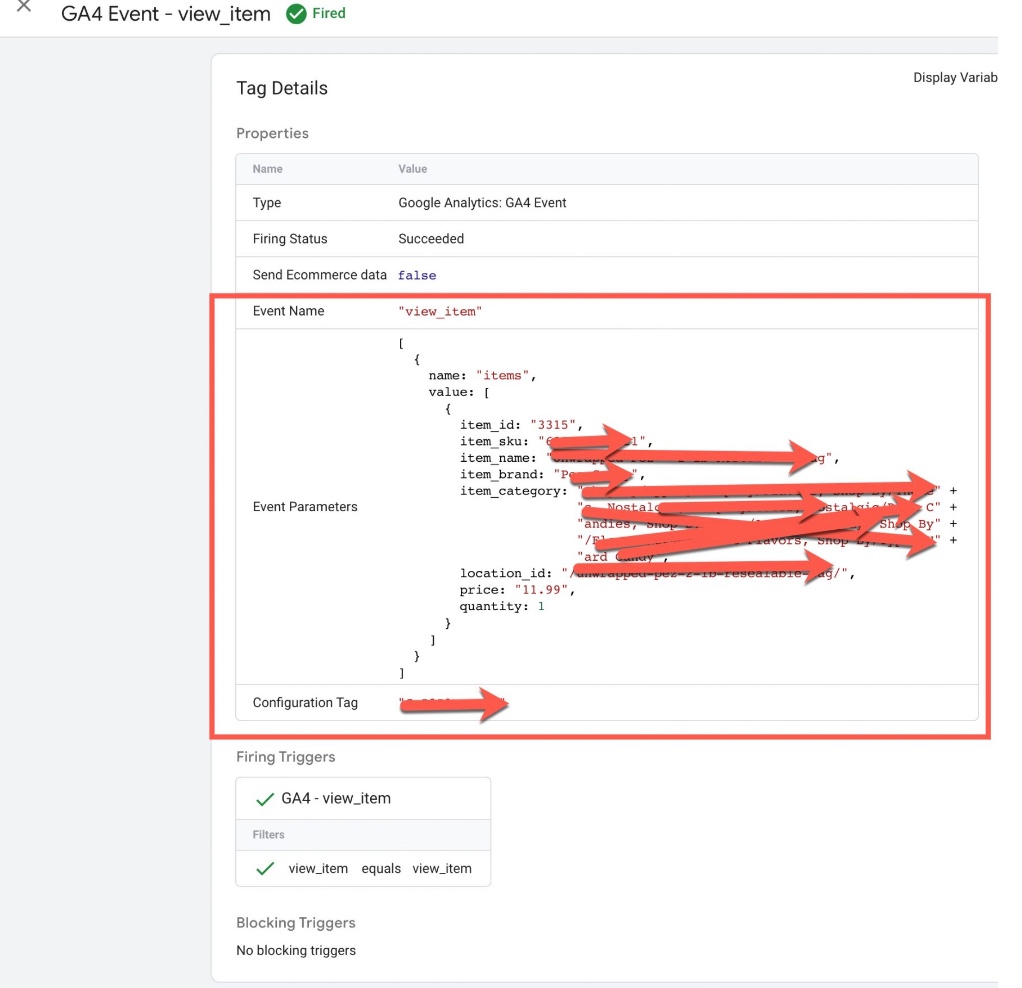
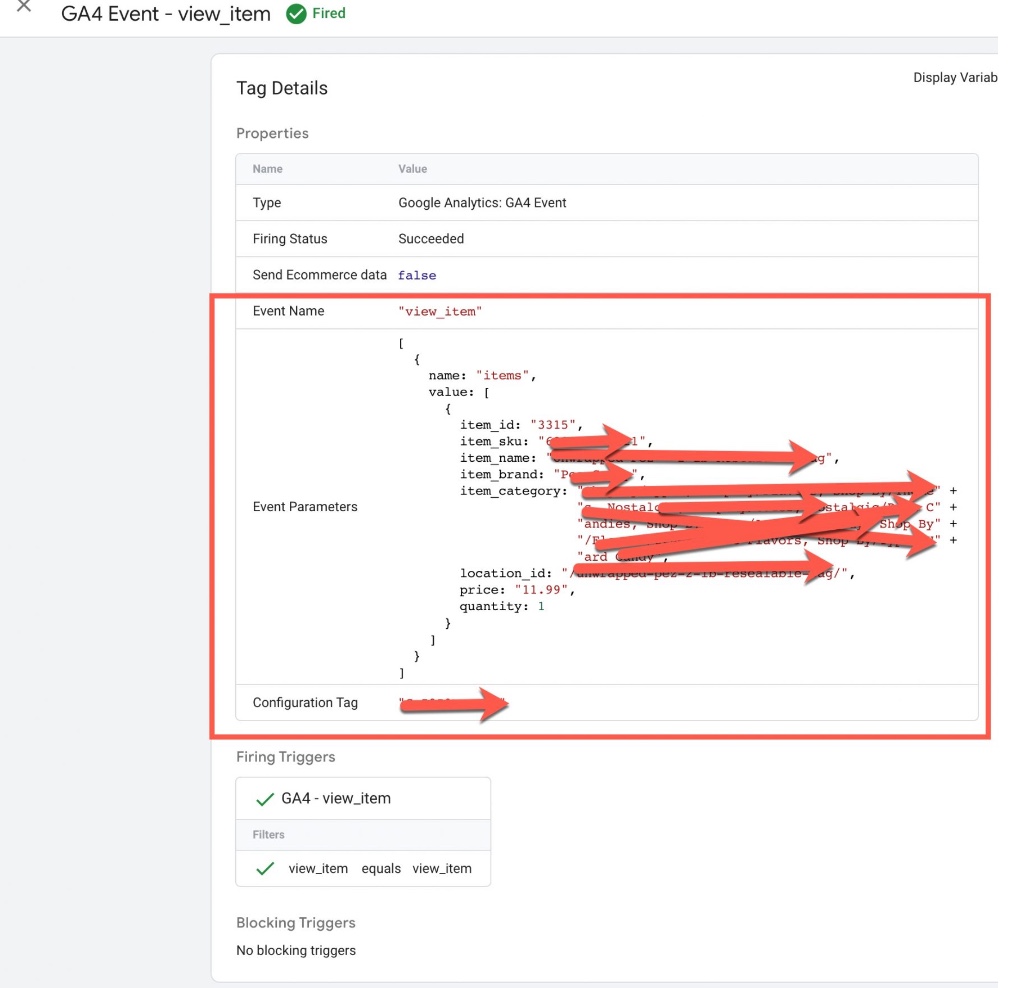
Volusion GA4 Enhanced Ecommerce Events for view_item: To Track when user visit a product details page using GA4 Volusion Enhanced Ecommerce Tracking for Volusion Ecommerce Store using Google Tag Manager 
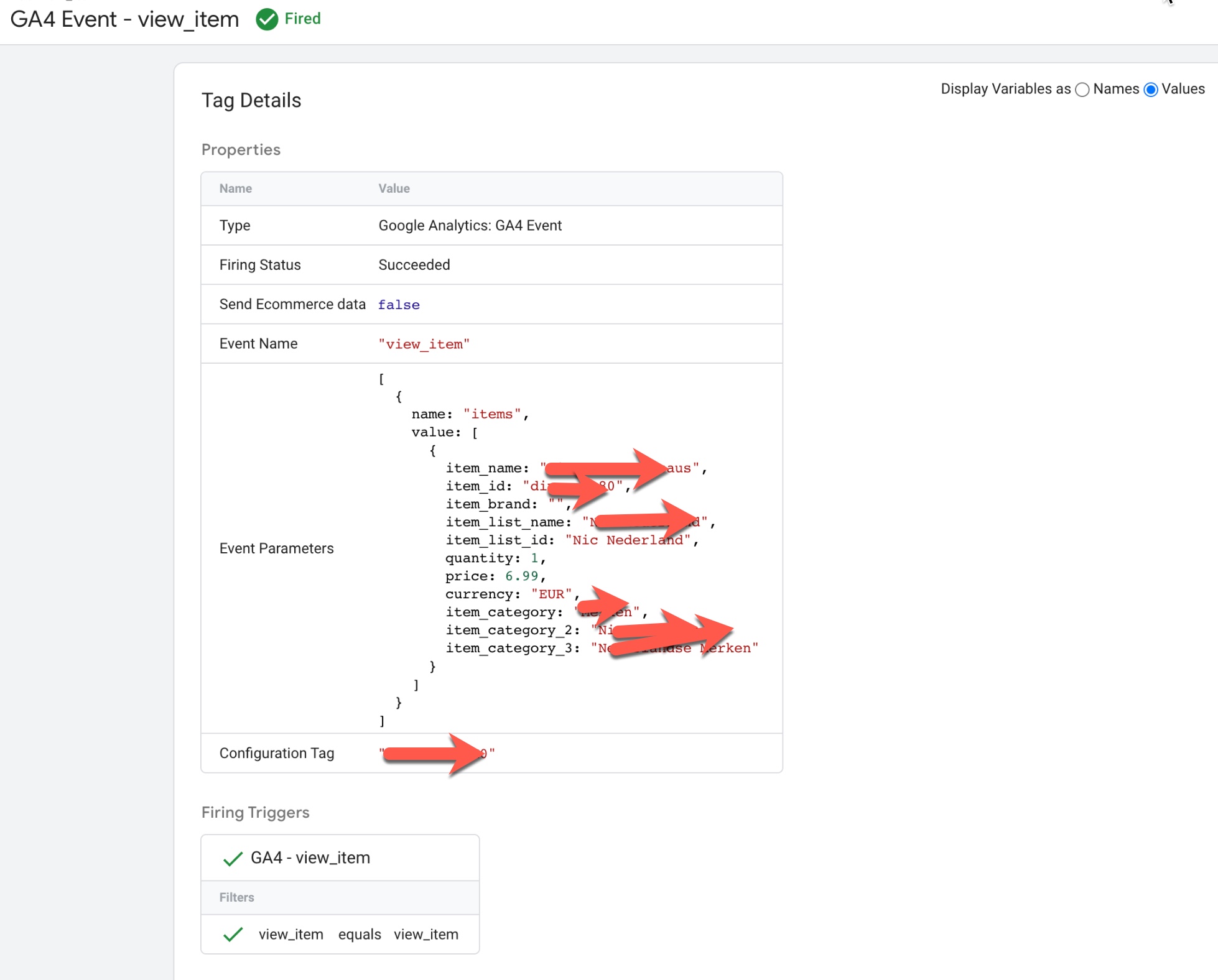
Volusion Google Analytics 4 (GA4) eCommerce Data layer

Google Analytics 4 (GA4) eCommerce Data layer for Volusion using Google Tag Manager

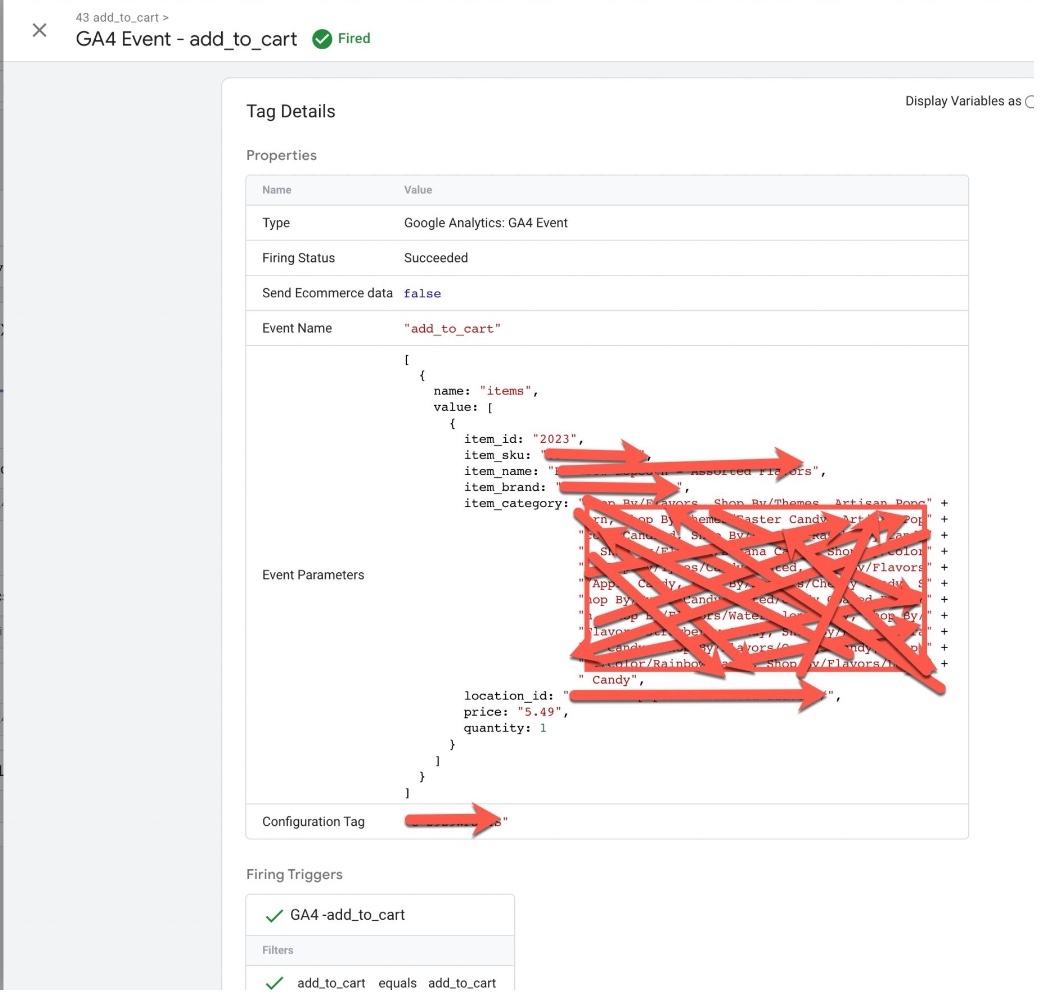
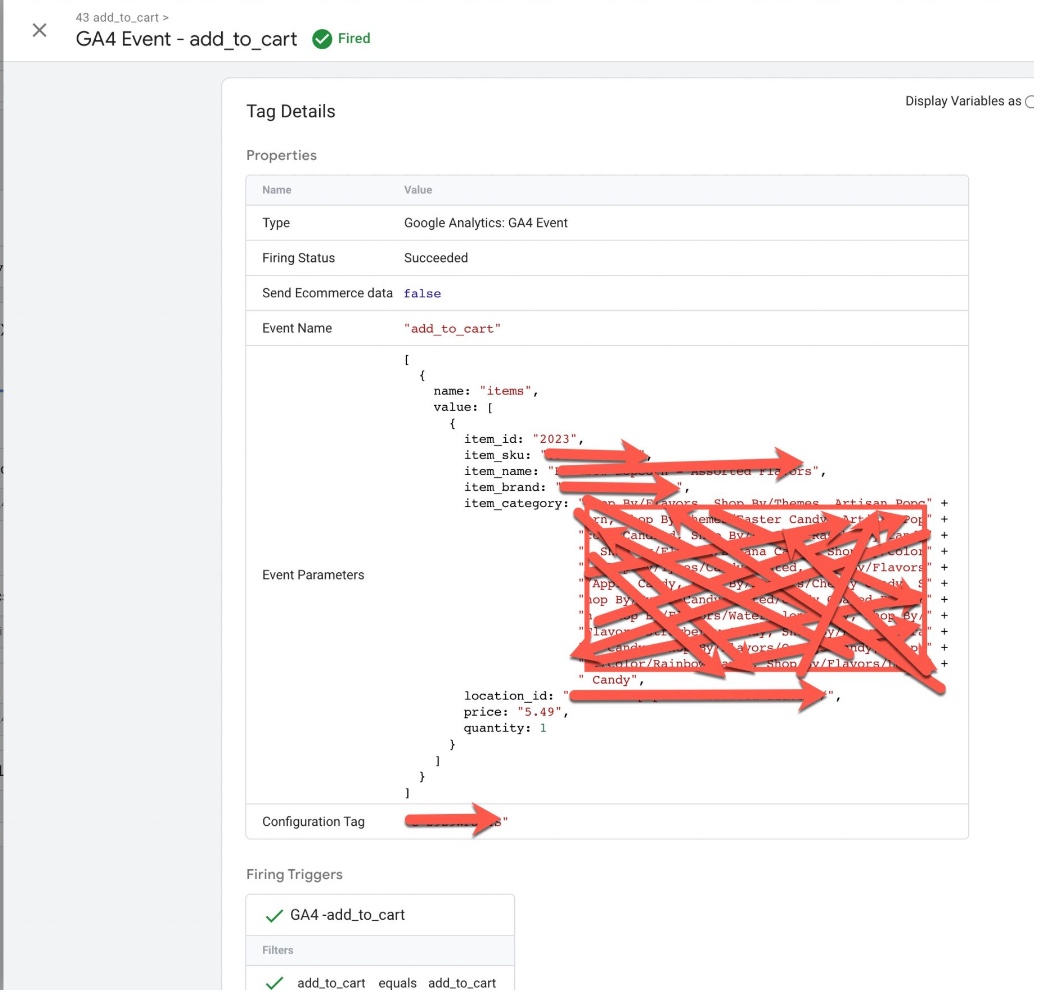
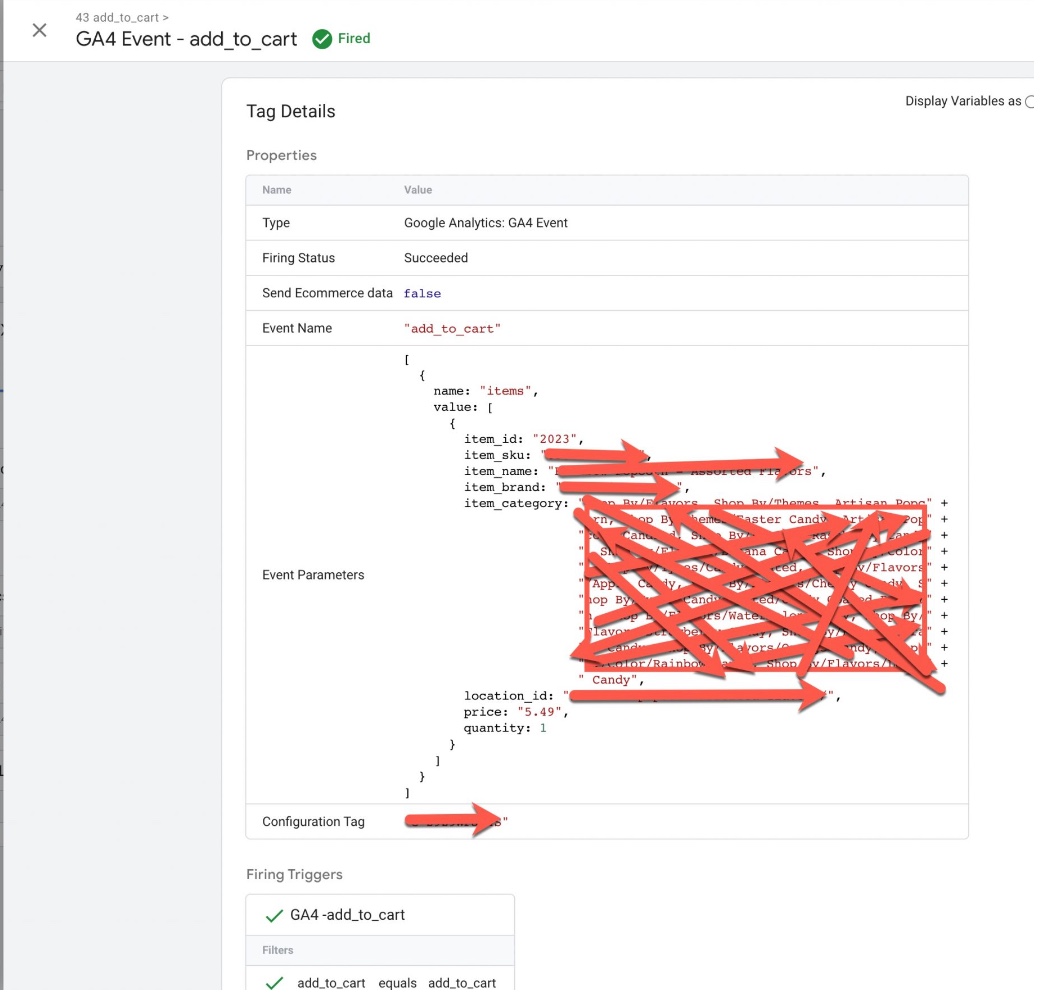
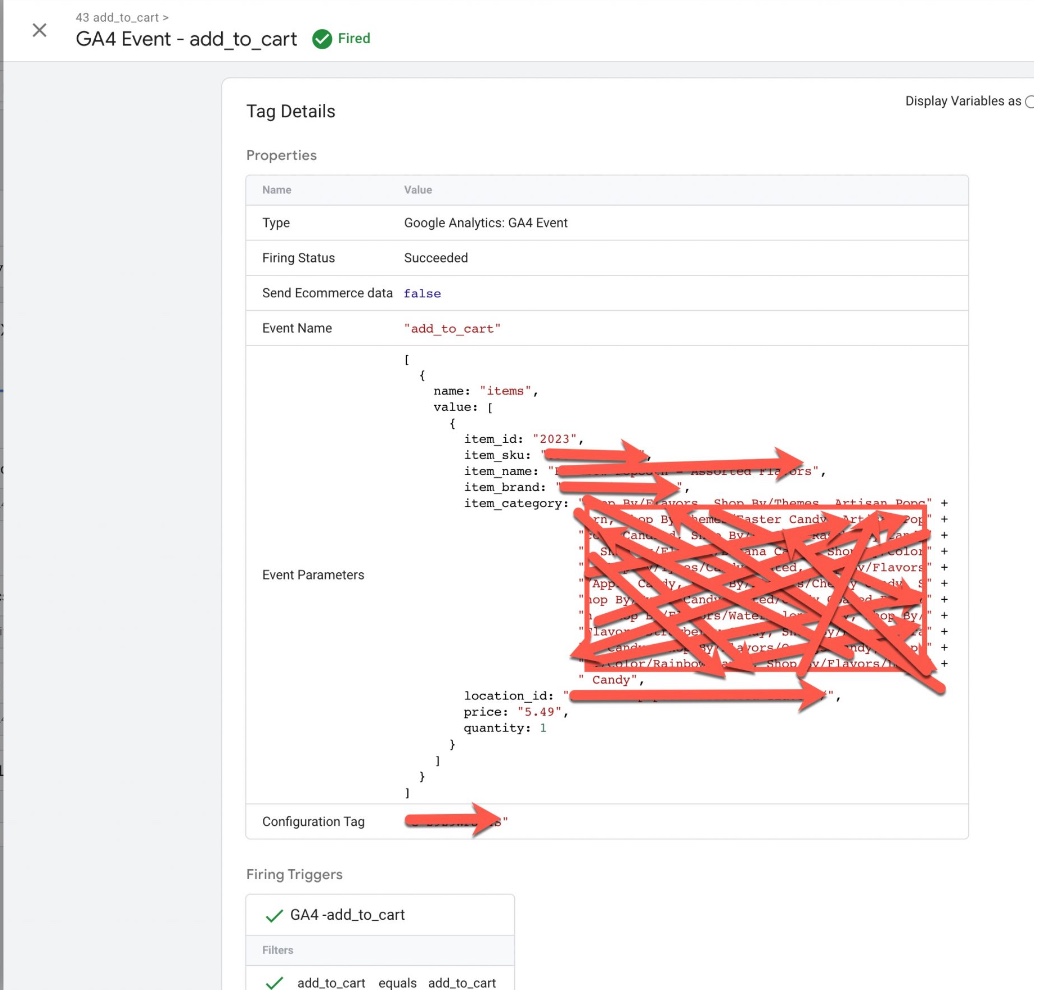
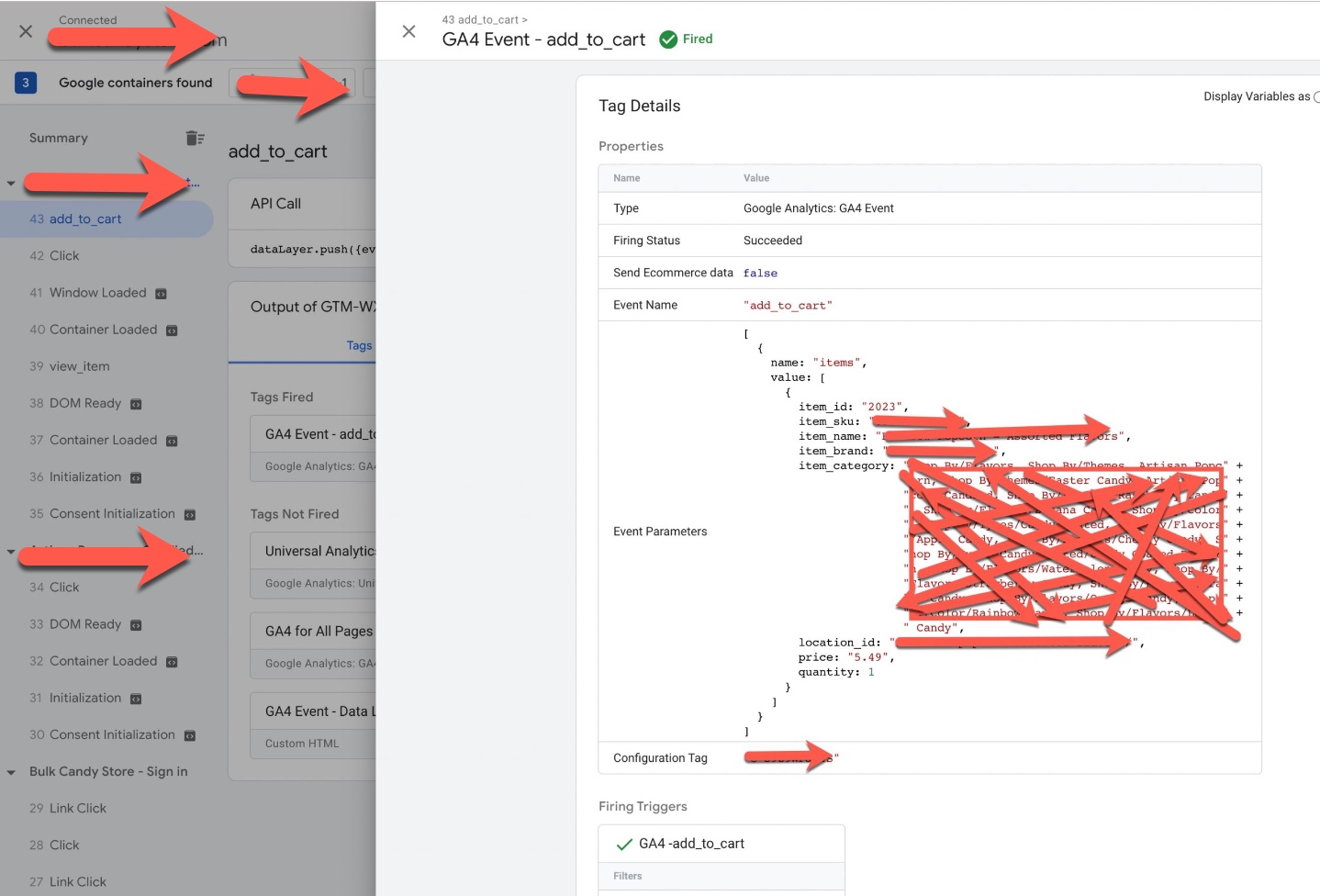
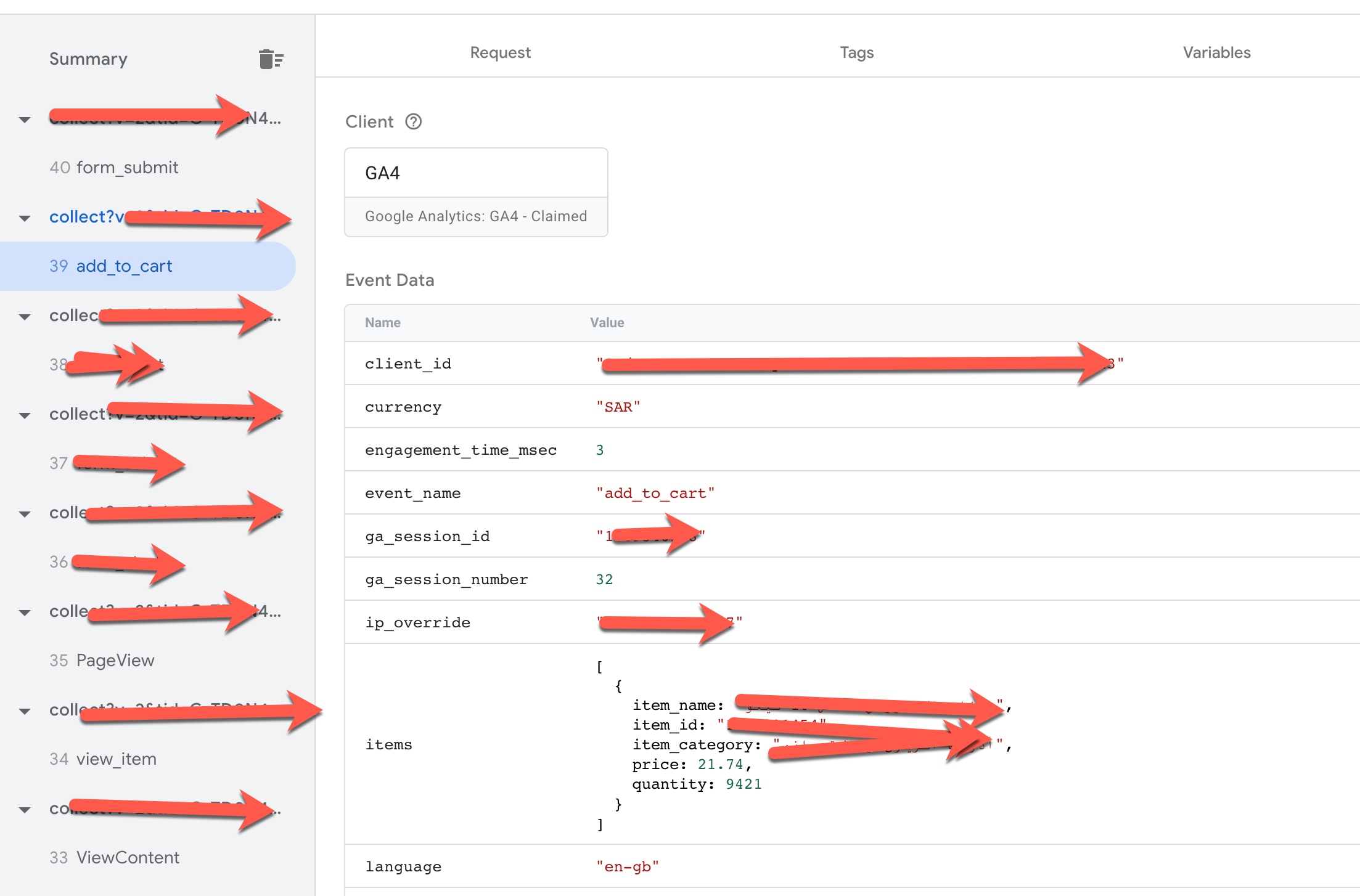
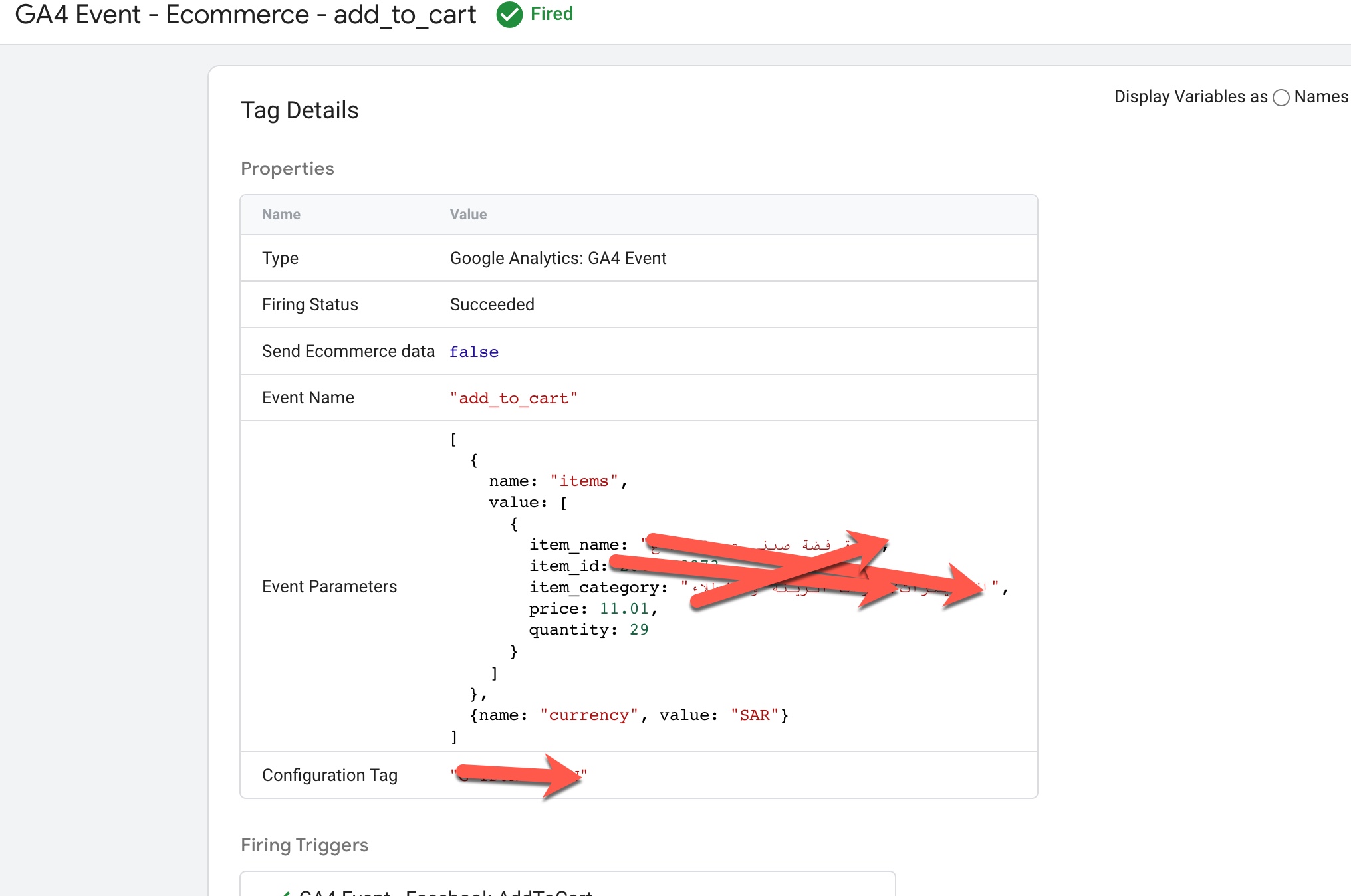
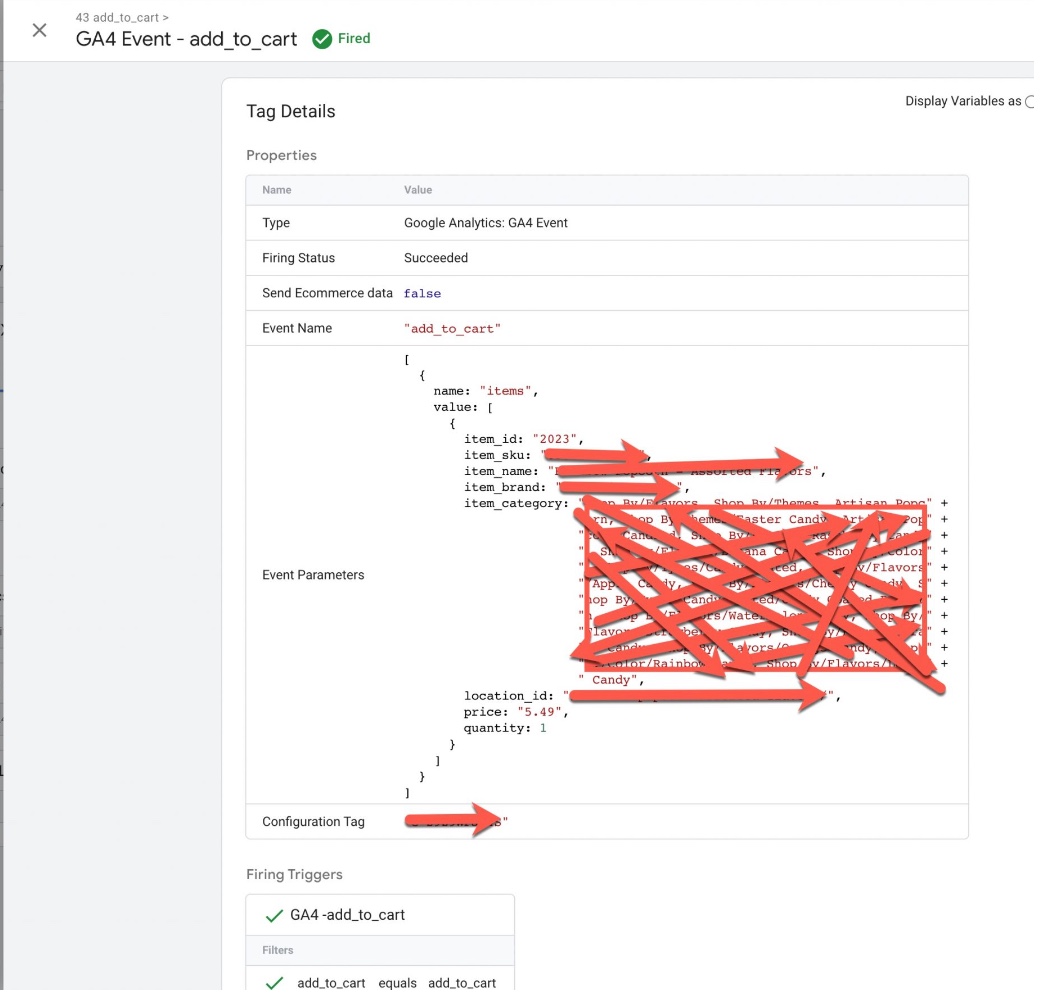
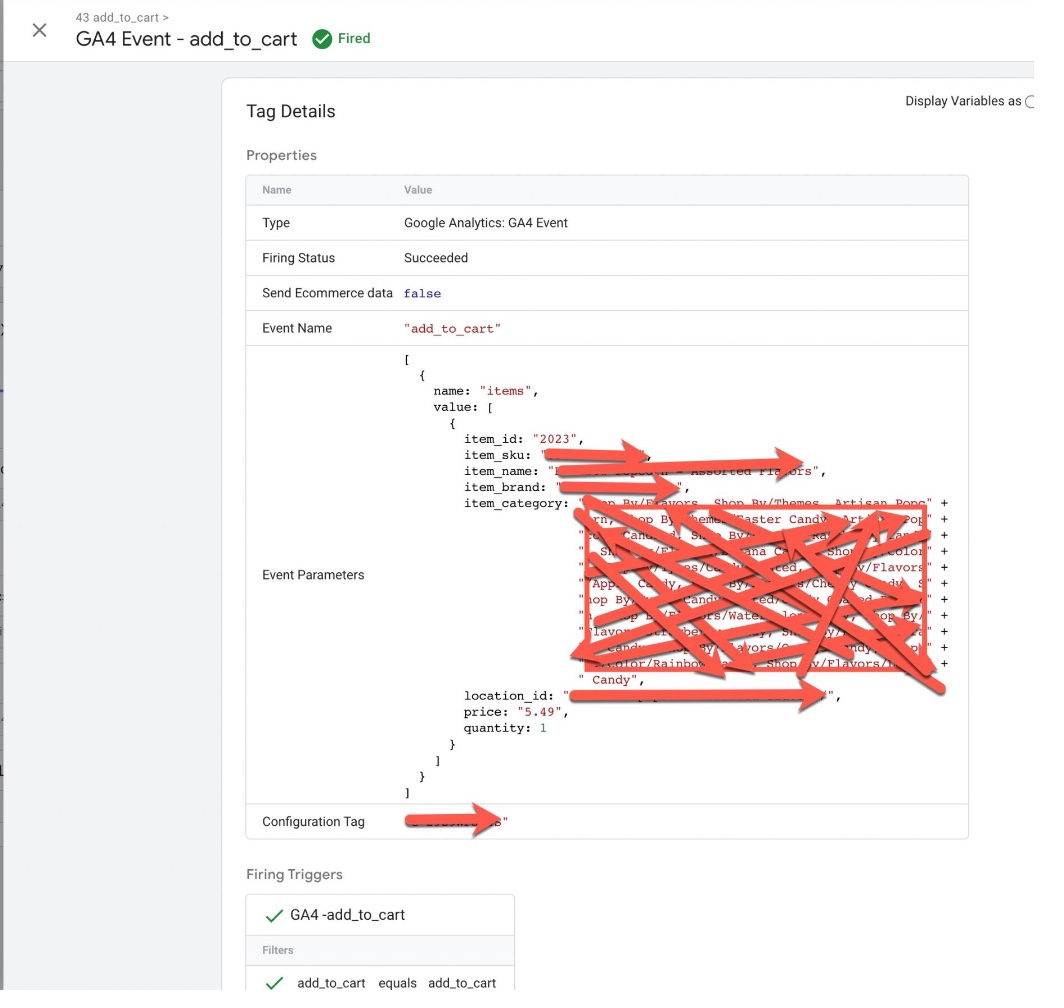
Volusion GA4 Enhanced Ecommerce Events for add_to_cart: To Track when user visit a product details page then Click on AddtoCart using GA4 Volusion Enhanced Ecommerce Tracking for Volusion Via Google Tag Manager 
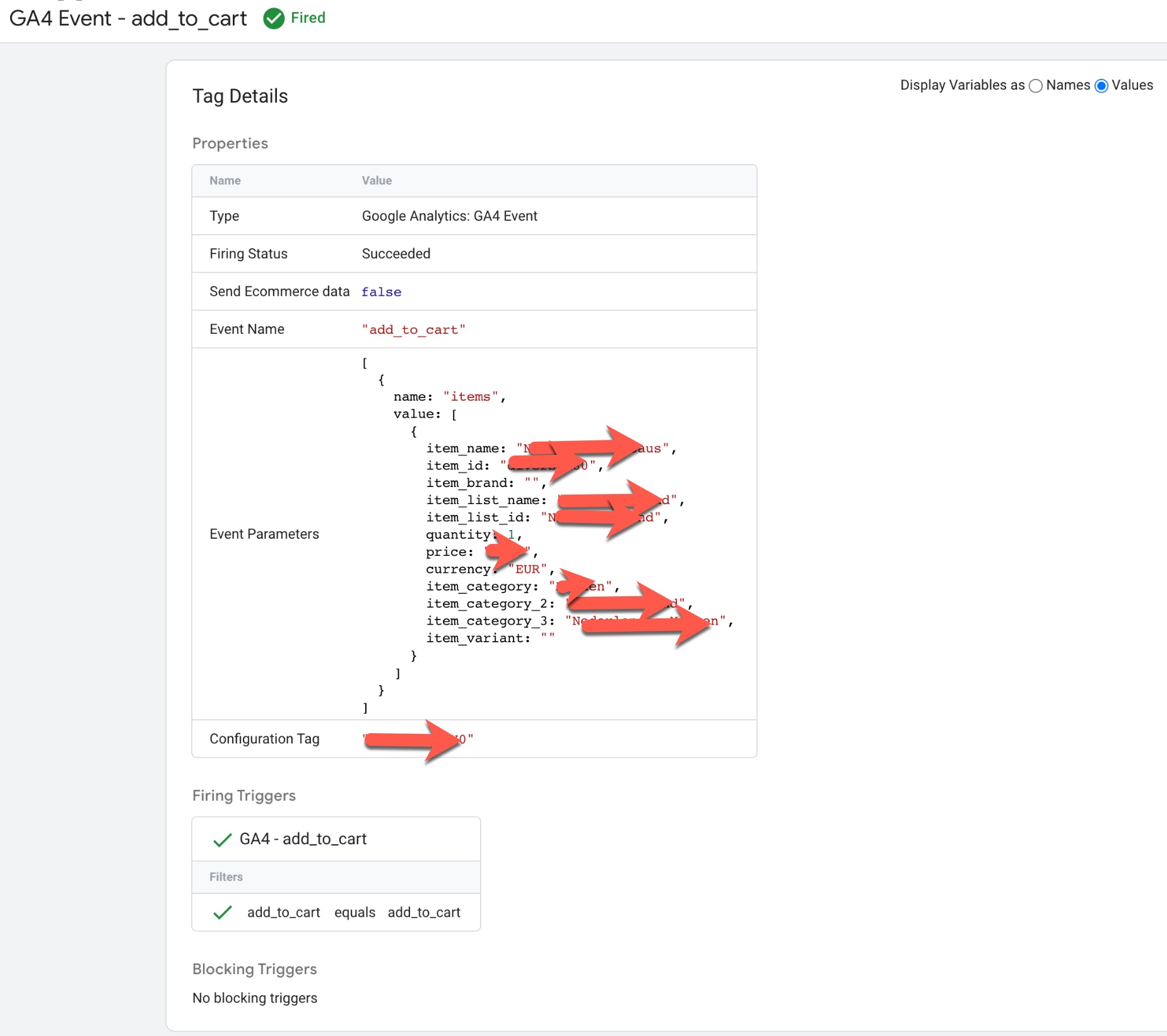
Google Analytics 4 (GA4) in Volusion ecommerce

Volusion Google Analytics 4 (GA4) eCommerce tracking using Google Tag Manager

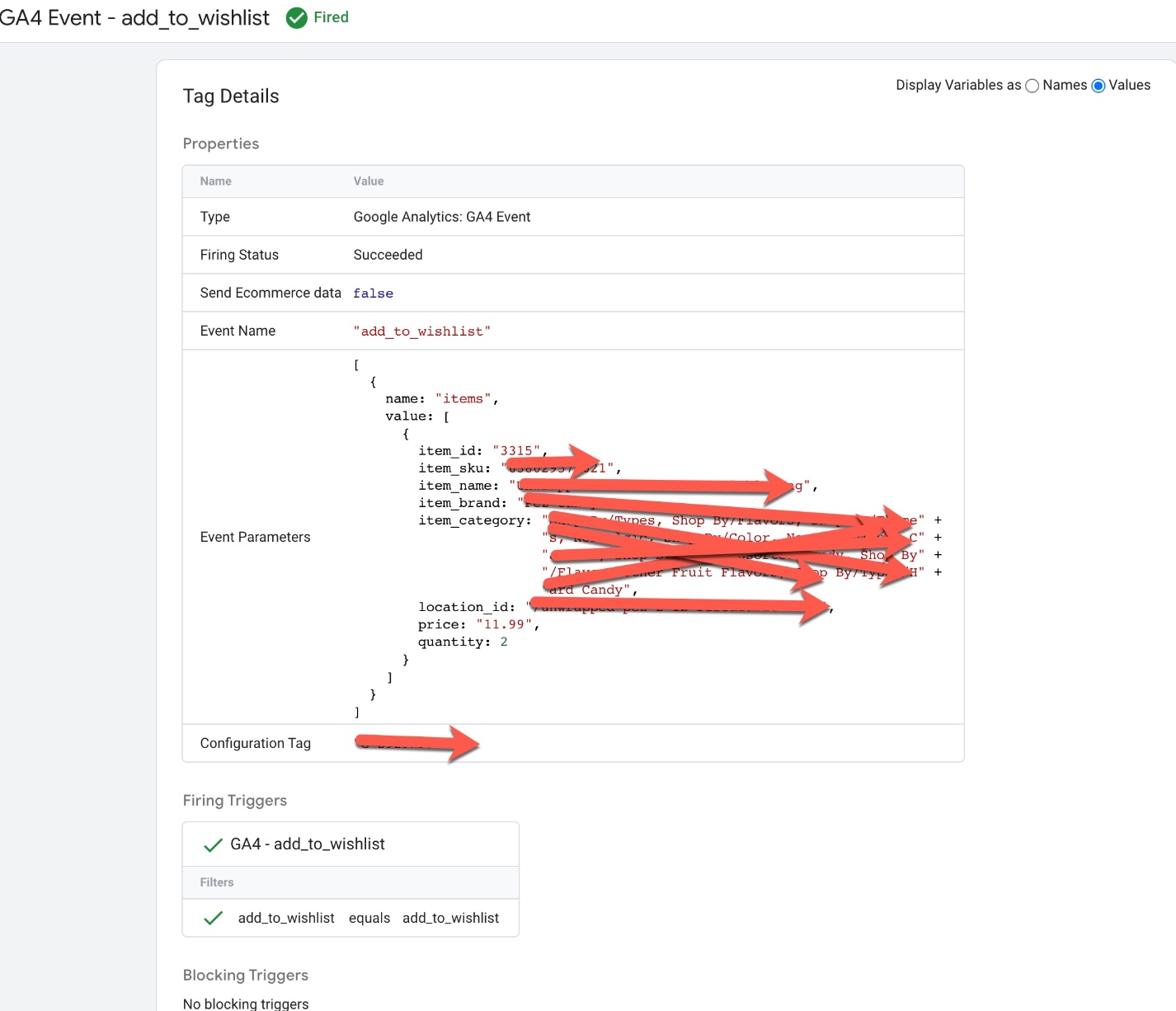
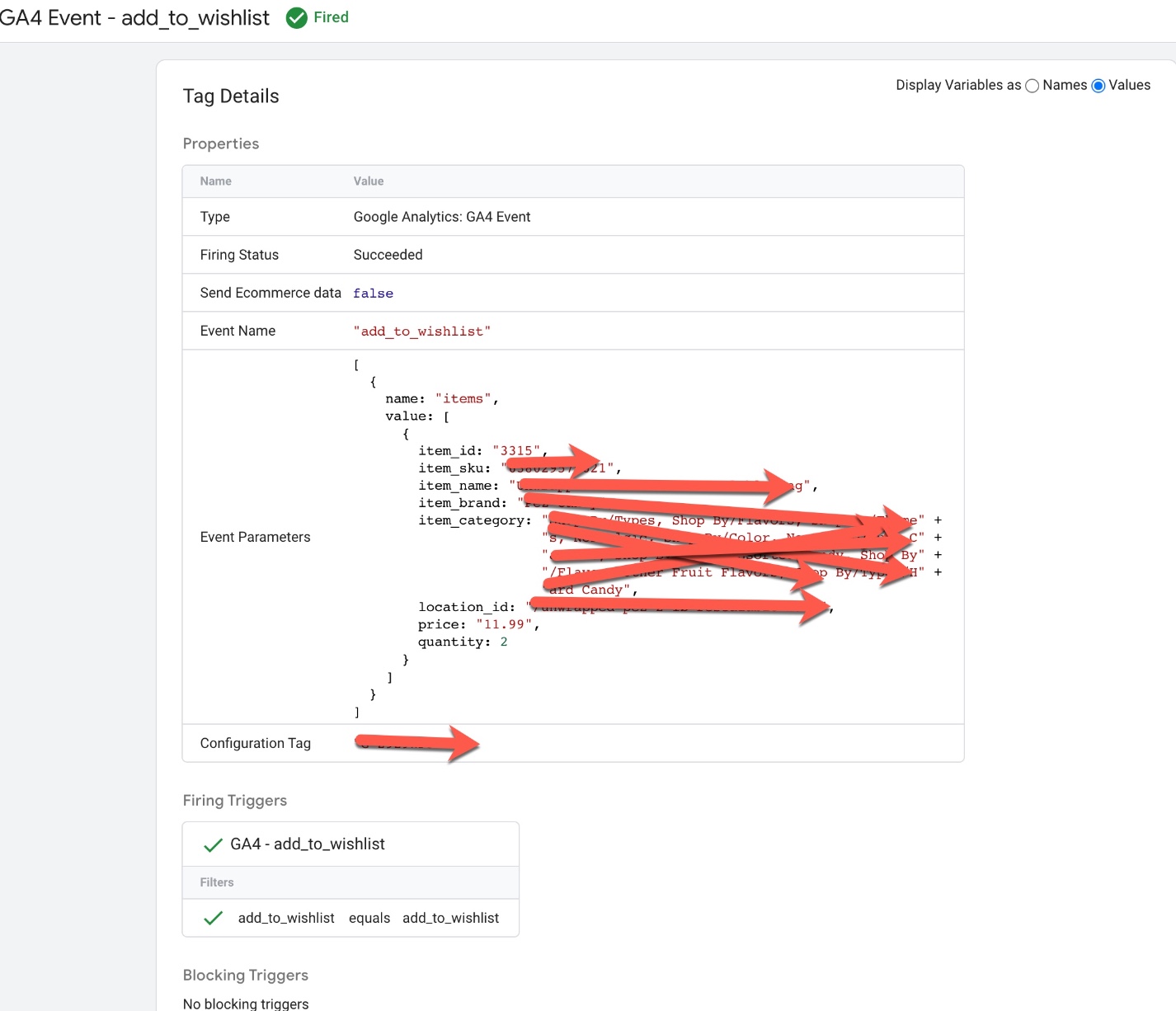
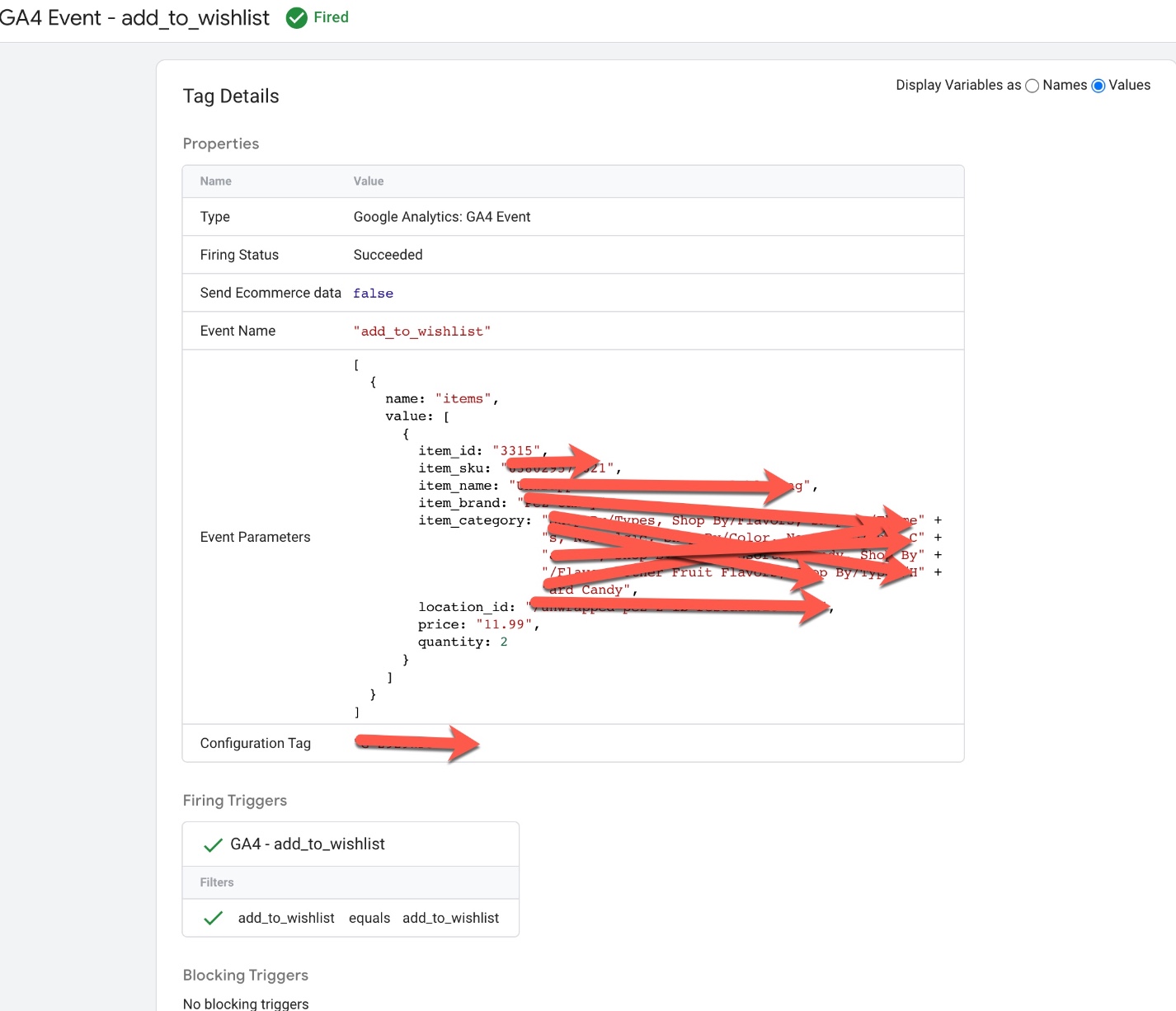
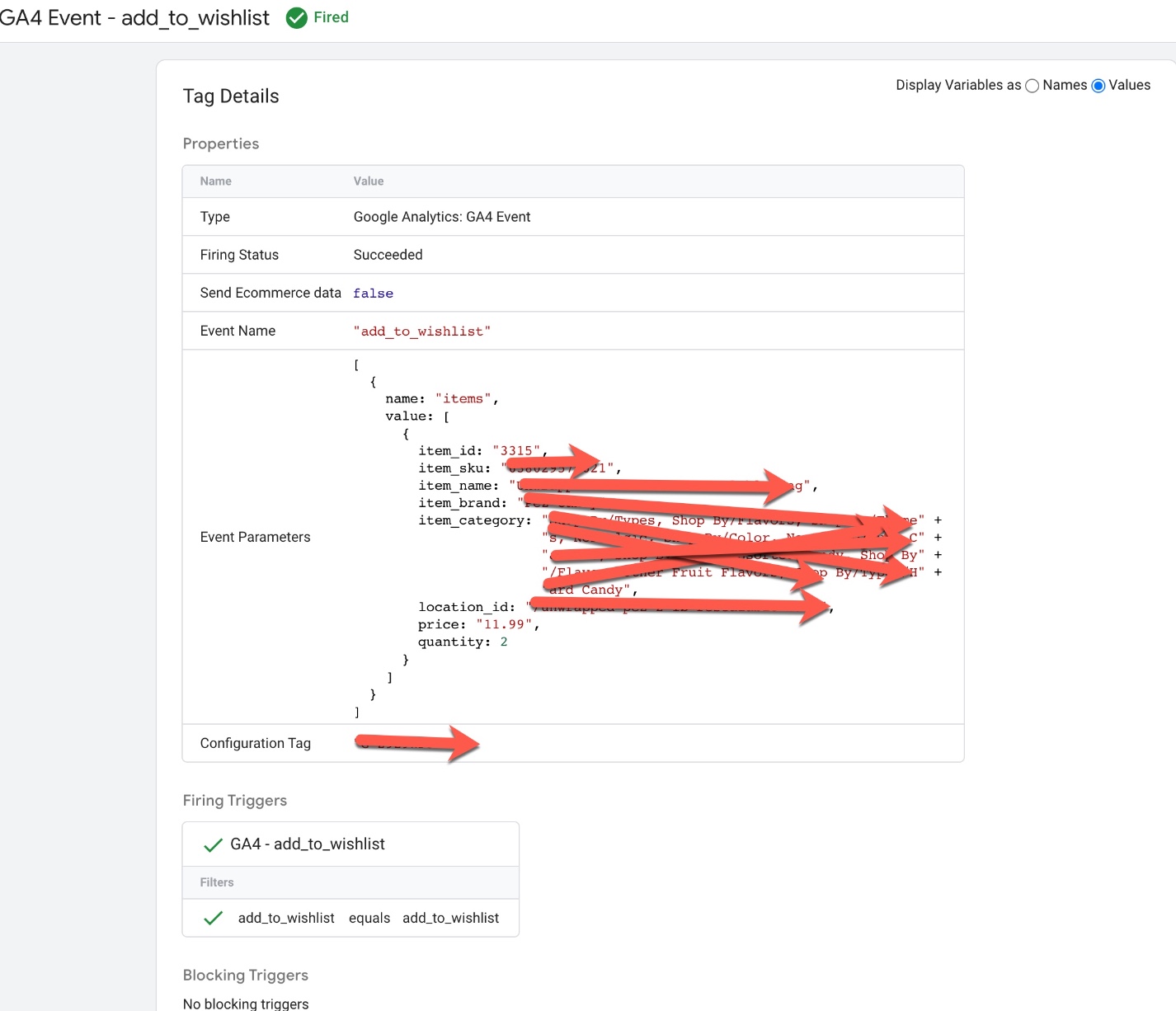
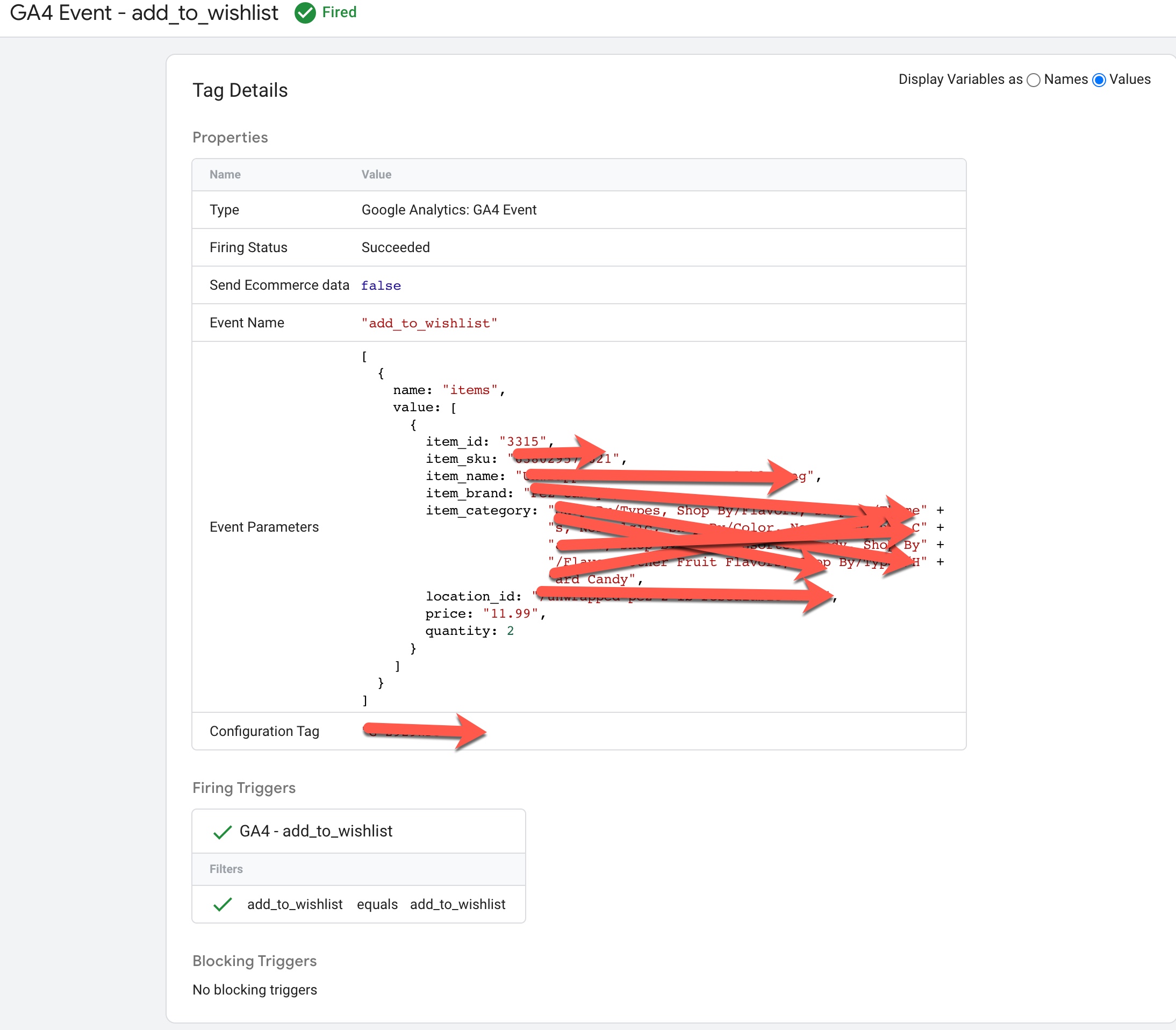
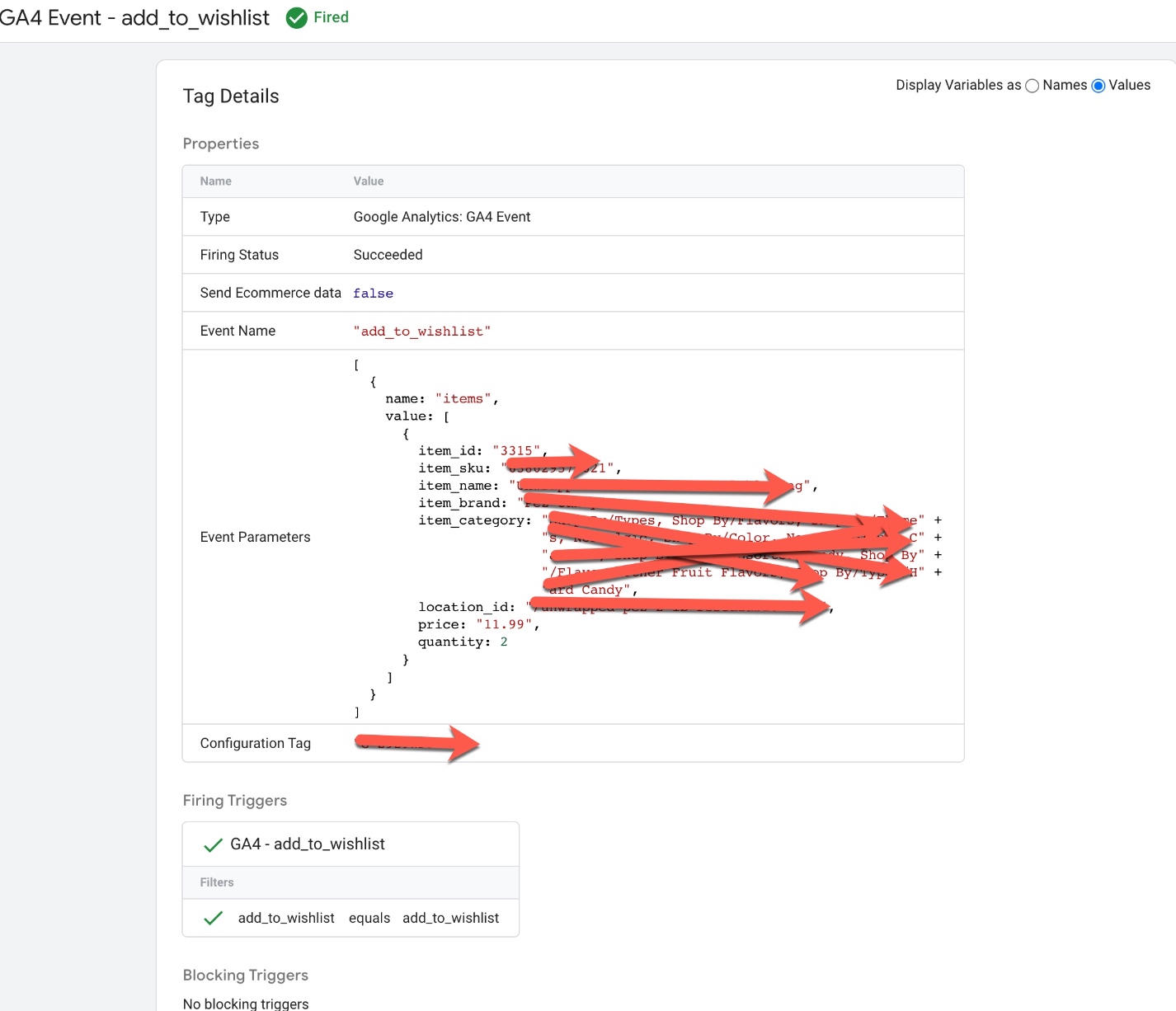
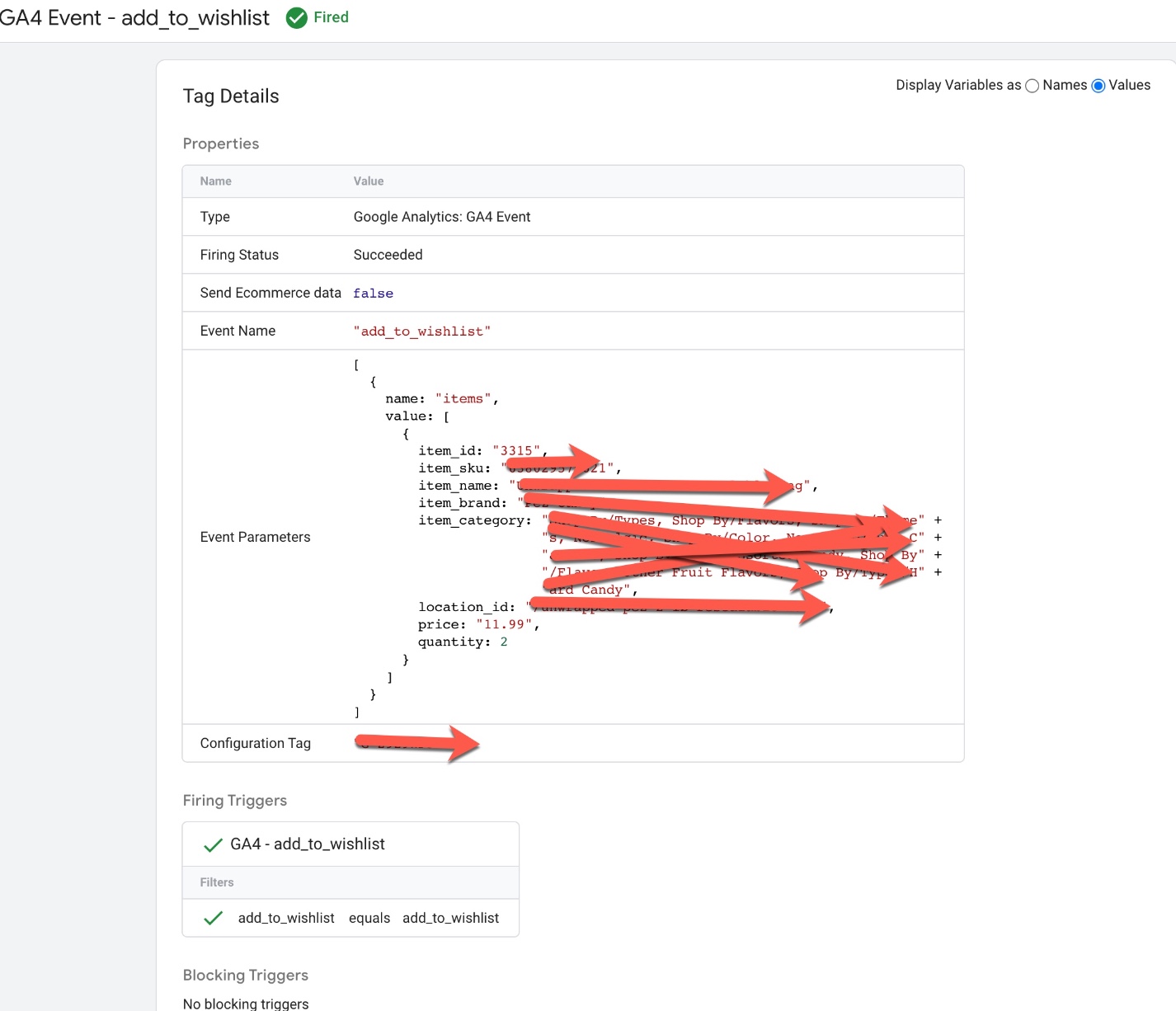
Volusion GA4 Enhanced Ecommerce Events for add_to_wishlist: To Track when Add a product into Add to Wishlist using GA4 Volusion Enhanced Ecommerce Tracking for Volusion Ecommerce using Google Tag Manager 
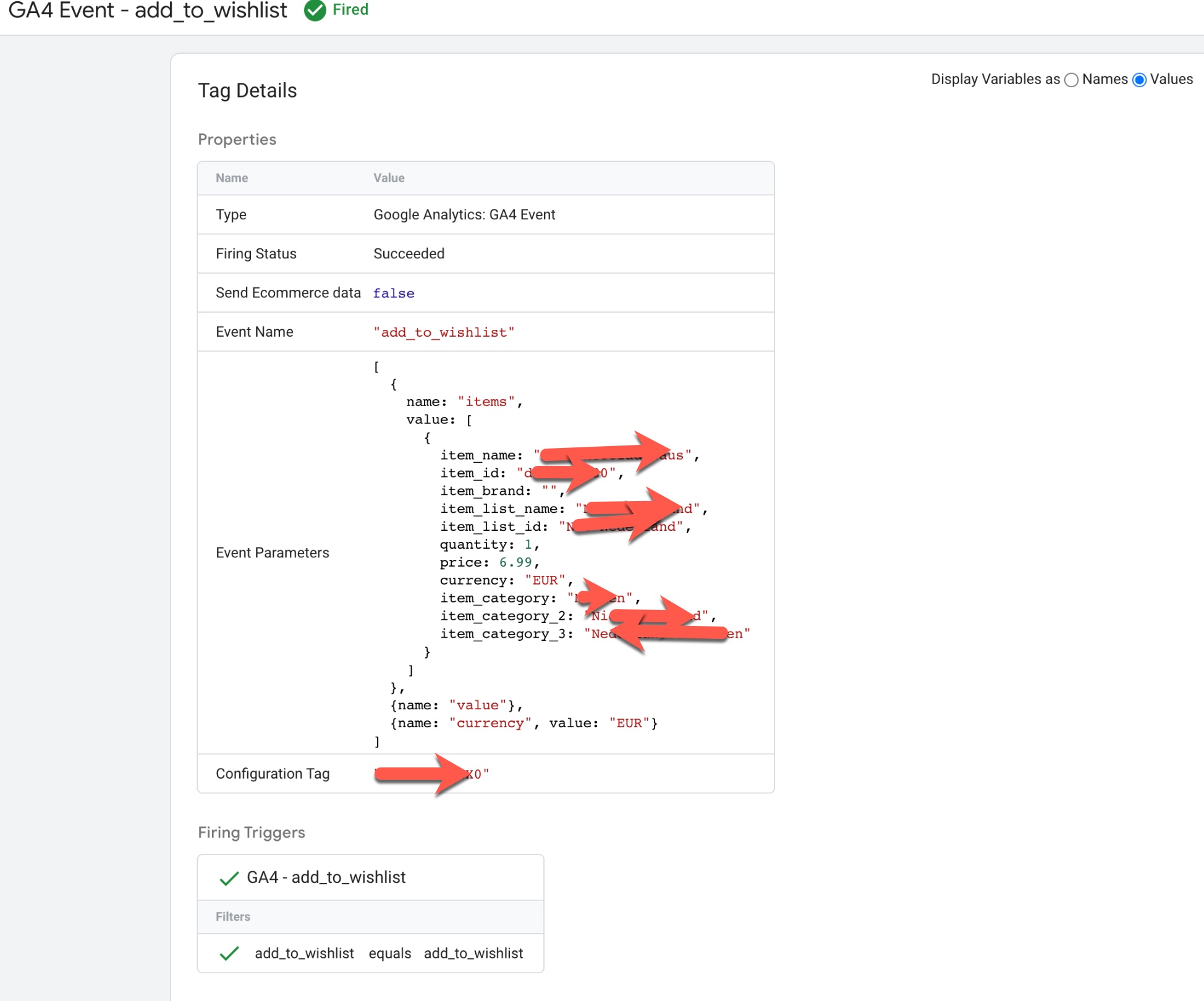
Measuring GA4 Tracking Volusion

GA4 Tracking and Measuring Volusion Ecommerce Sales using Google Tag Manager

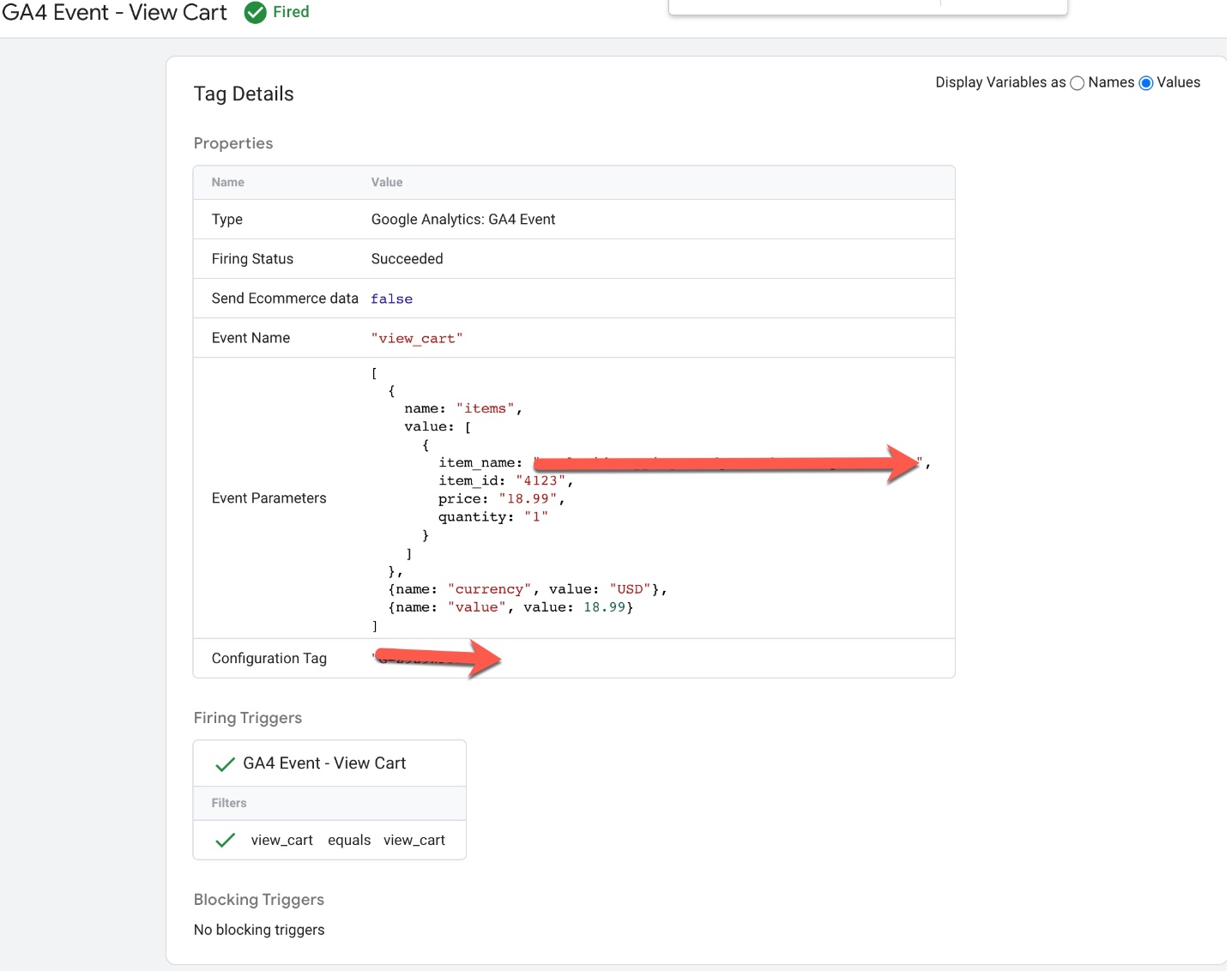
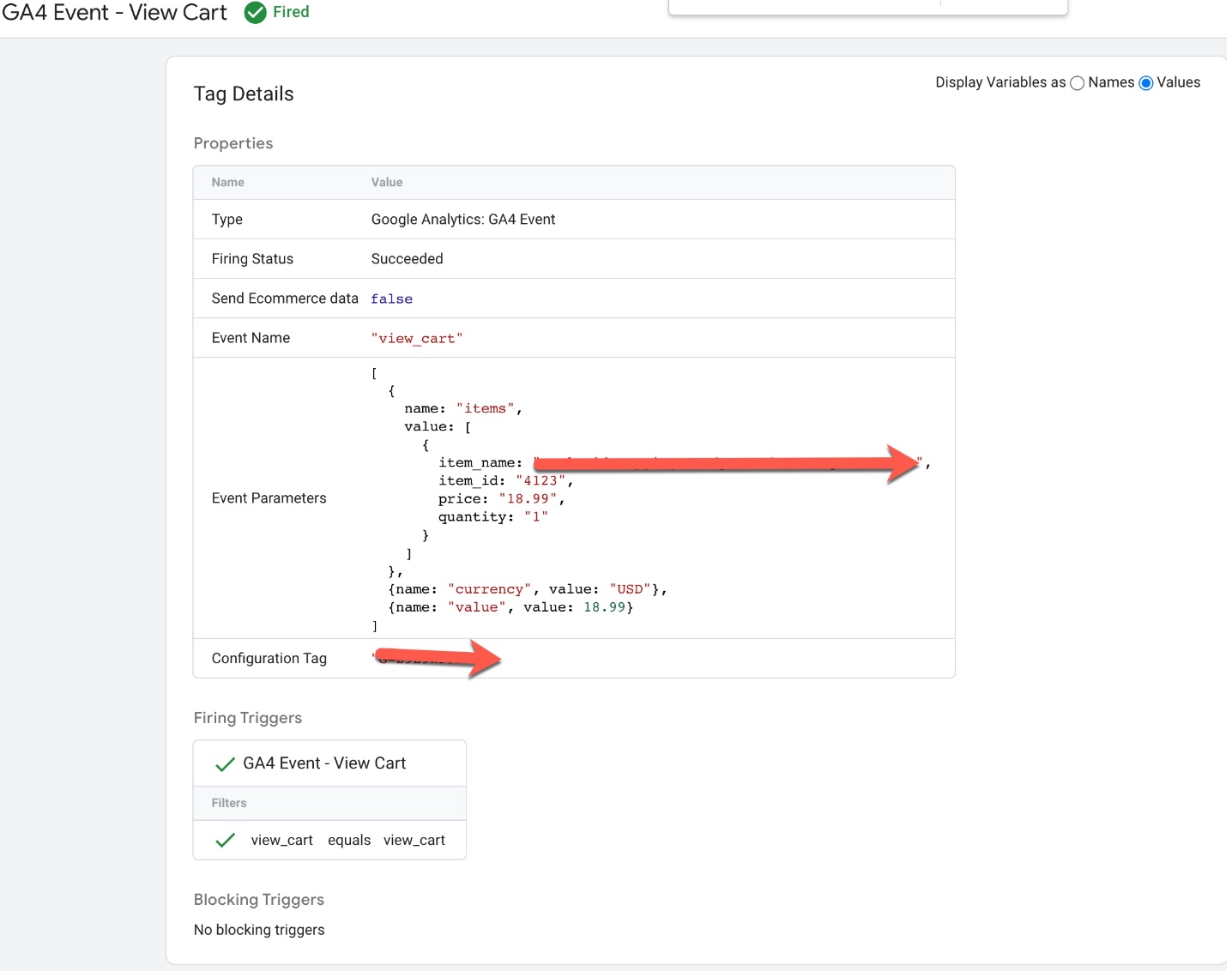
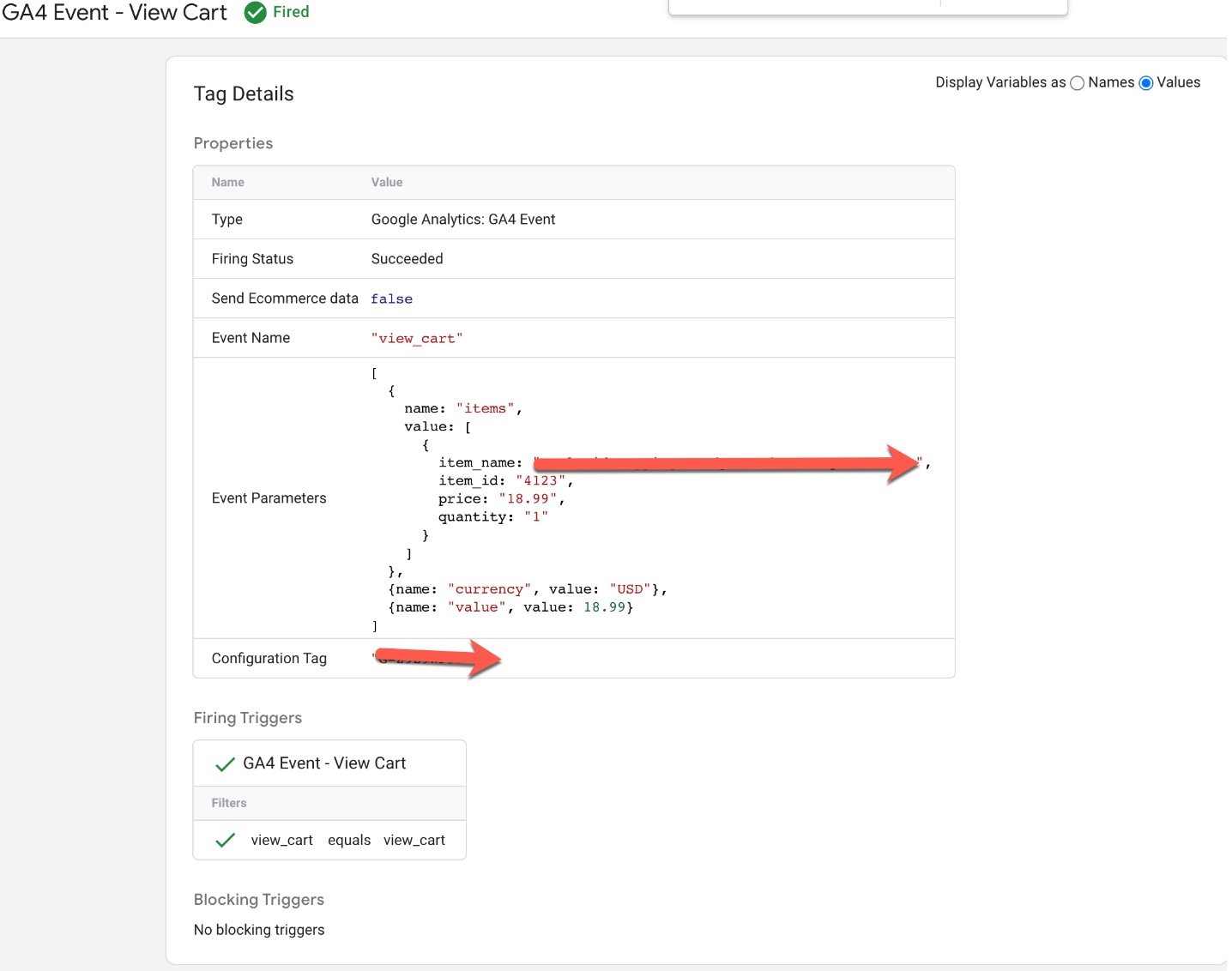
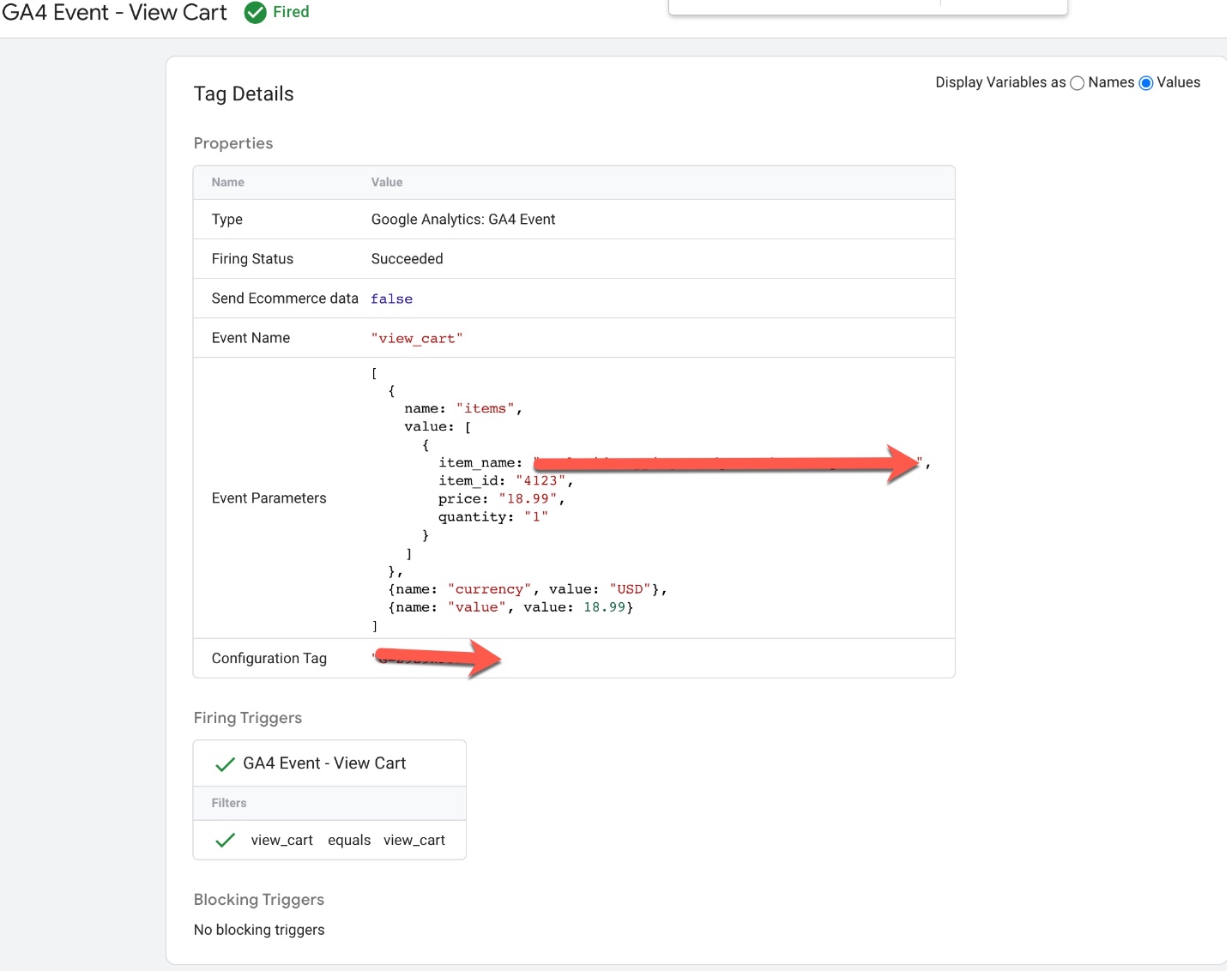
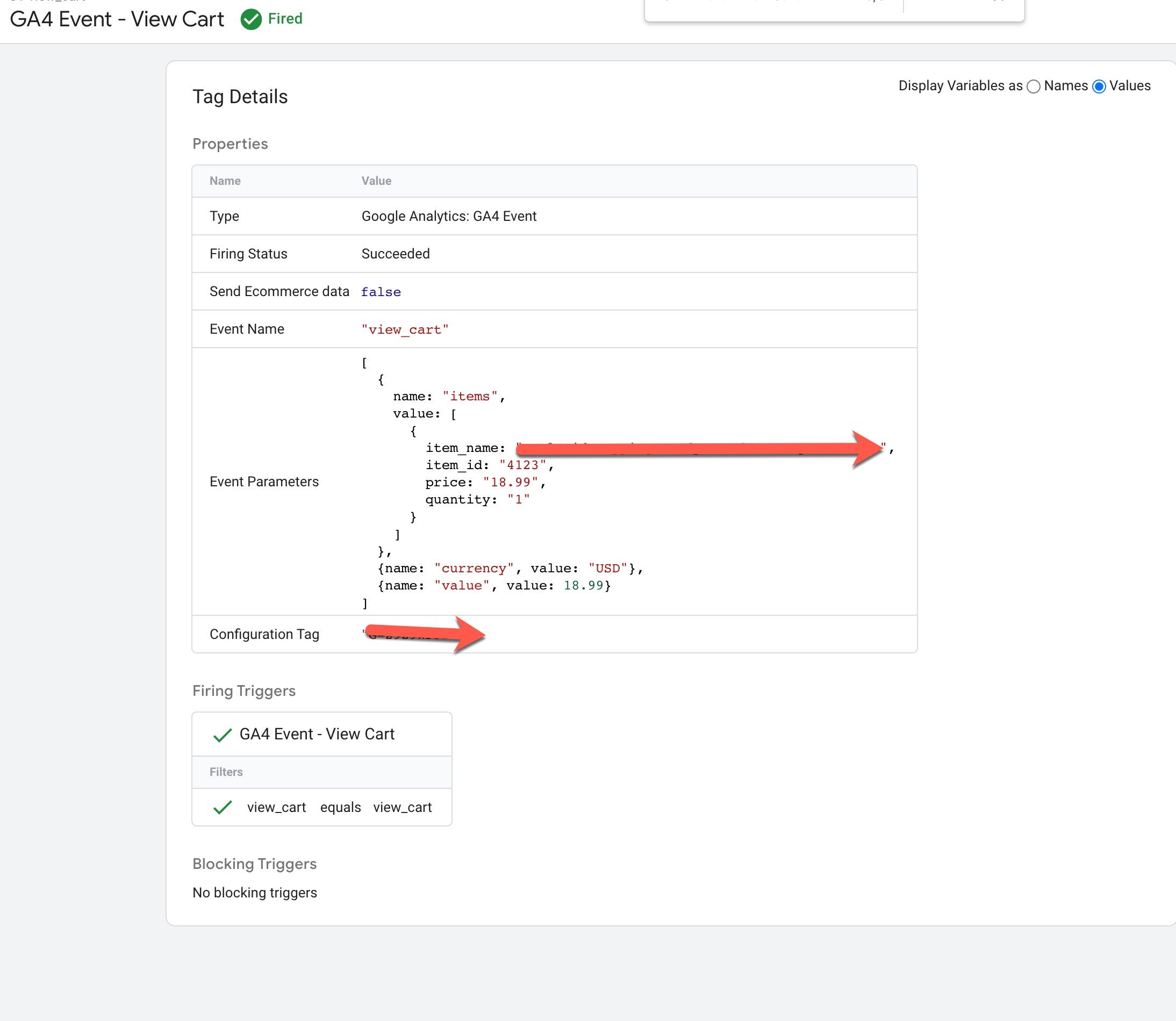
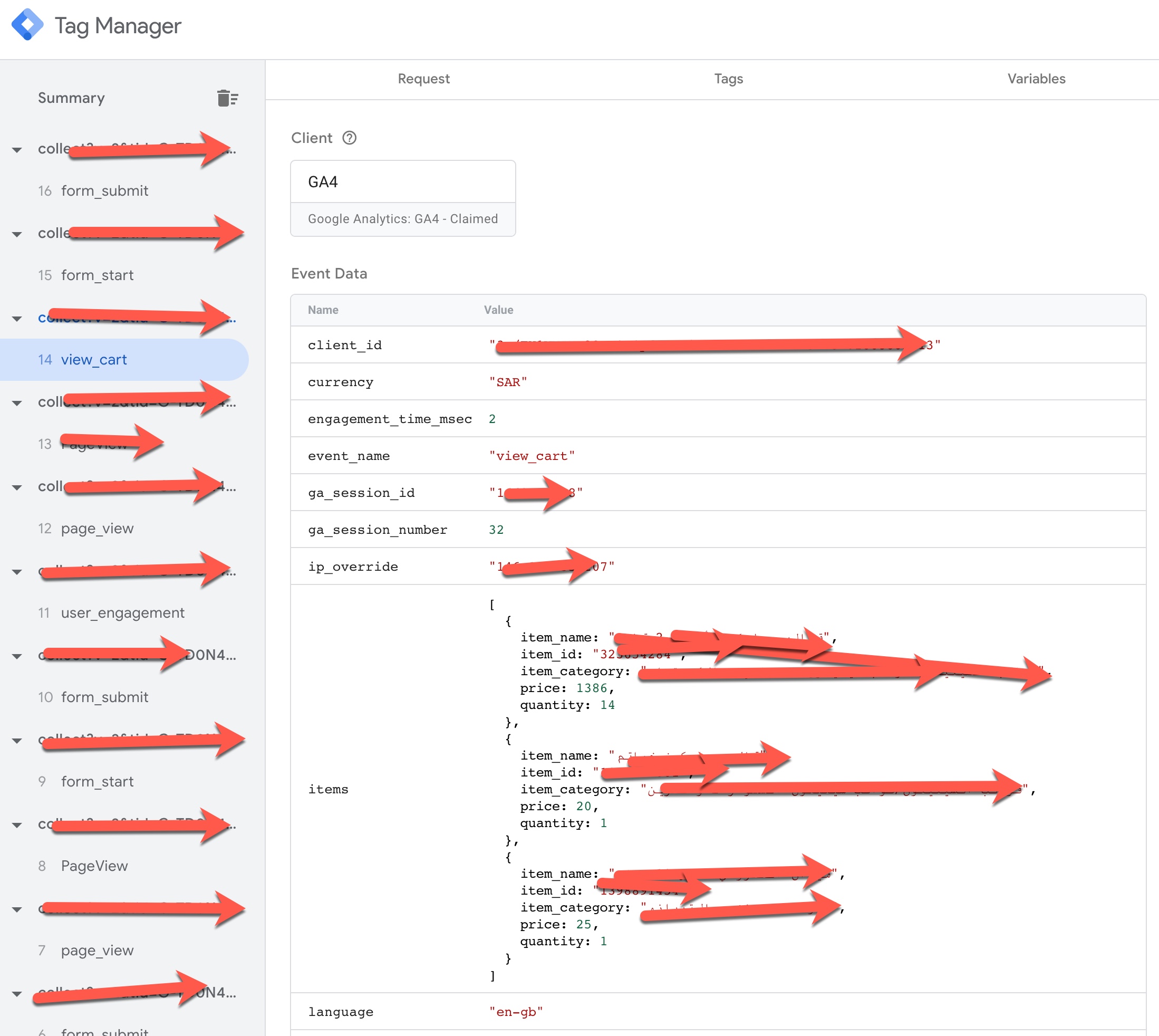
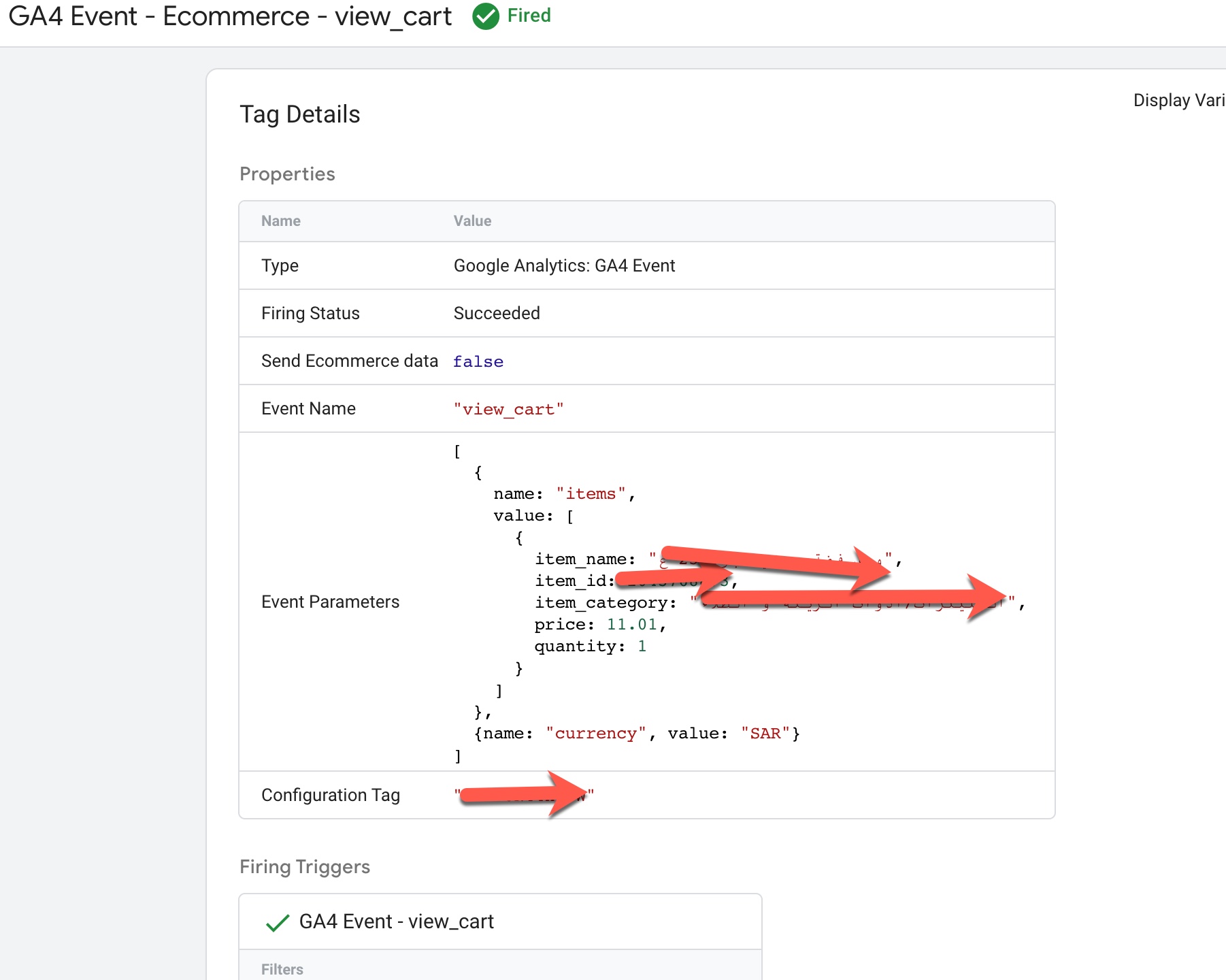
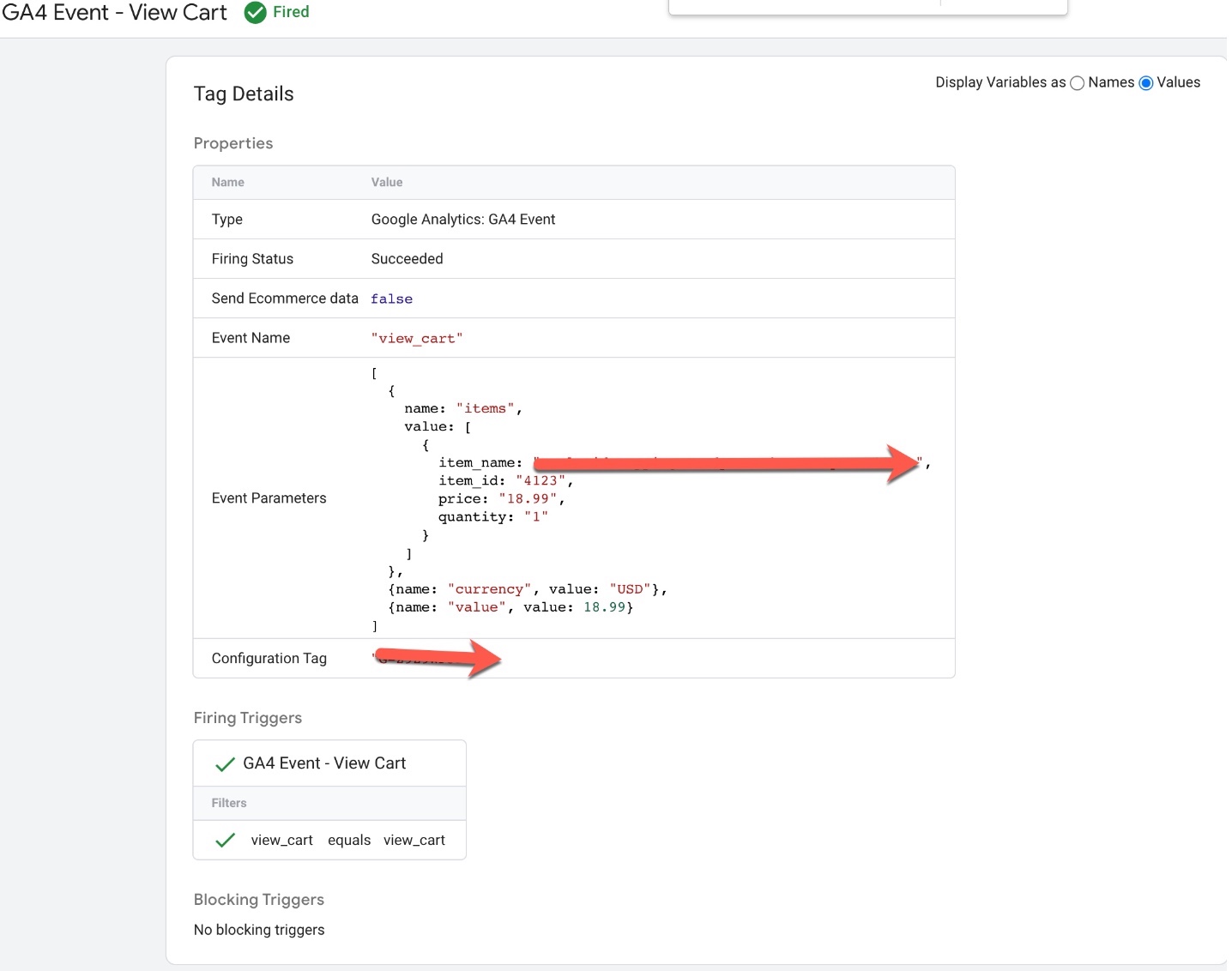
Volusion GA4 Enhanced Ecommerce Events for view_cart: To Track when user entered to View Cart using GA4 Volusion Enhanced Ecommerce Tracking for Volusion Ecommerce Platform using Google Tag Manager 
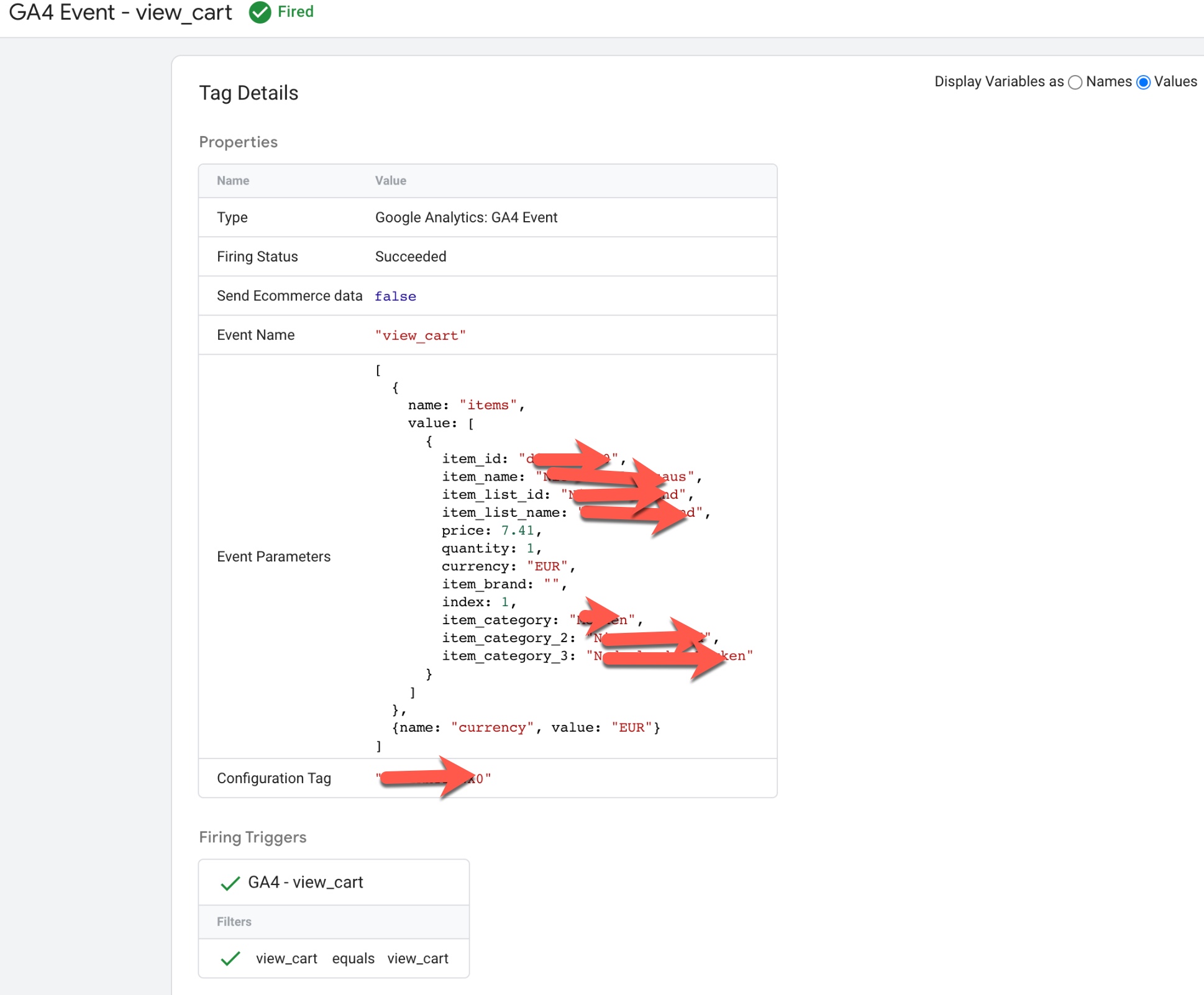
Google Analytics4 (GA4) in Volusion ecommerce

Volusion Google analytics 4 (GA4) eCommerce Tracking using Google Tag Manager

Volusion GA4 Enhanced Ecommerce Events for remove_from_Cart: To Track when user remove a product from cart to remove_from_Cart using GA4 Enhanced Ecommerce Tracking for Volusion using Google Tag Manager 
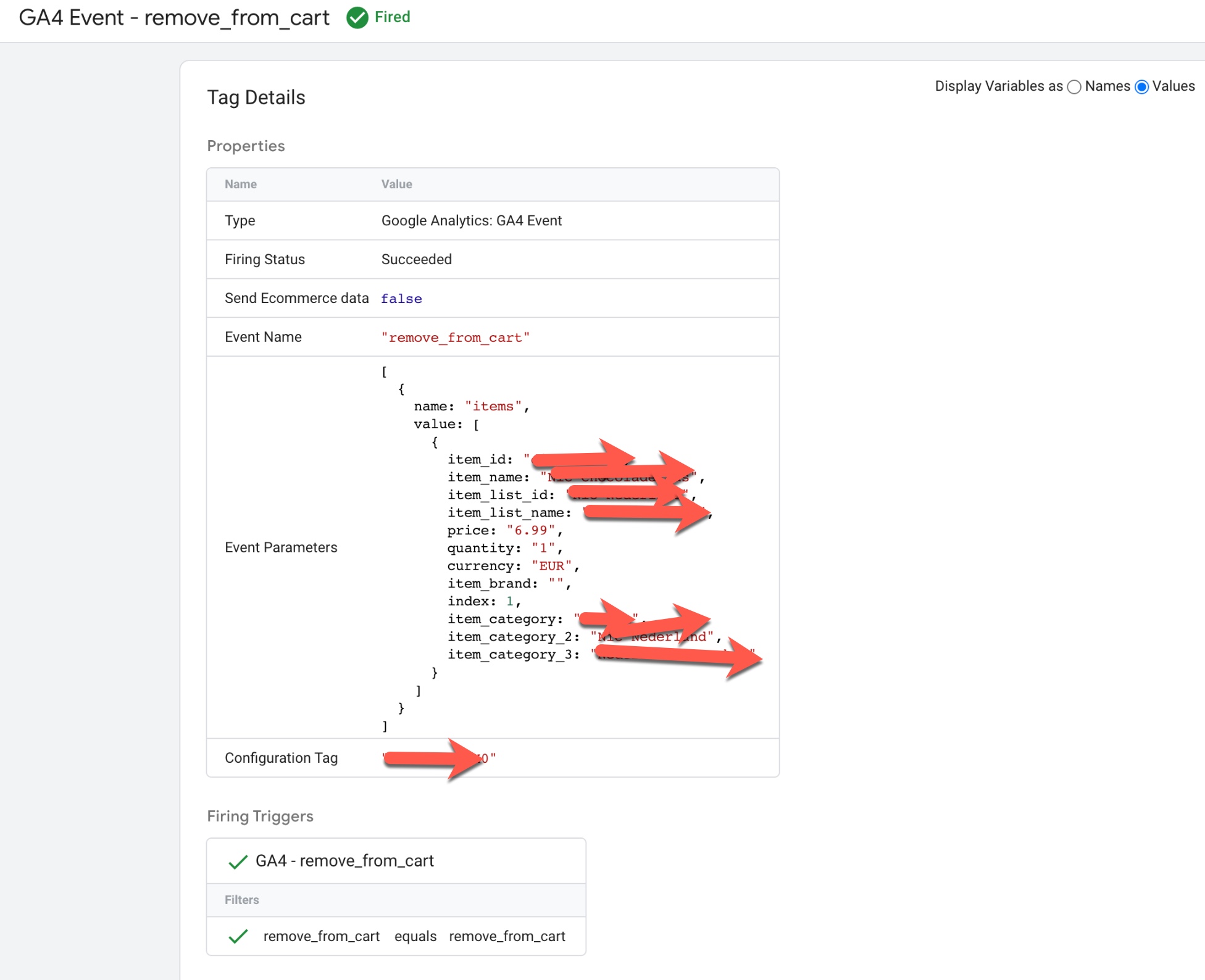
GA4 Volusion eCommerce tracking

Migration Google Analytics 4 (GA4) eCommerce using Google Tag Manager

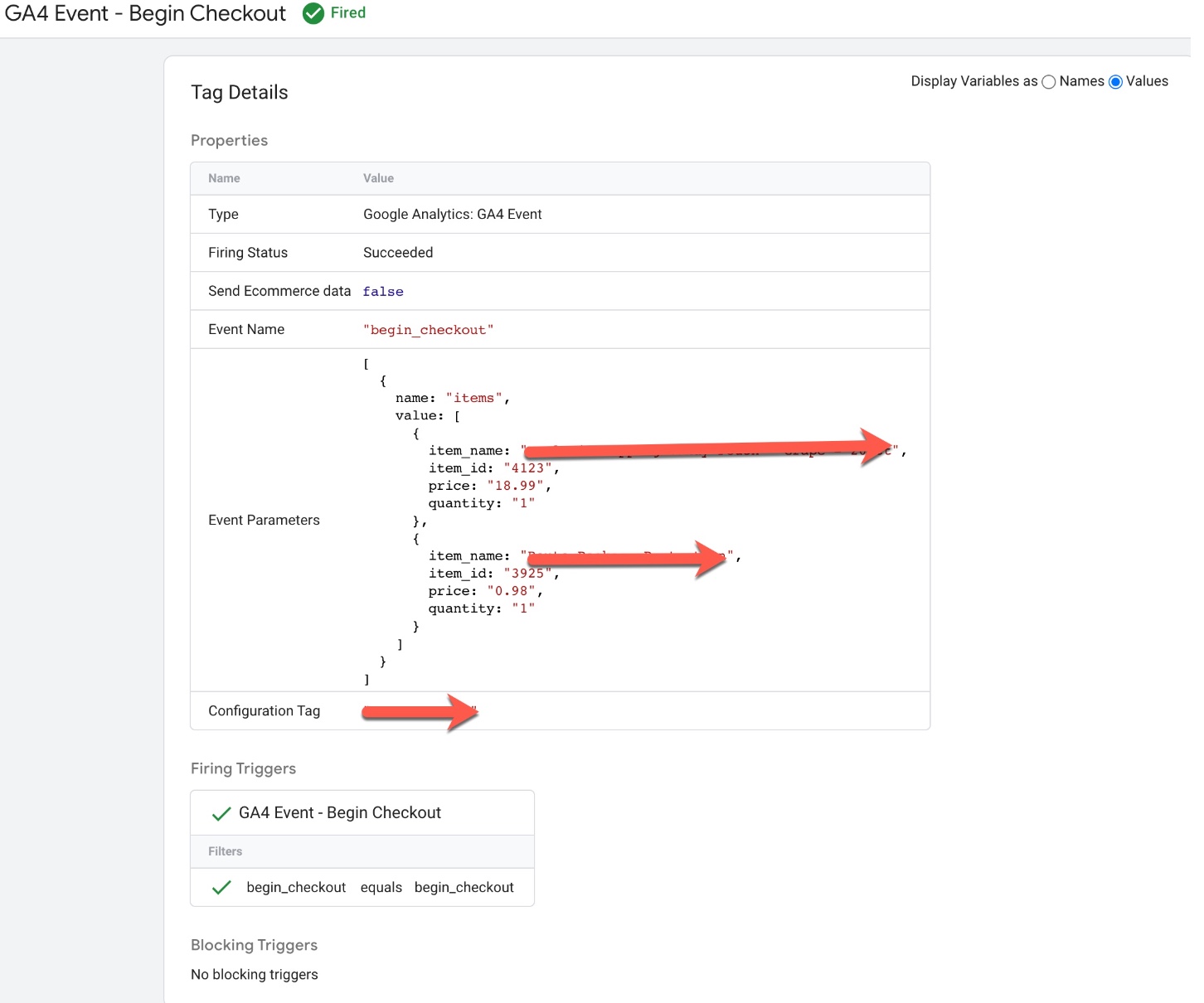
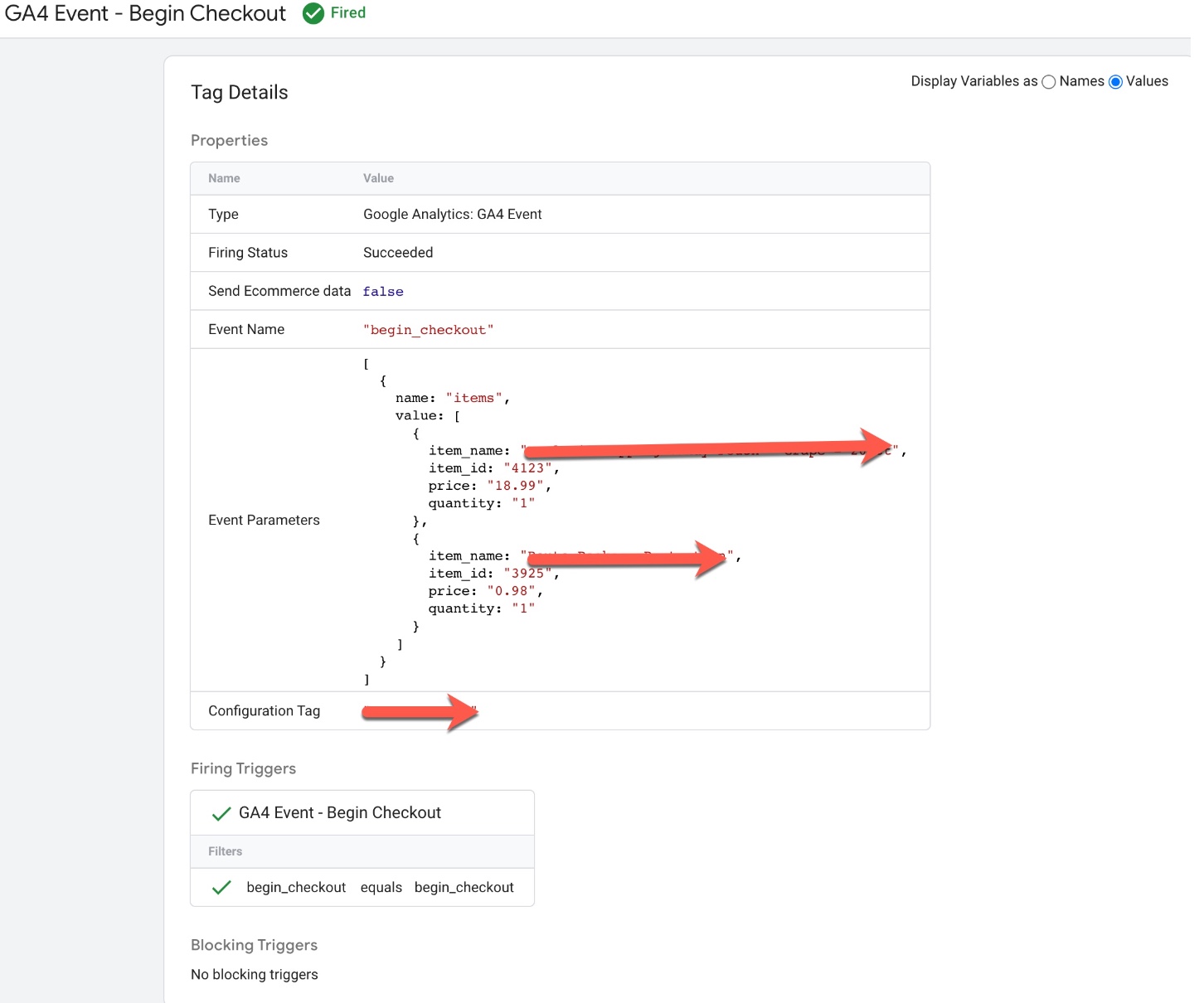
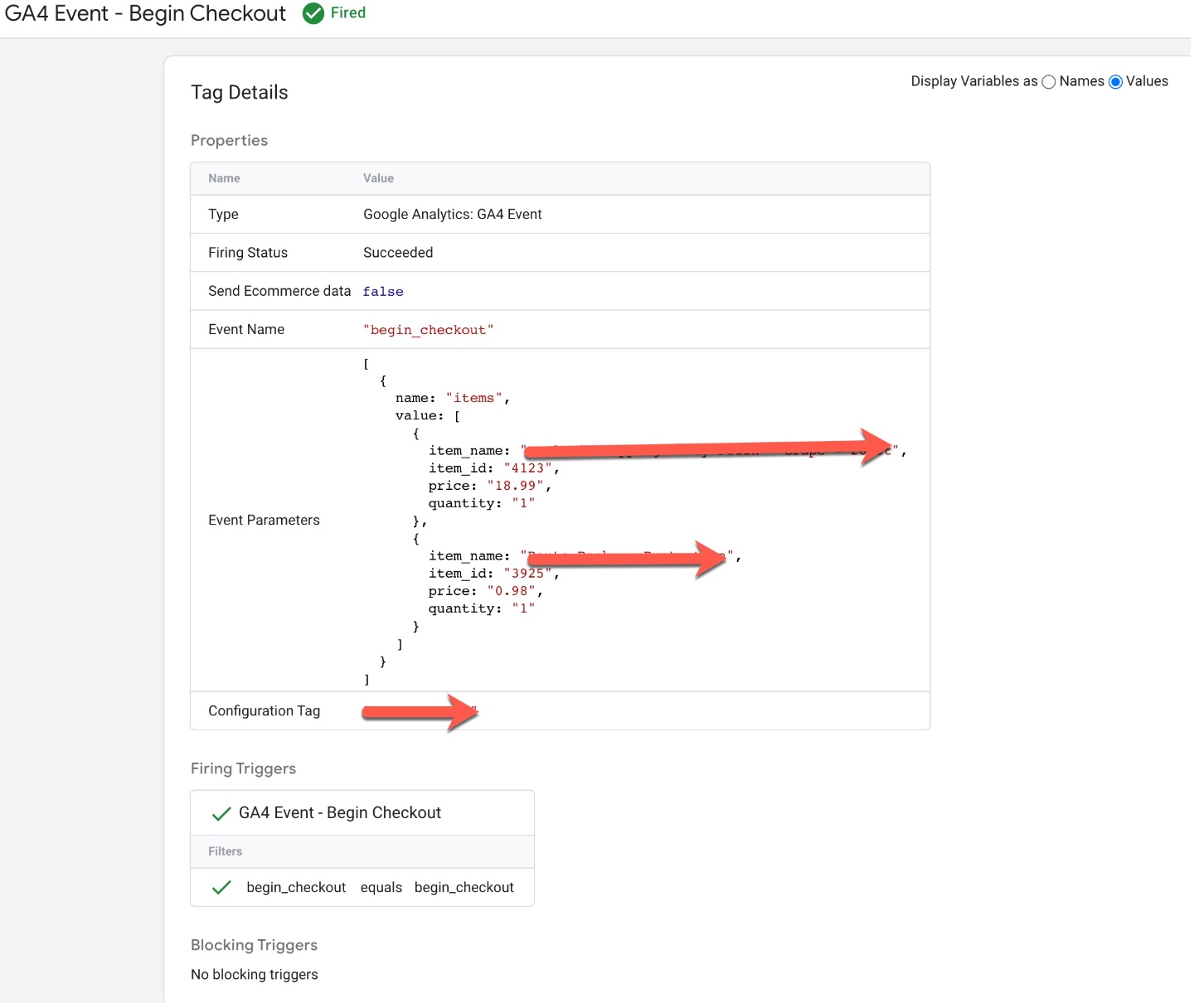
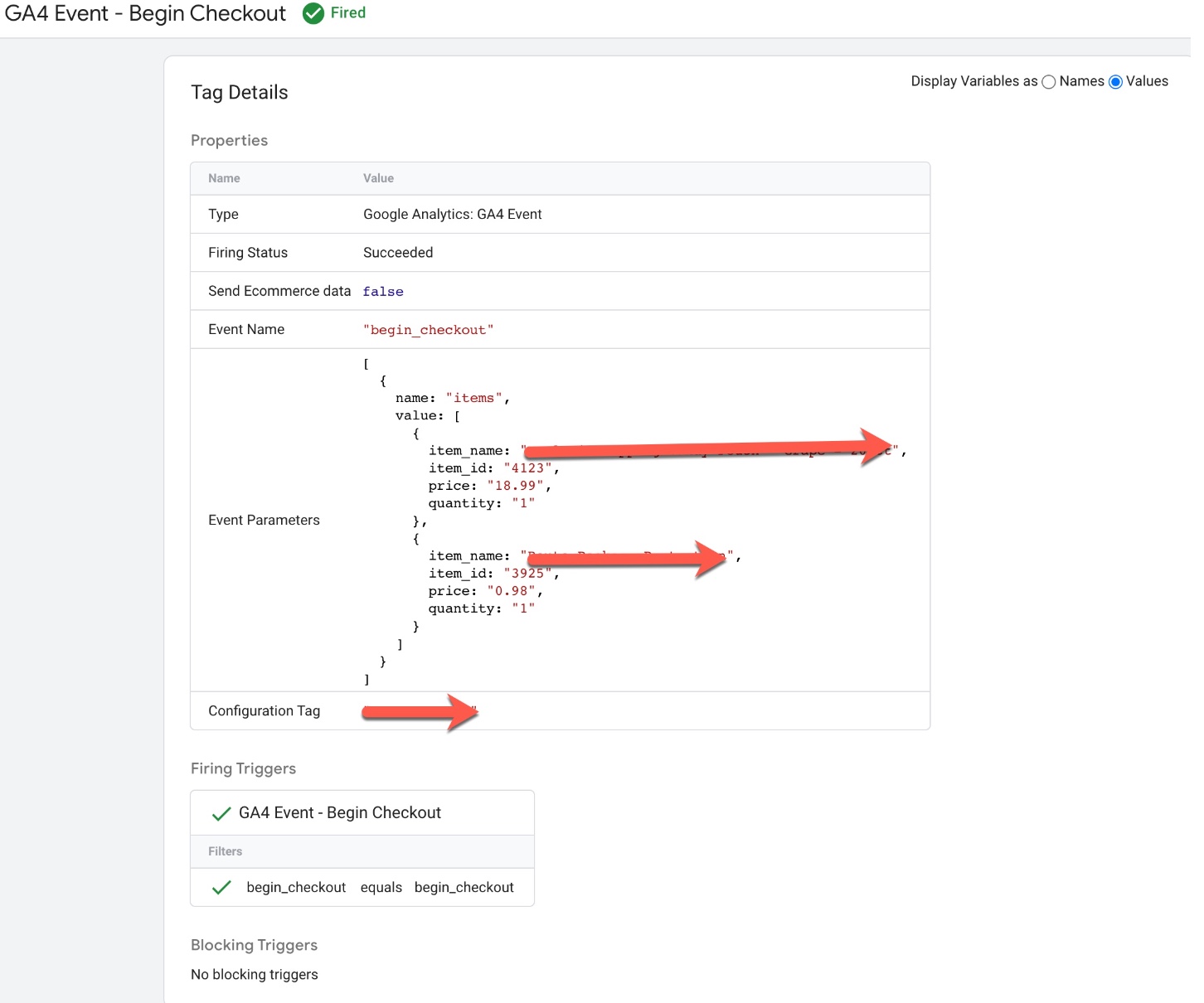
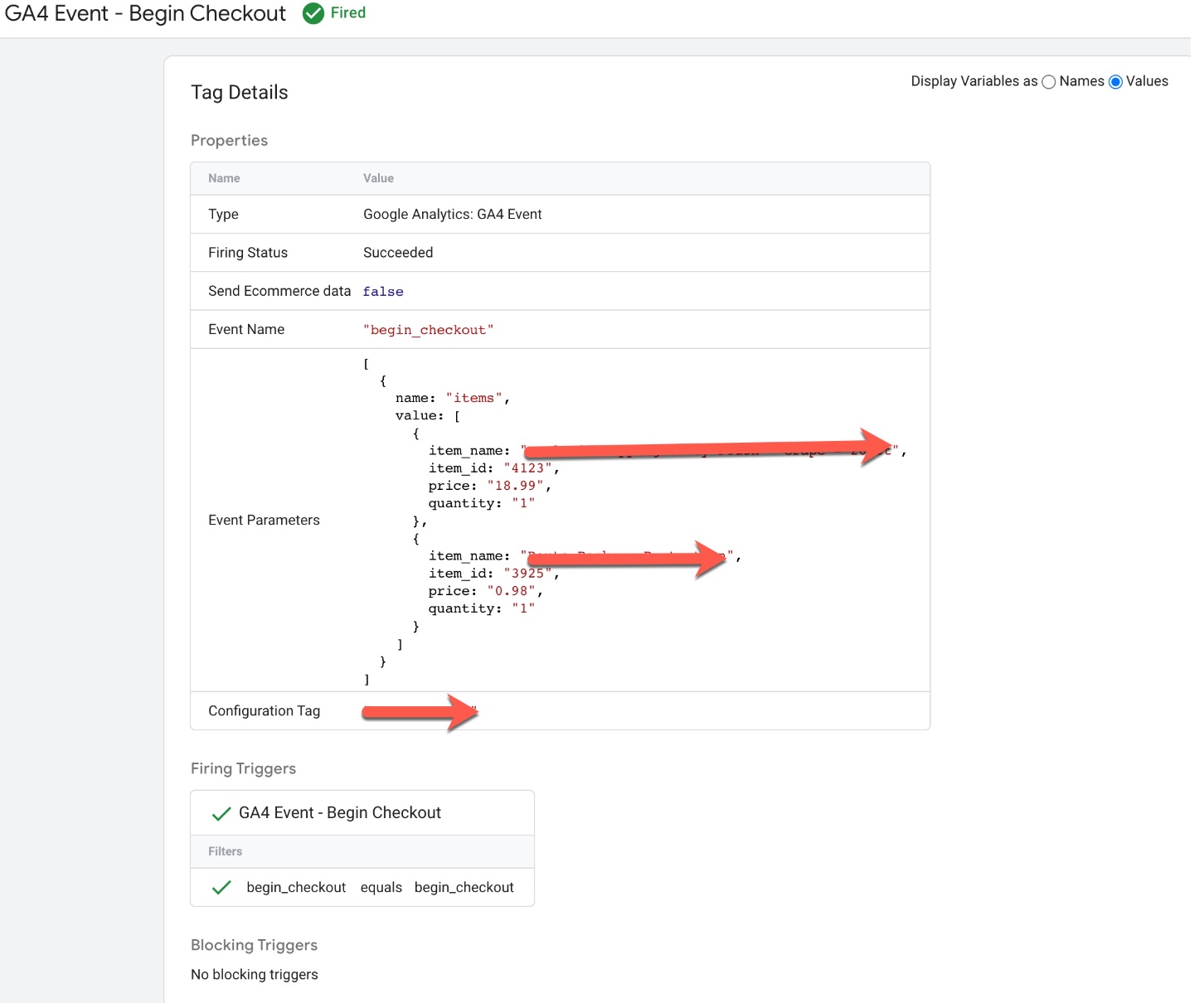
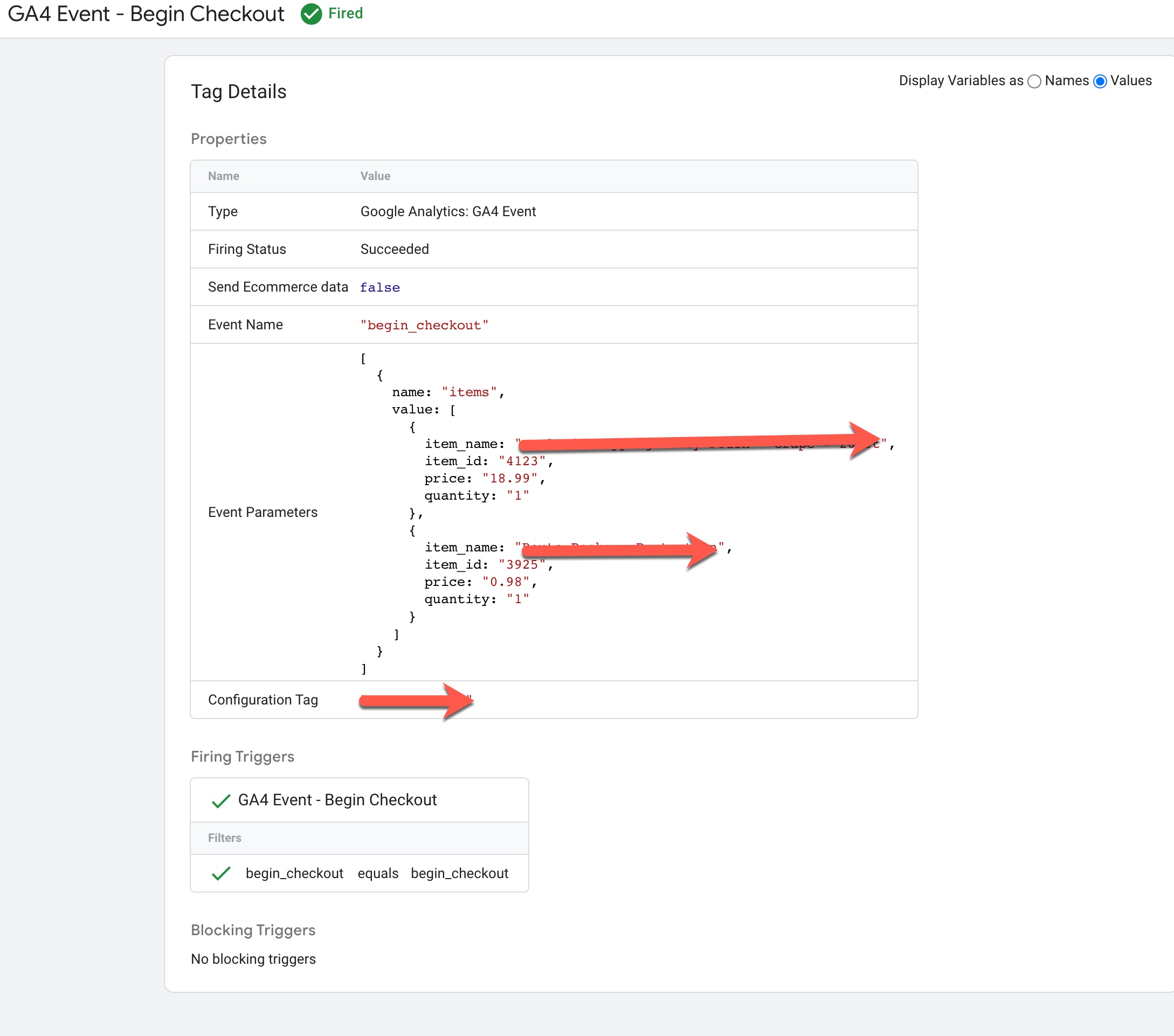
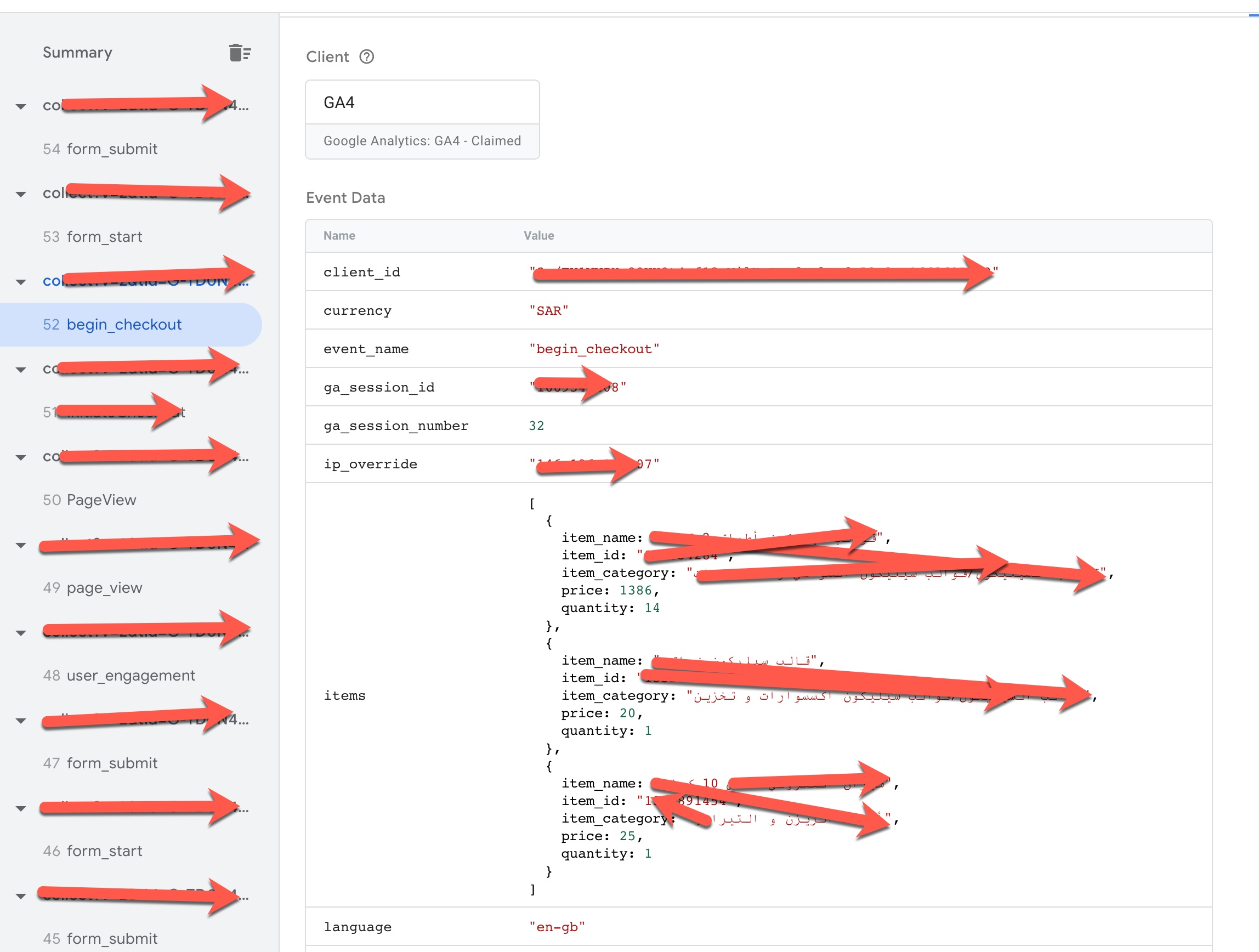
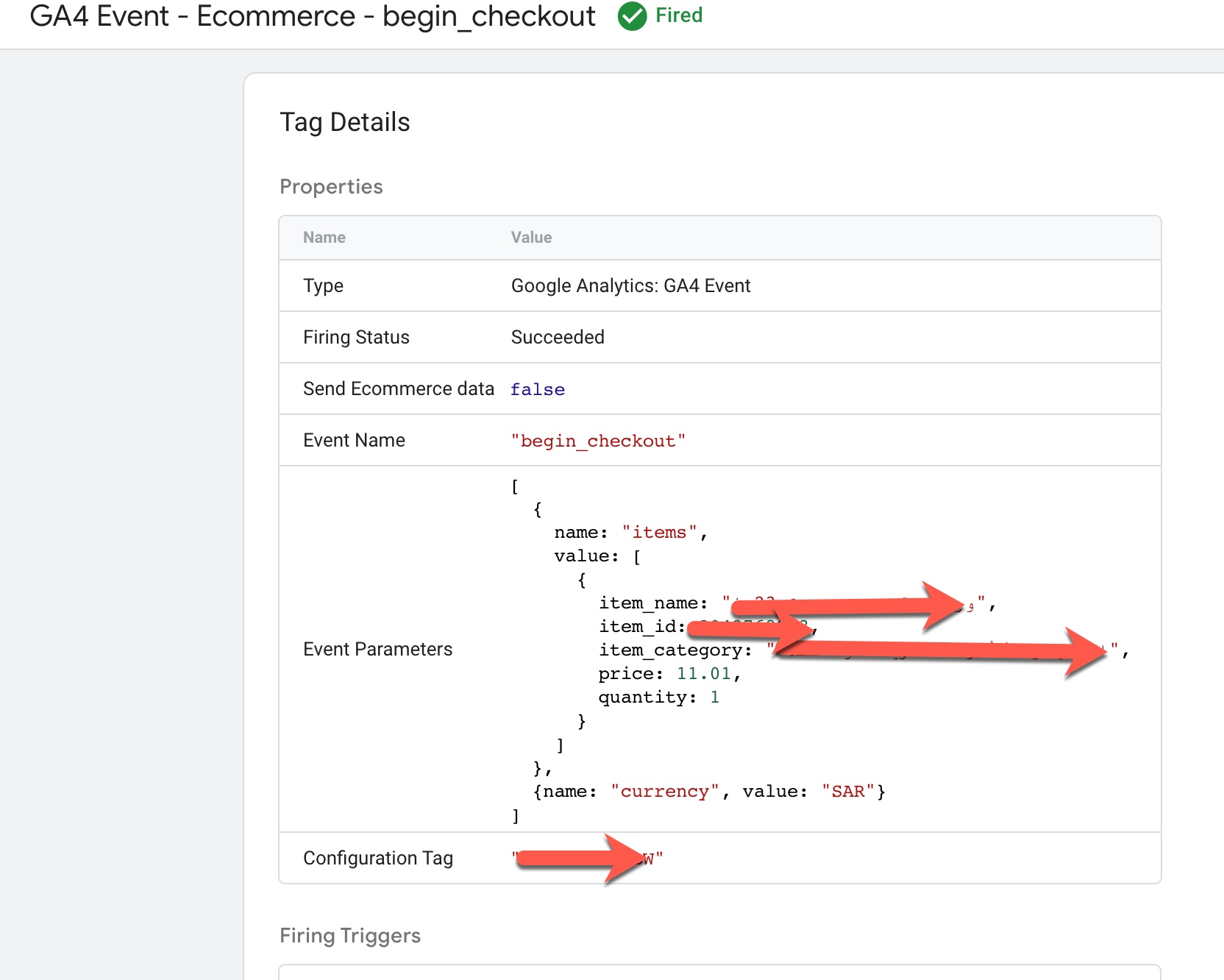
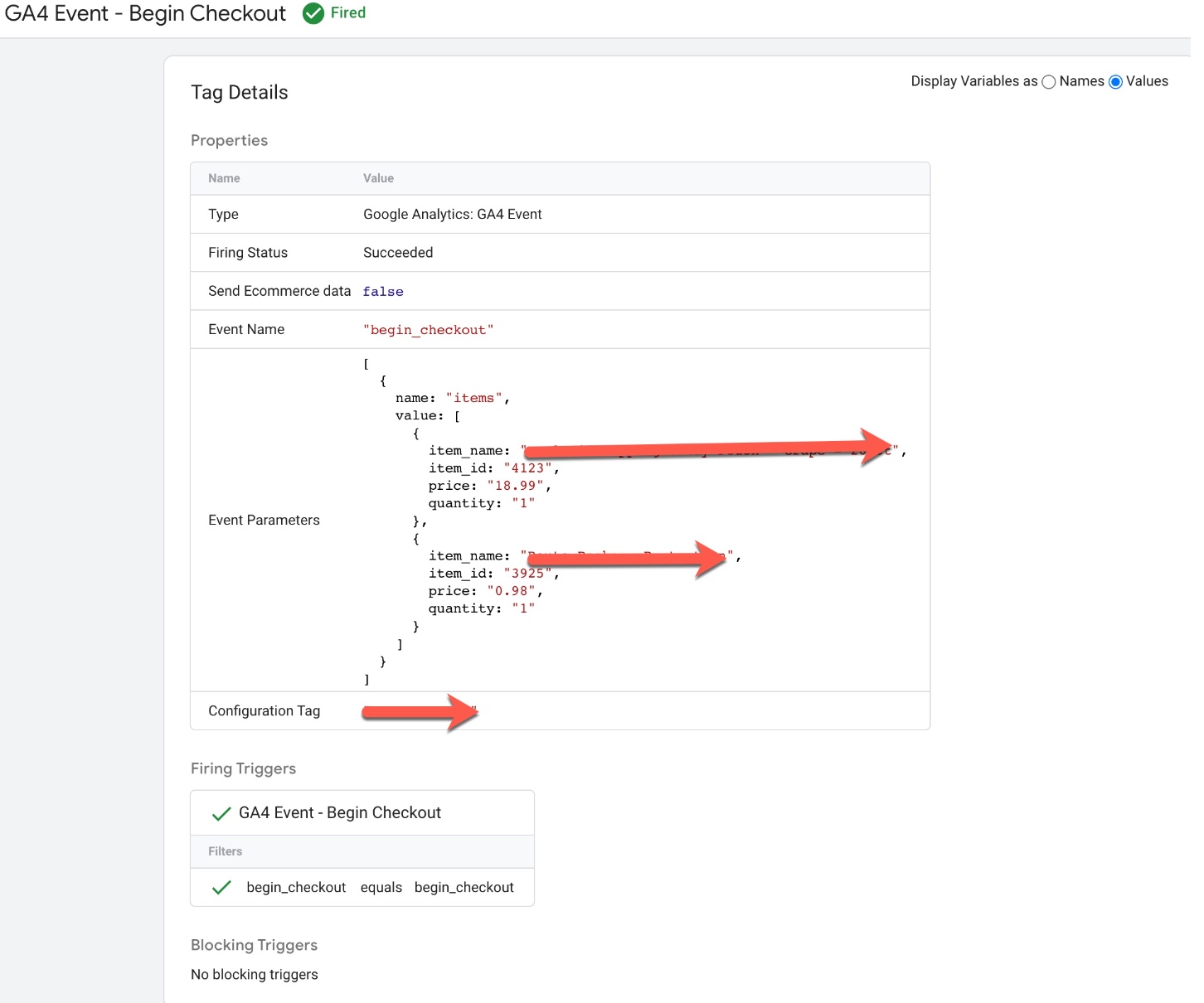
Volusion GA4 Enhanced Ecommerce Events for begin_checkout: To Track when user entered to begin_checkout using GA4 Enhanced Ecommerce Tracking for Volusion using Google Tag Manager 
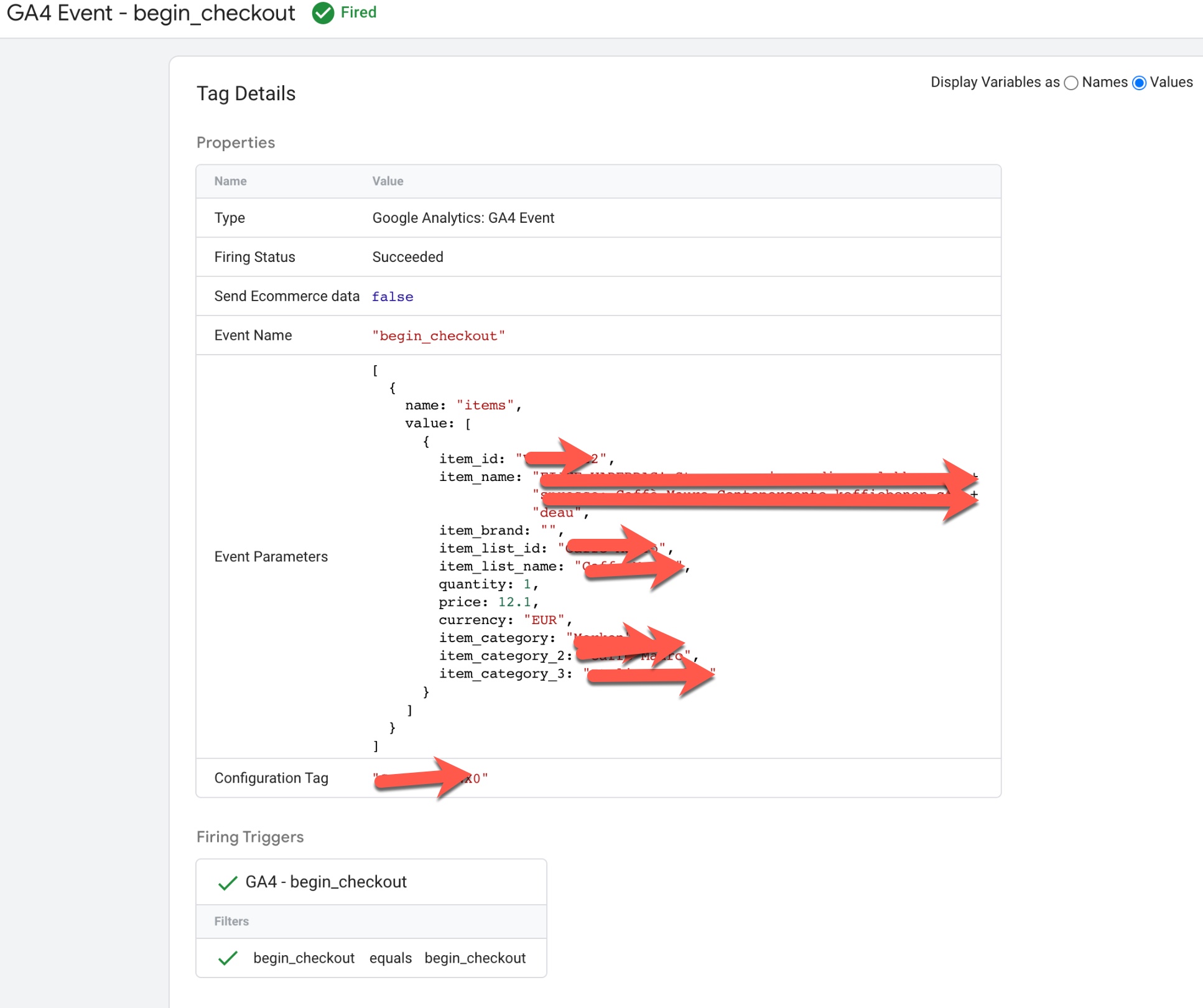
Volusion Google Analytics 4(GA4)

Install Volusion Google Analytics 4(GA4) Ecommerce Tracking using Google Tag Manager

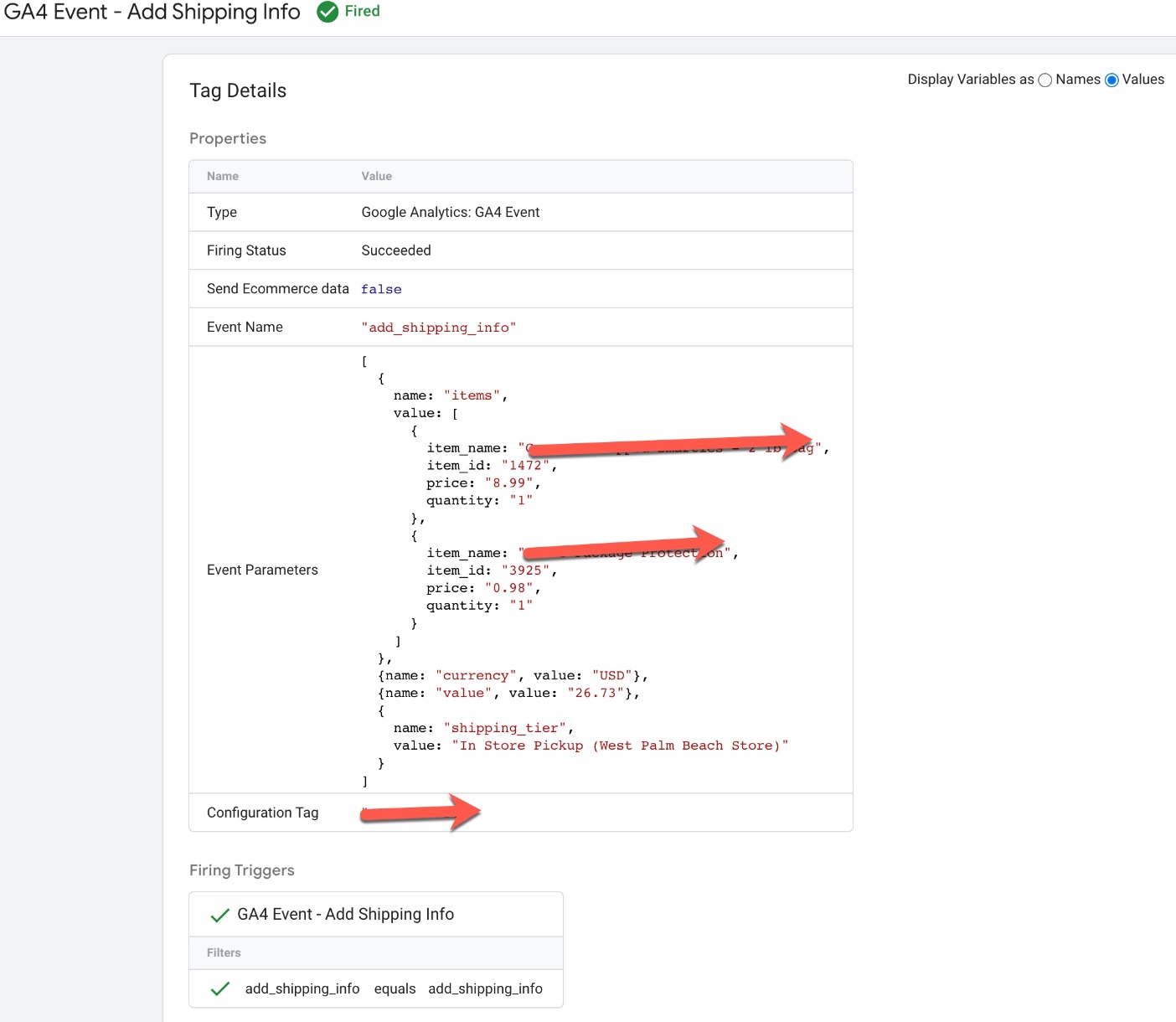
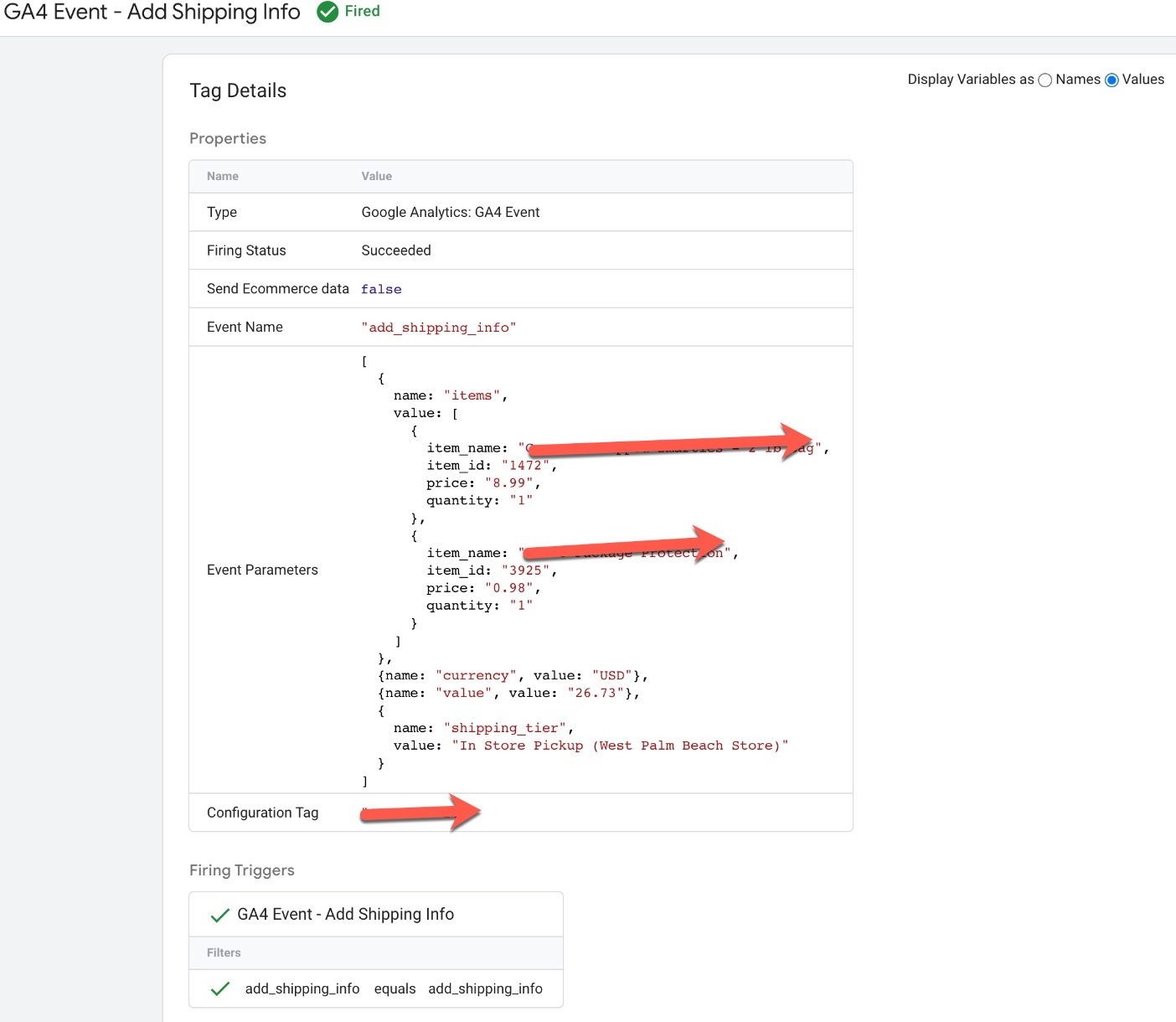
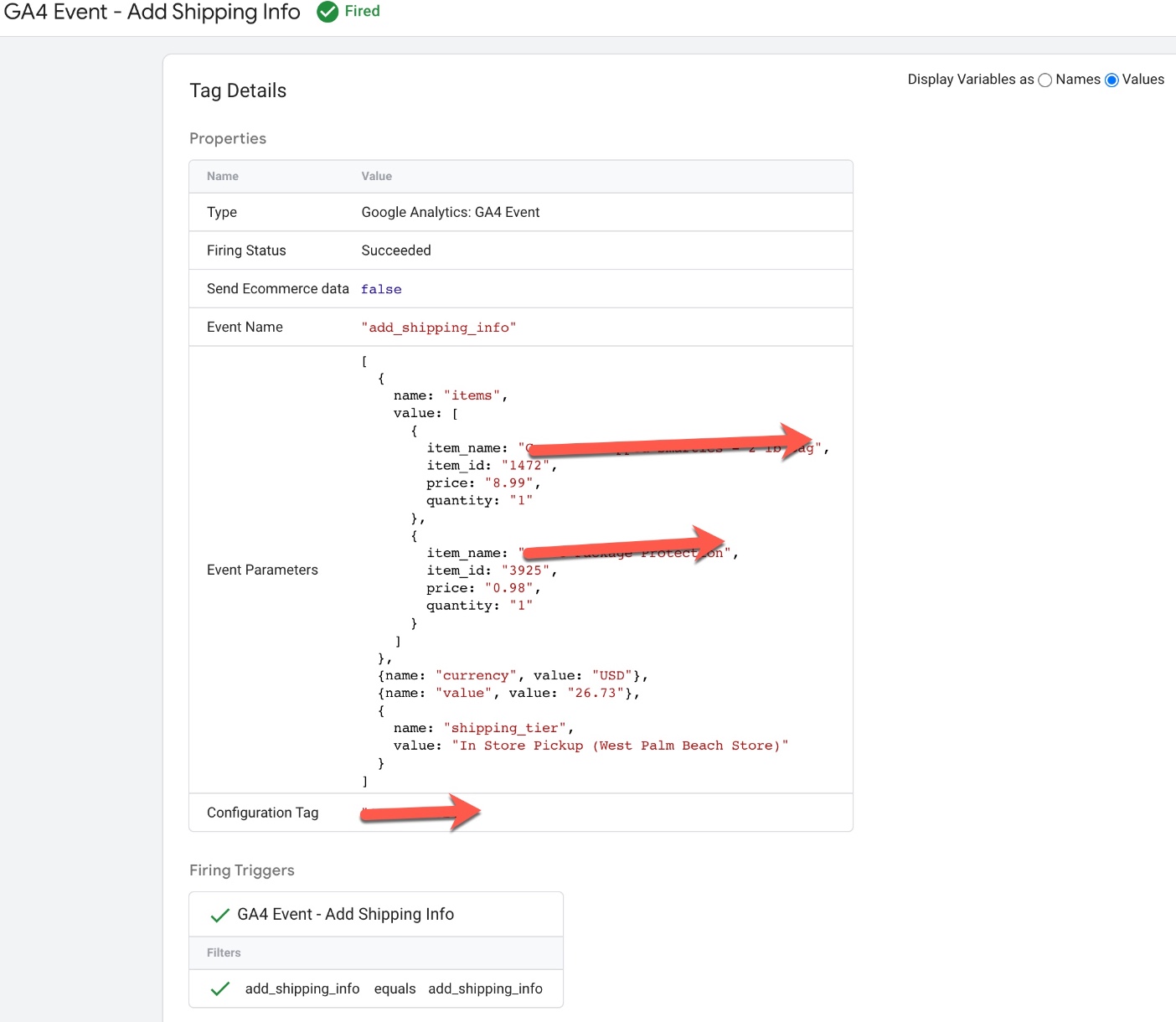
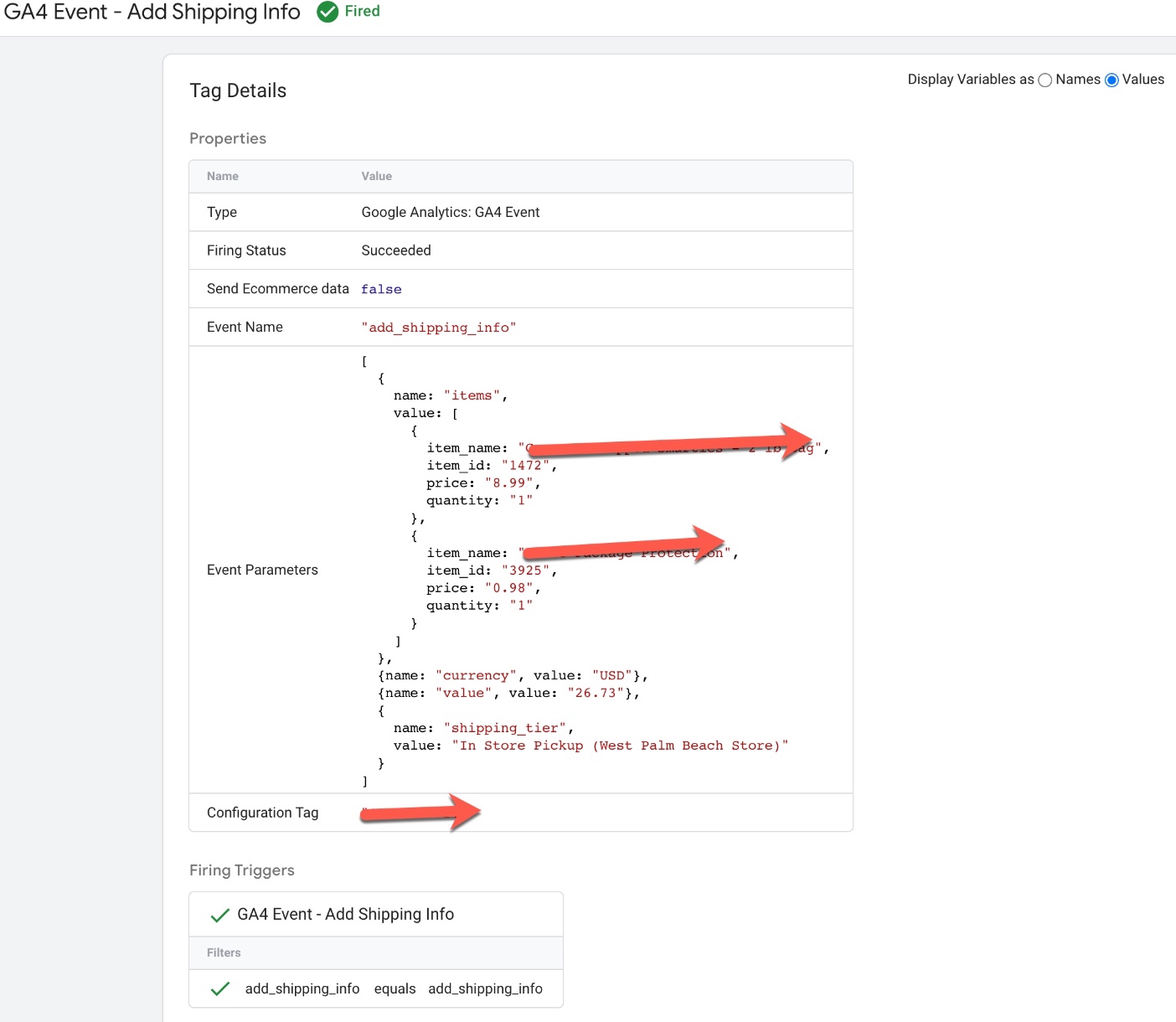
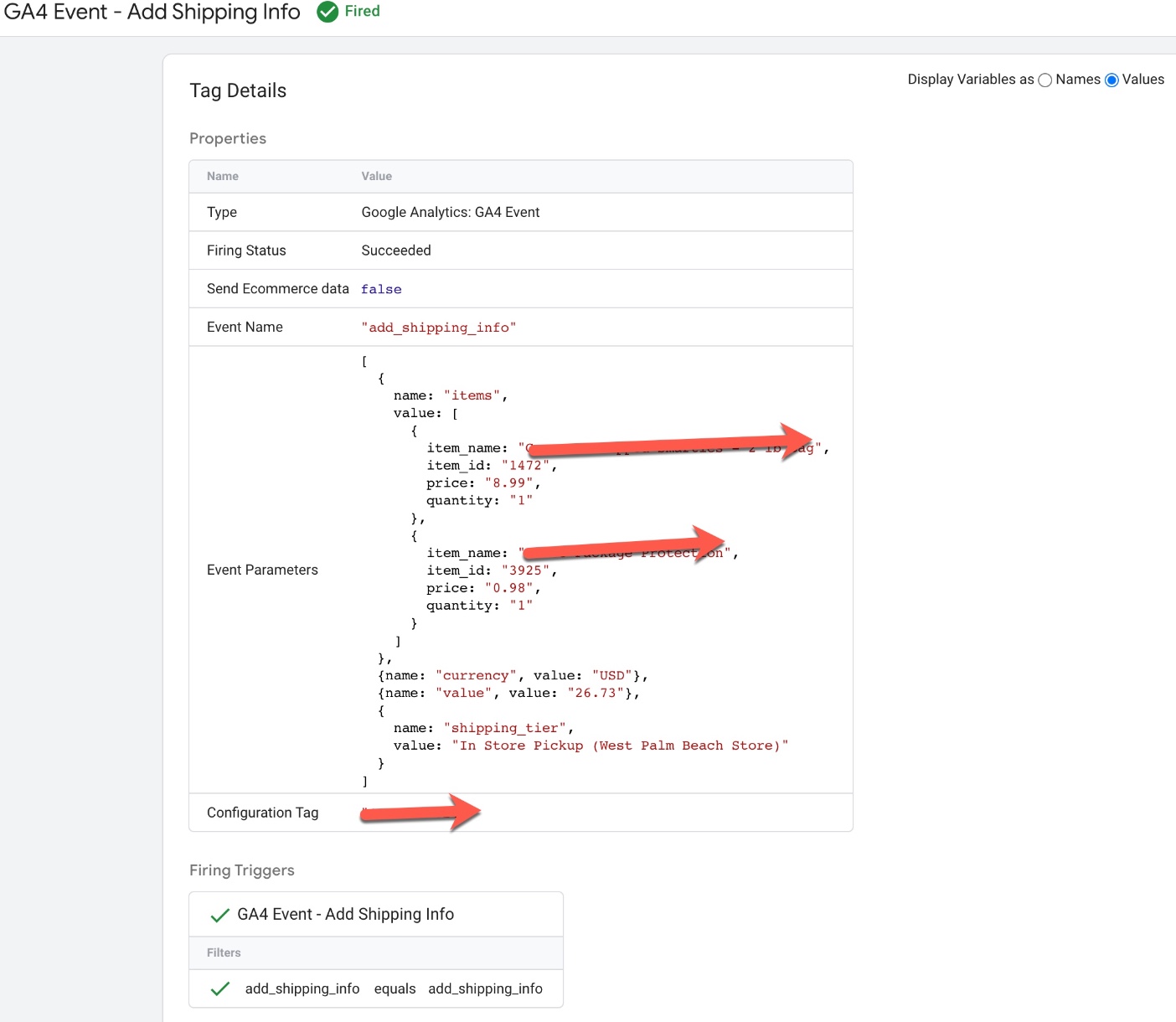
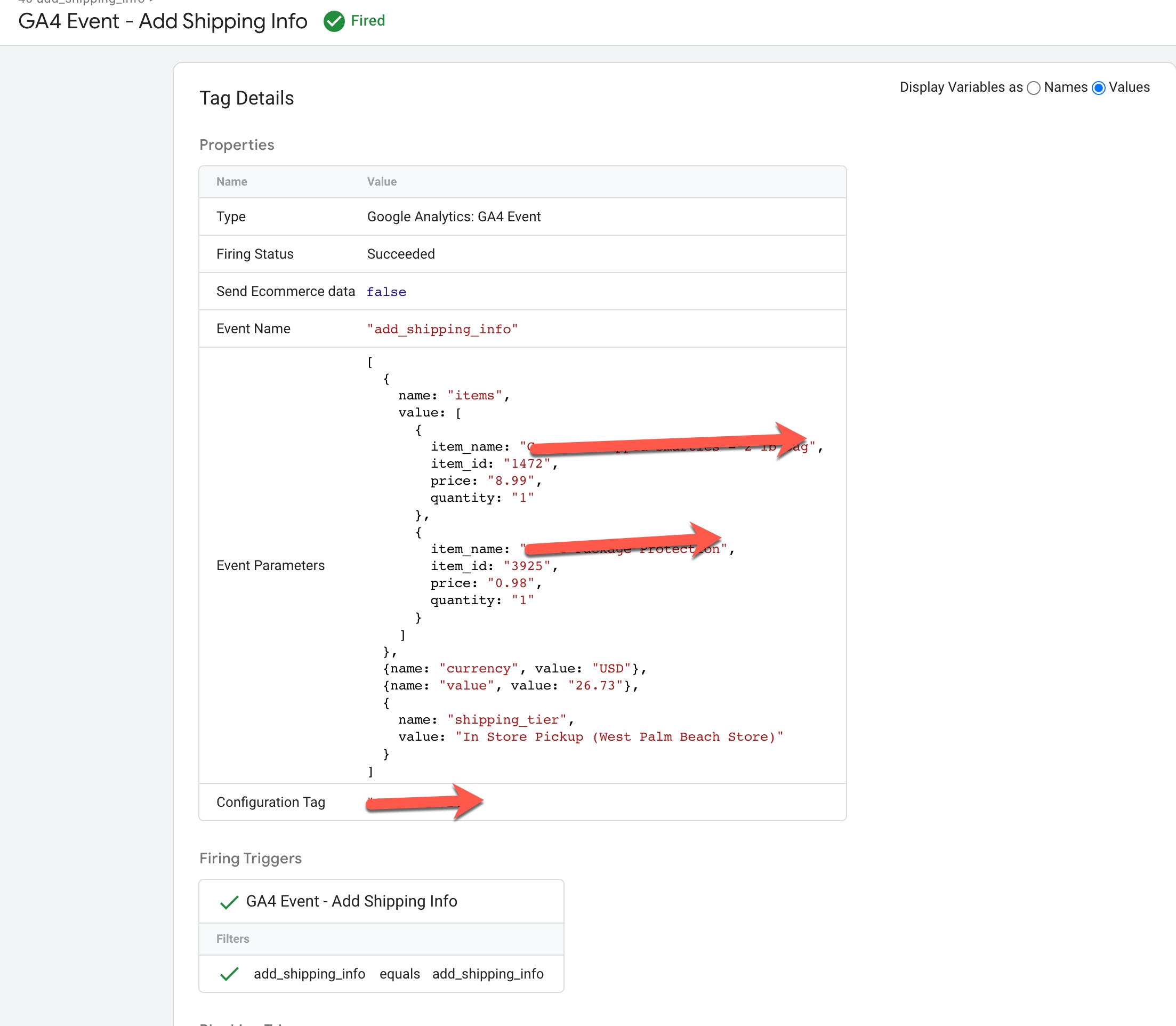
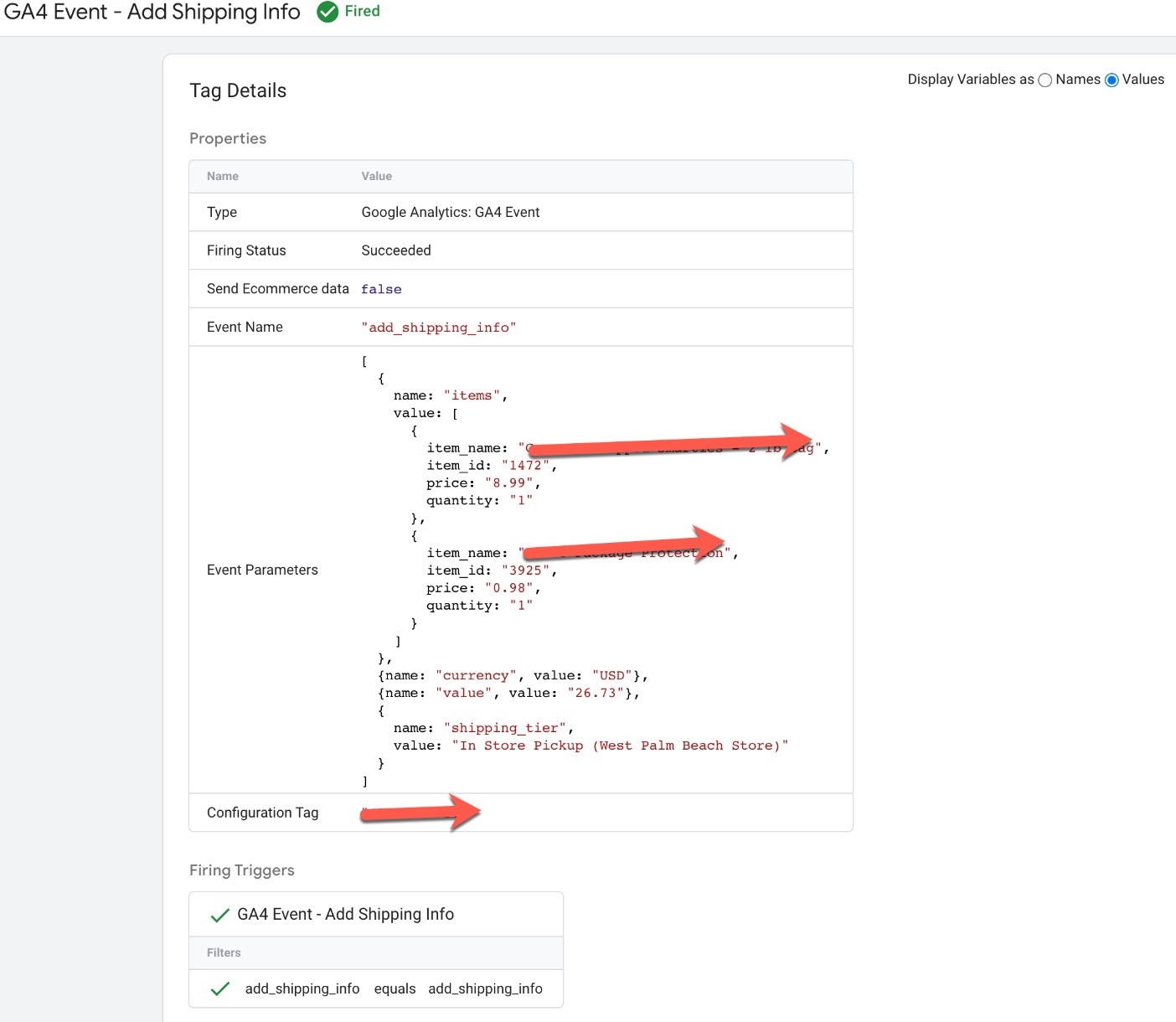
Volusion GA4 Enhanced Ecommerce Events for add_shipping_info: To Track when user entered to selected a Shipping Method using GA4 Enhanced Ecommerce Tracking for Volusion Via Google Tag Manager 
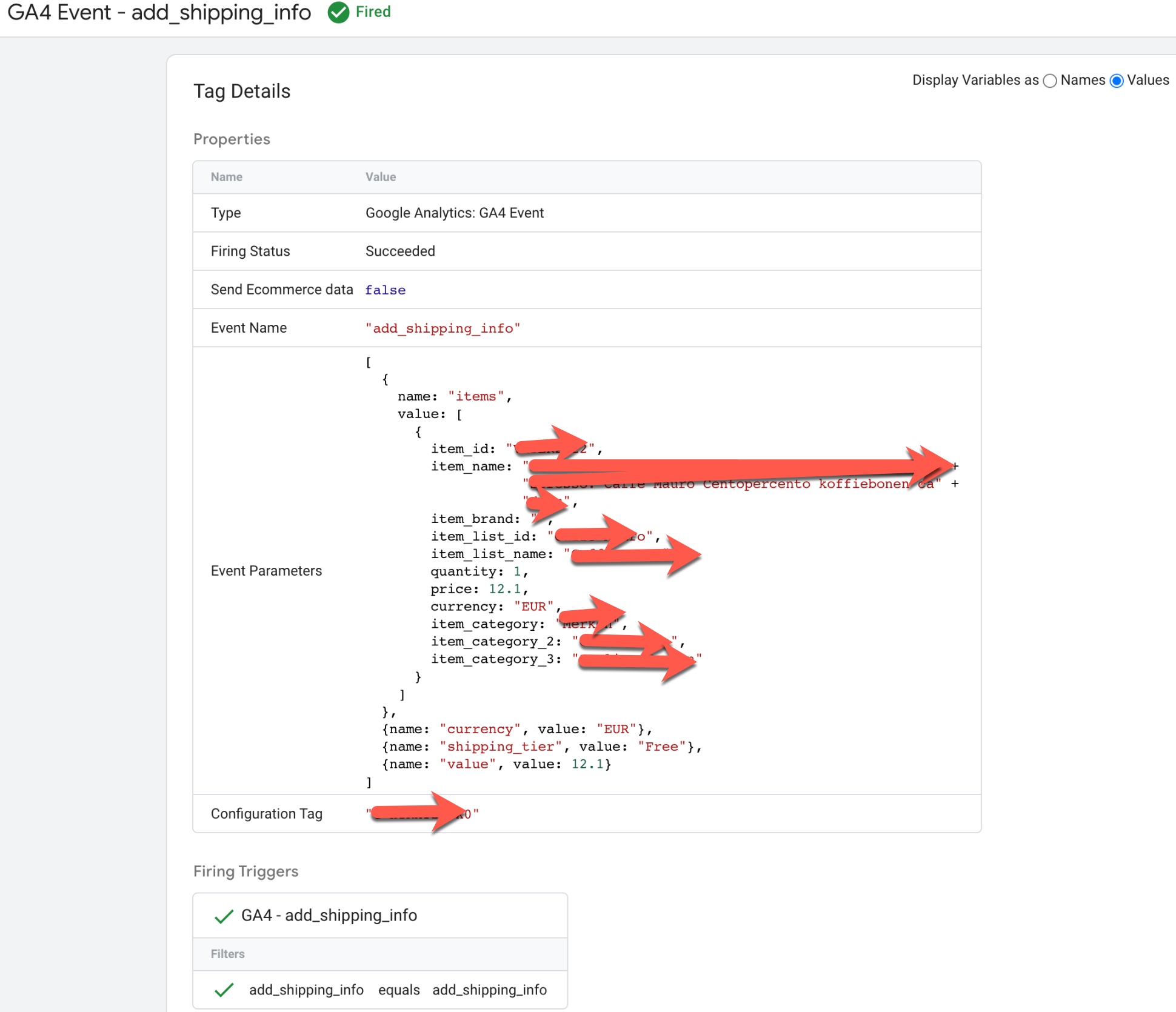
Volusion Google analytics 4 (GA4) eCommerce tracking

Migrating Volusion Google analytics 4 (GA4) eCommerce Tracking using Google Tag Manager

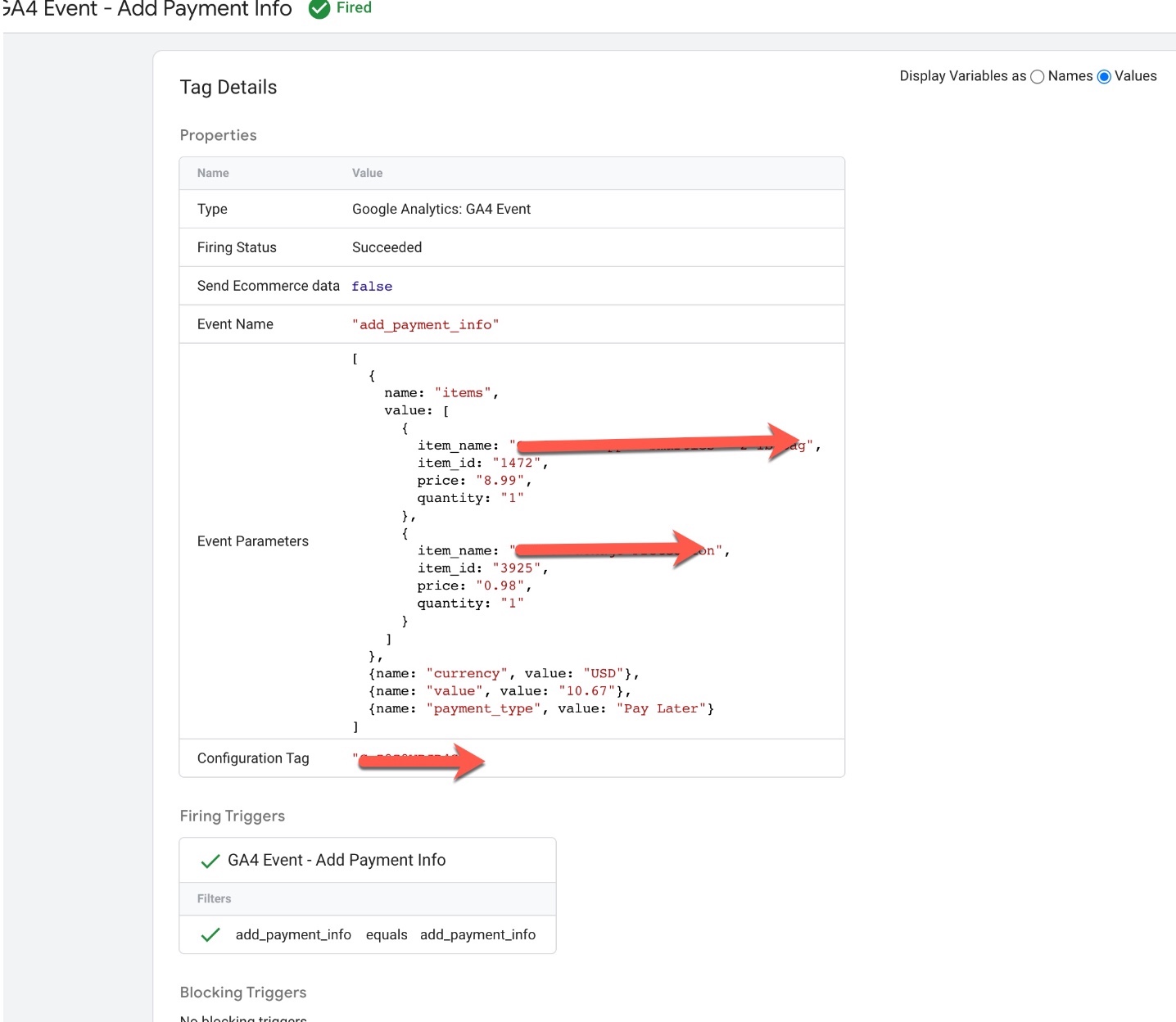
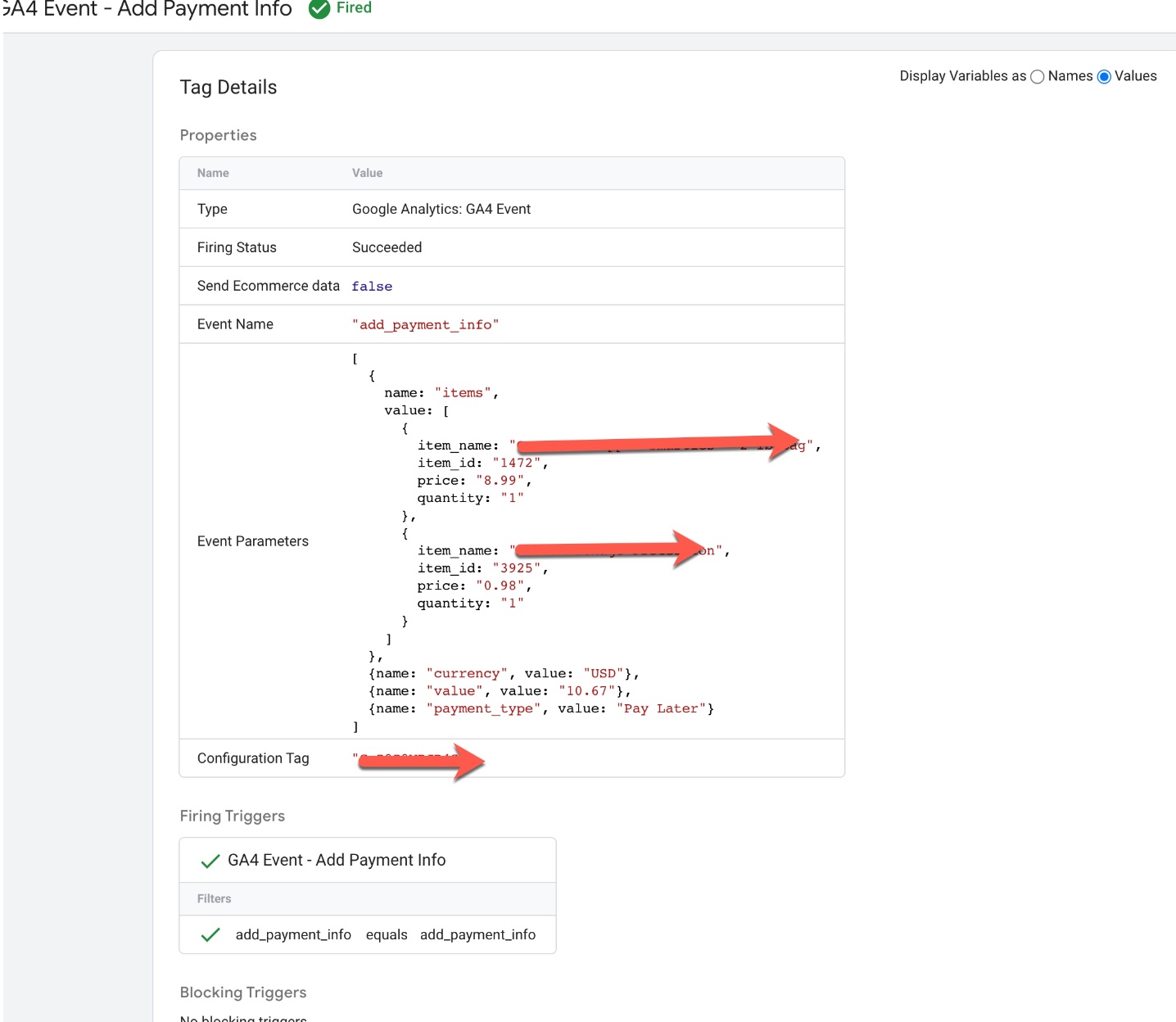
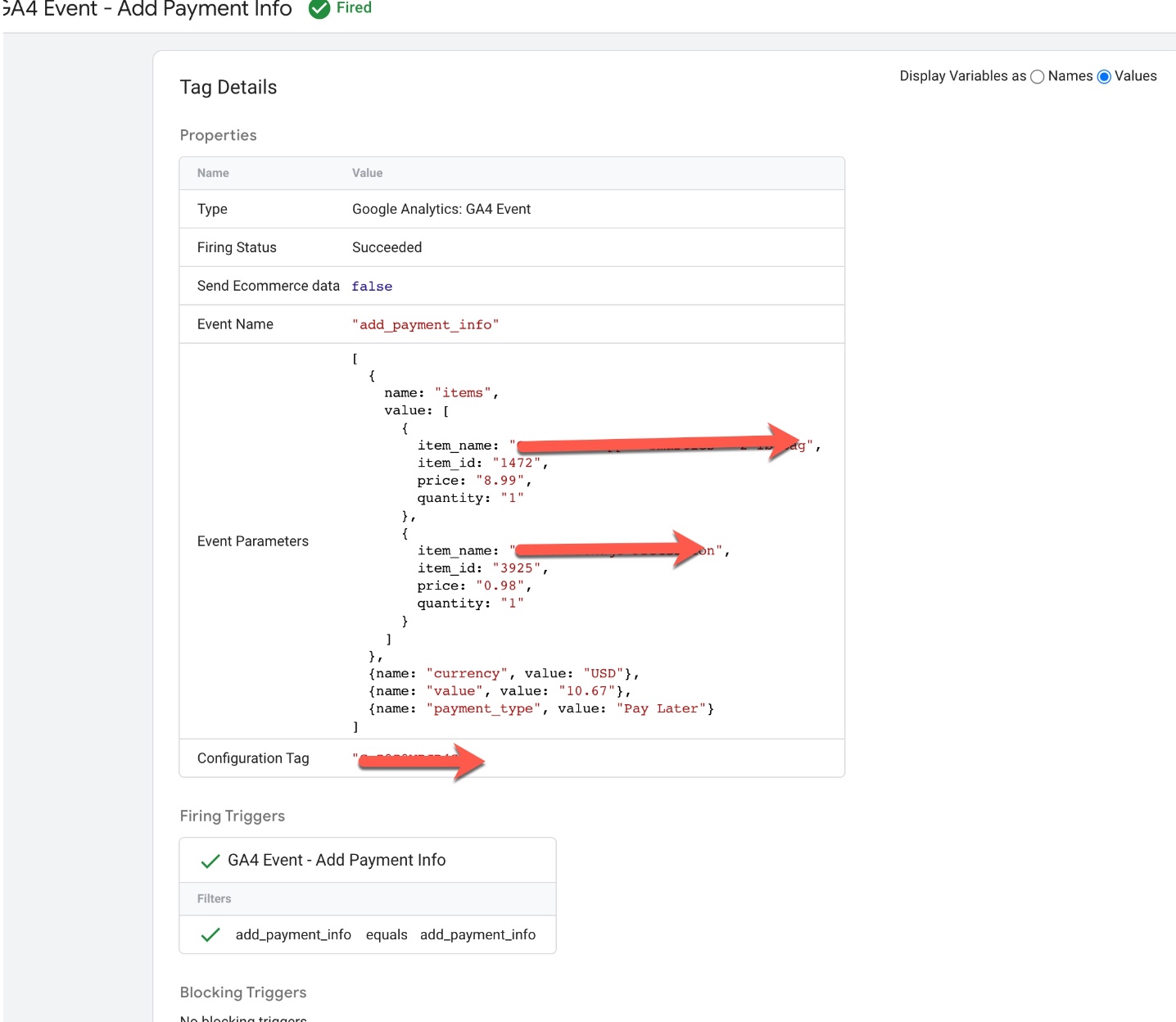
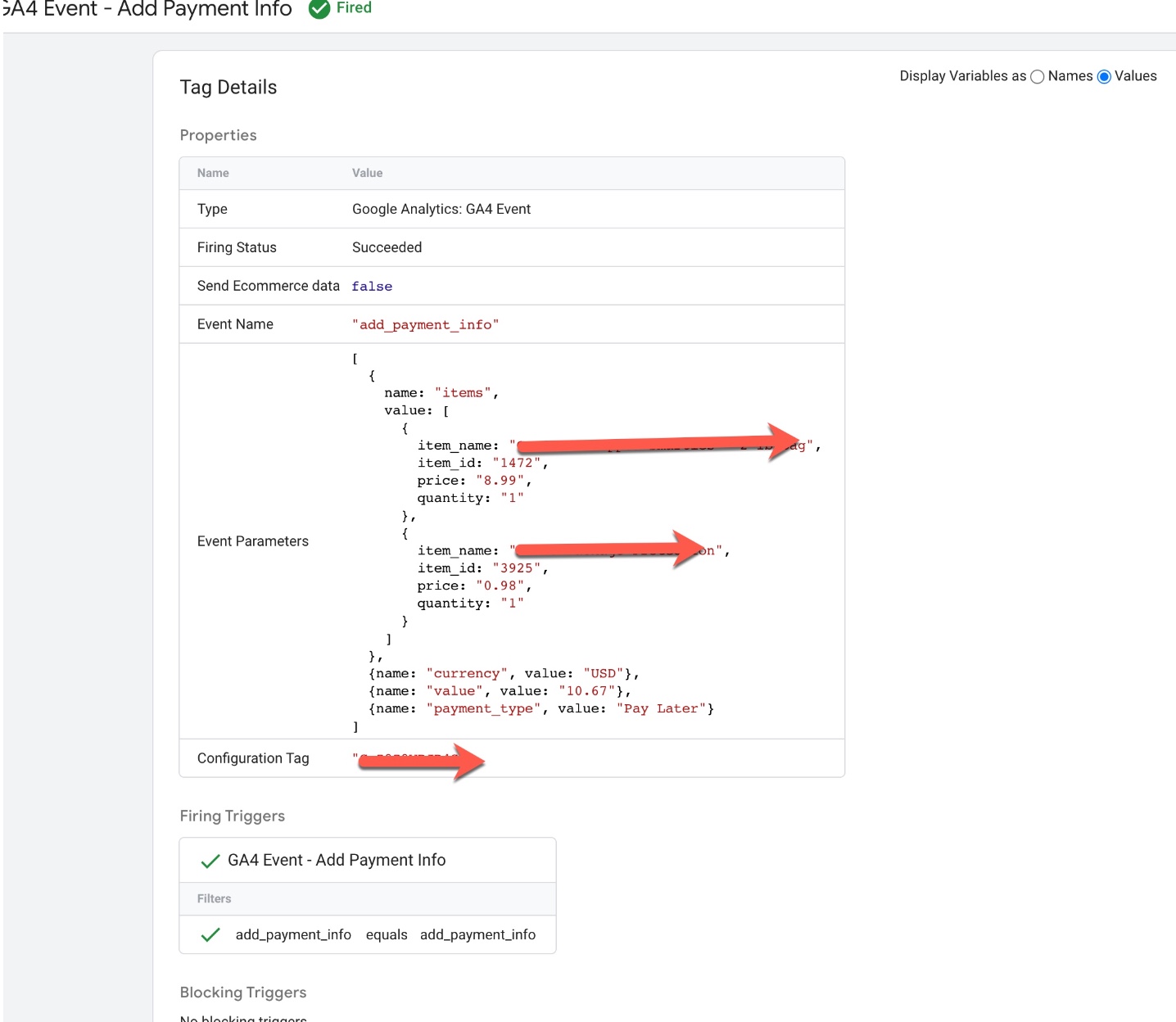
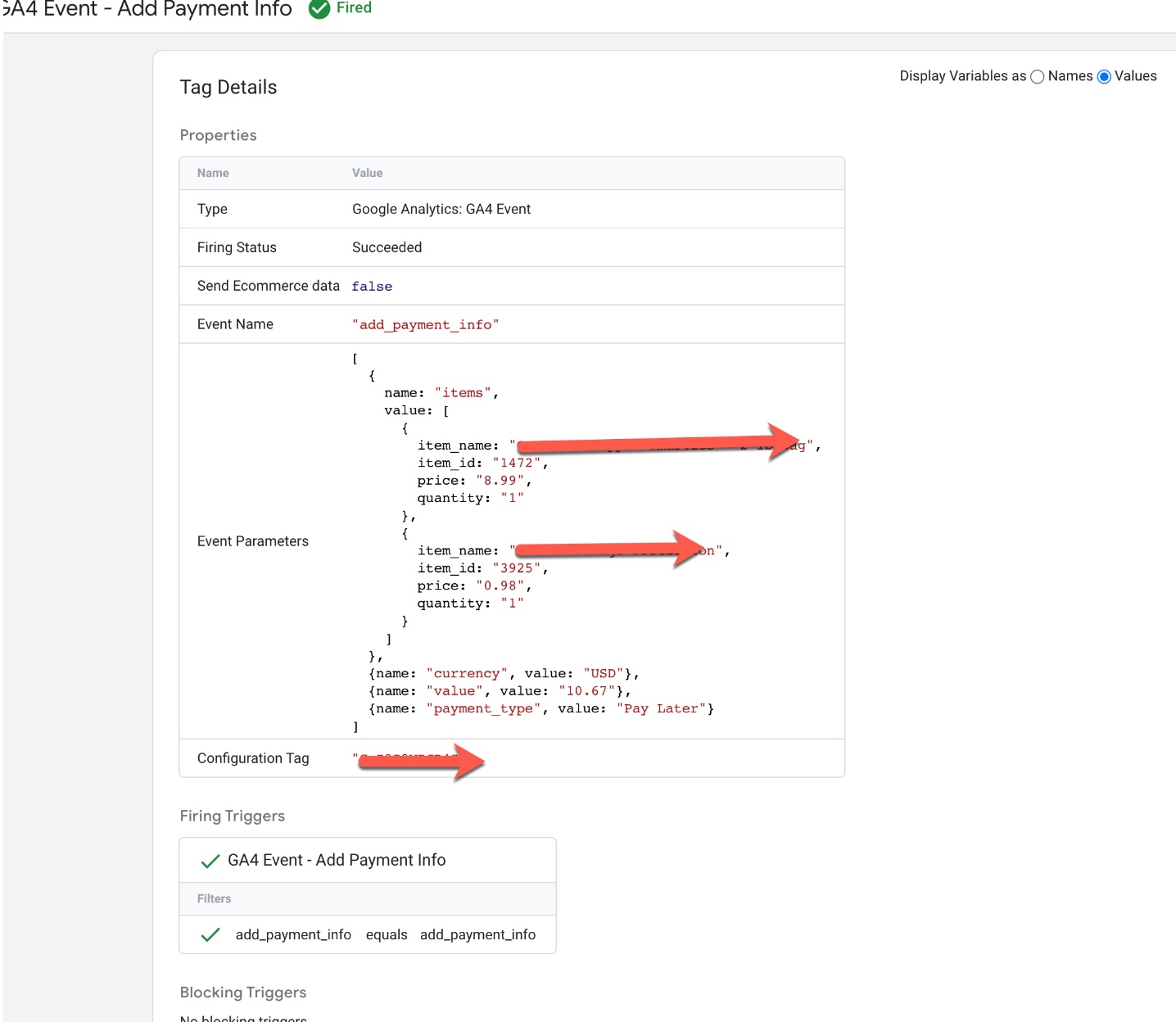
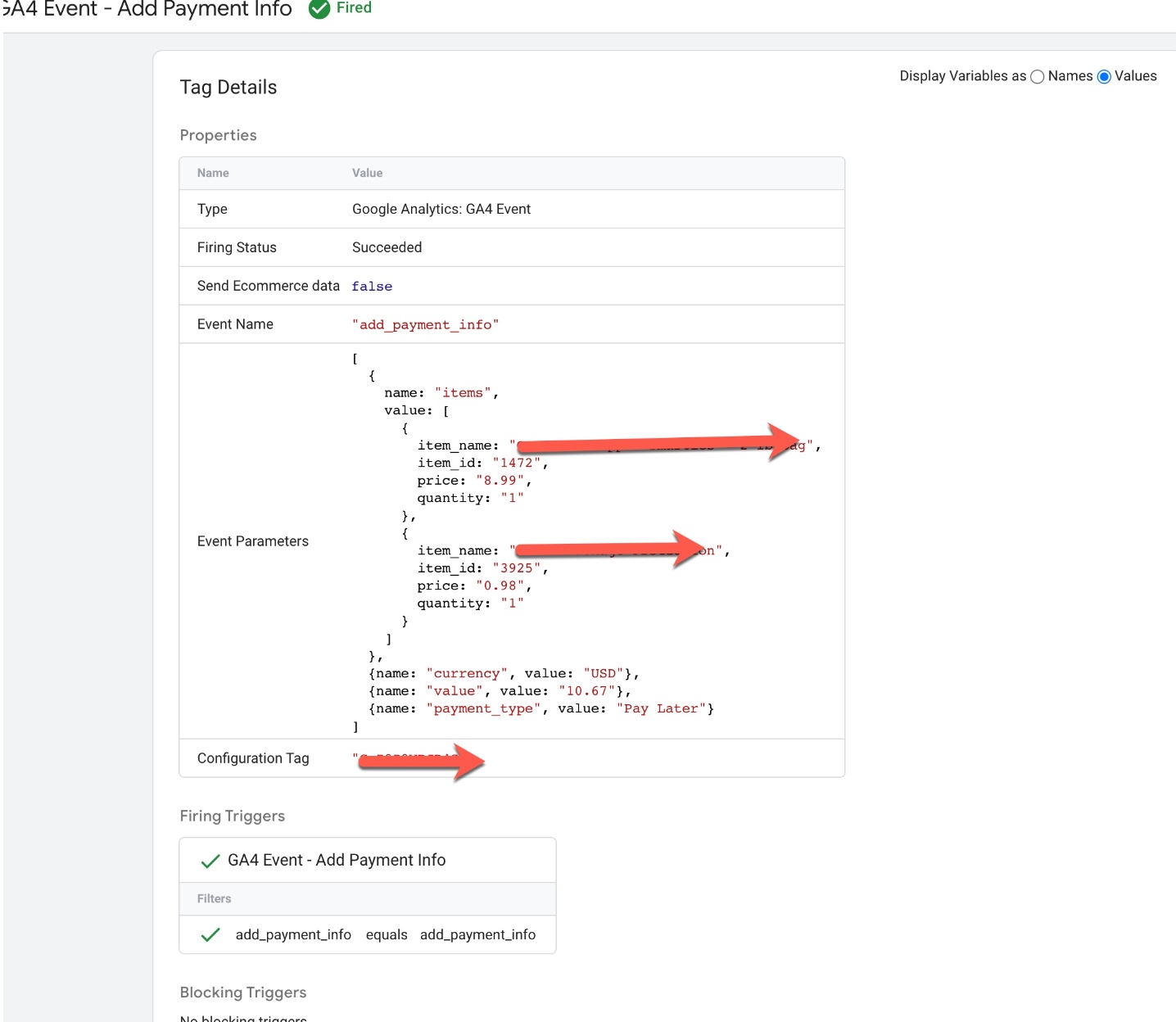
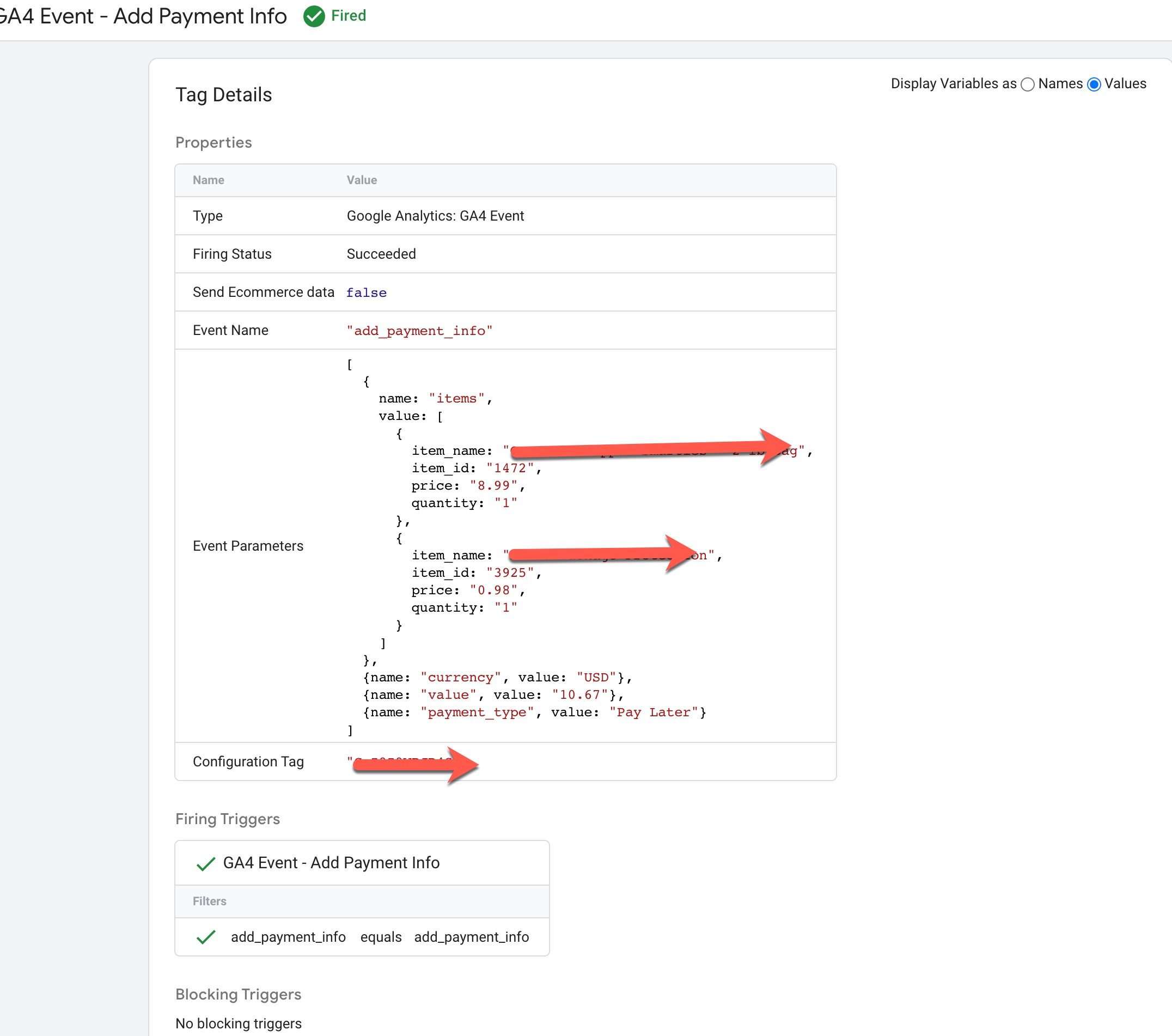
Volusion GA4 Enhanced Ecommerce Events for add_payment_info: To Track when user entered to selected a Payment Method using Volusion GA4 Enhanced Ecommerce Tracking for Volusion using Google Tag Manager 
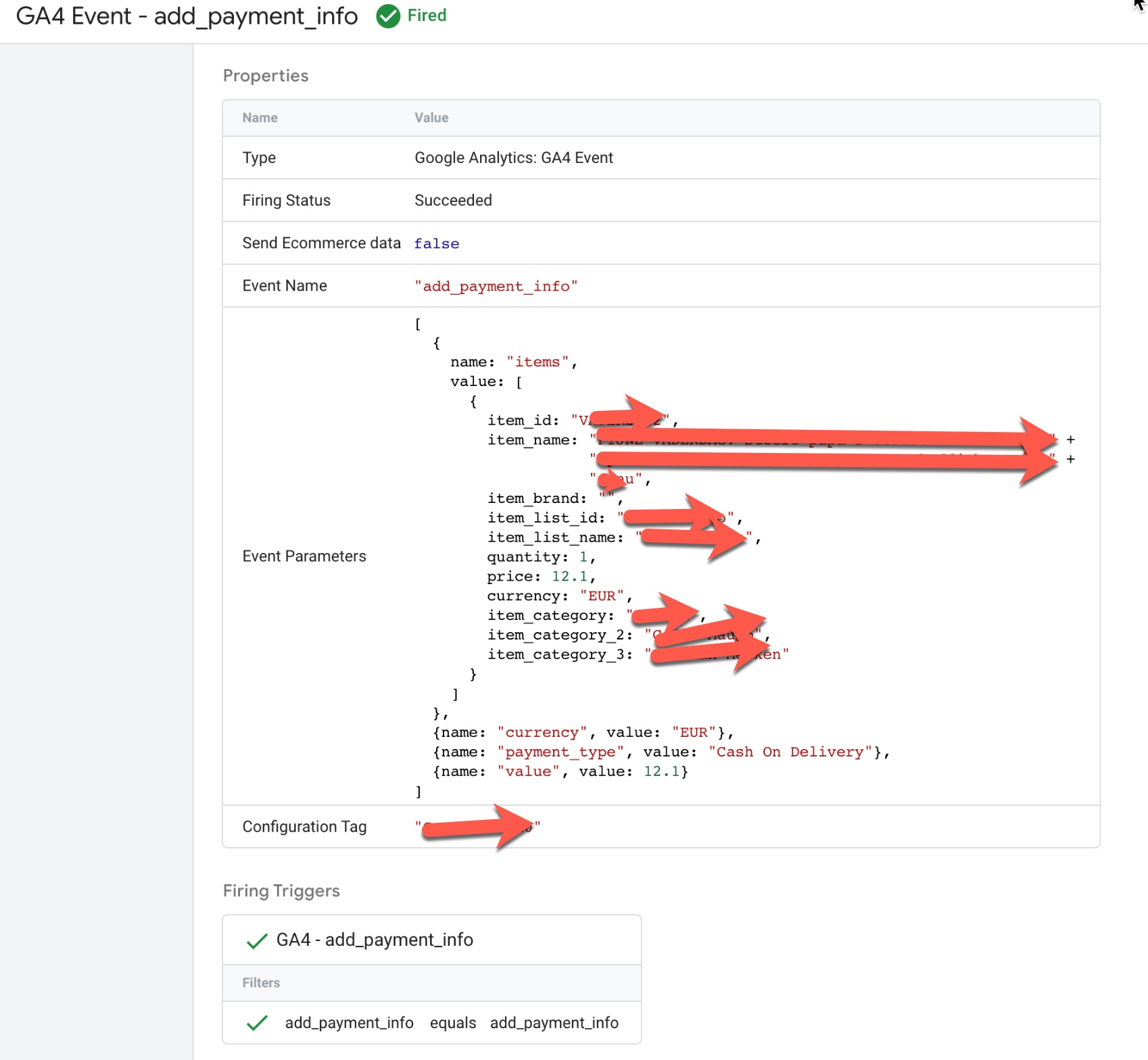
GA4 Ecommerce Tracking in Volusion

GA4 Ecommerce Tracking in Volusion using Google Tag Manager

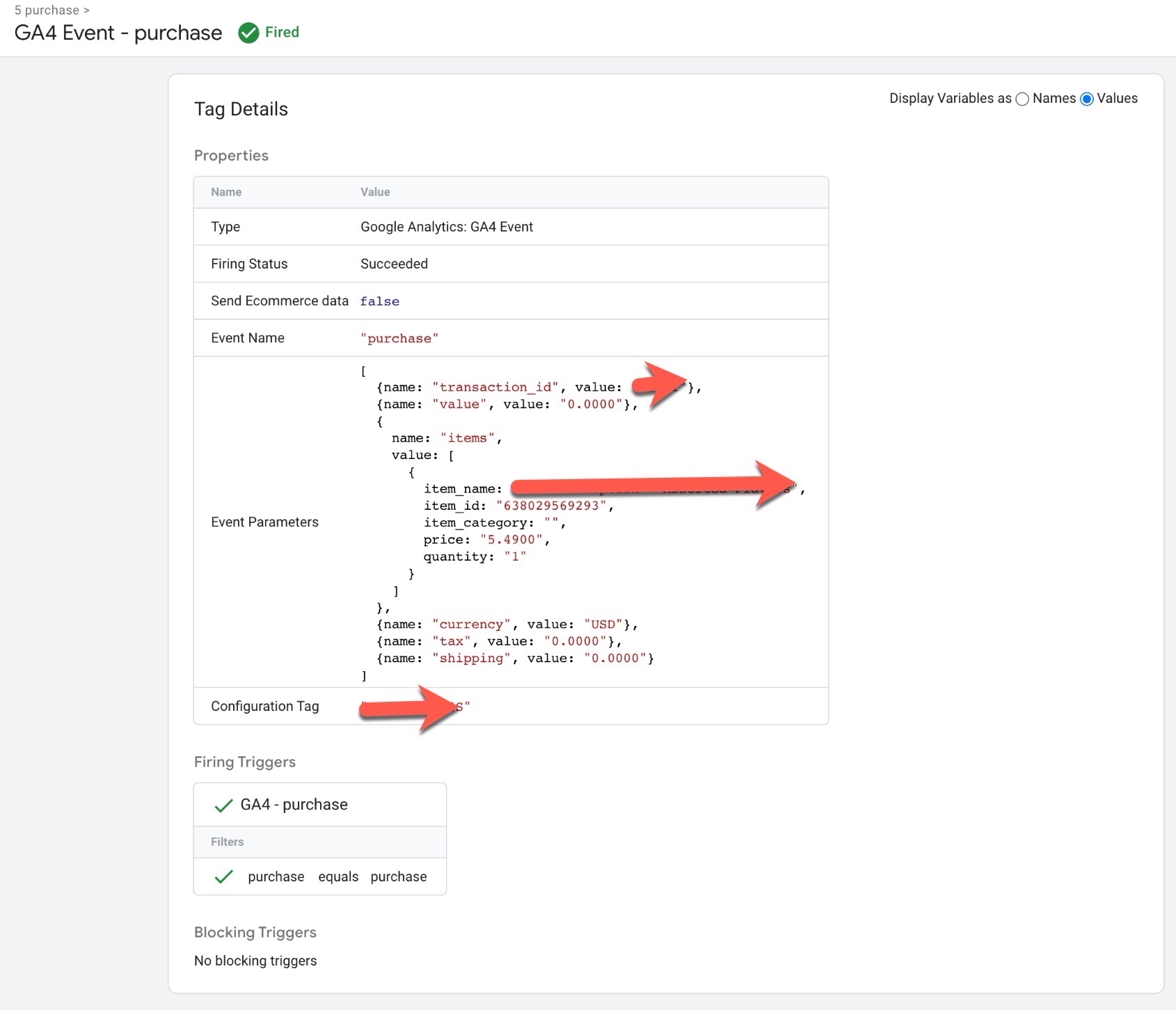
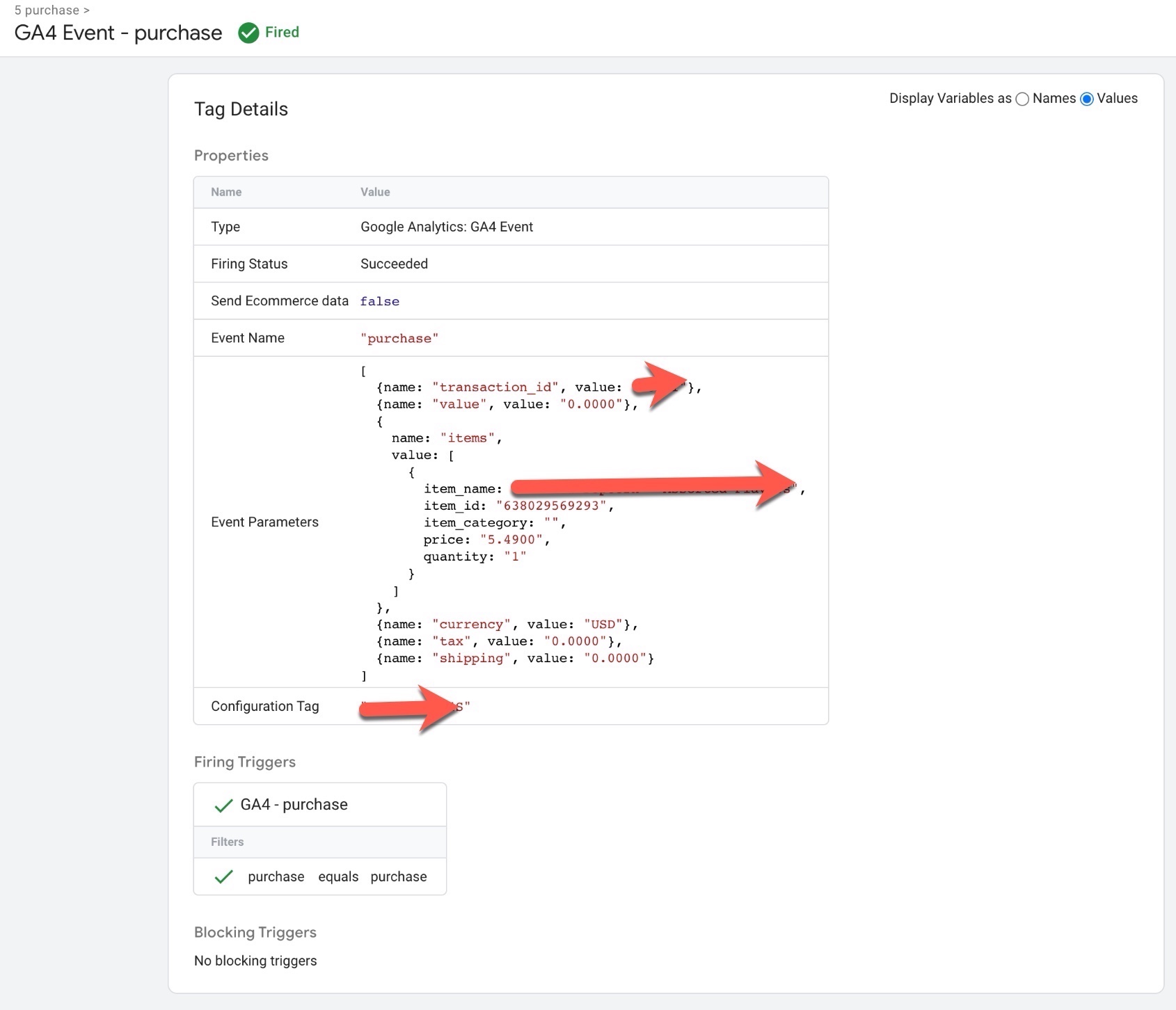
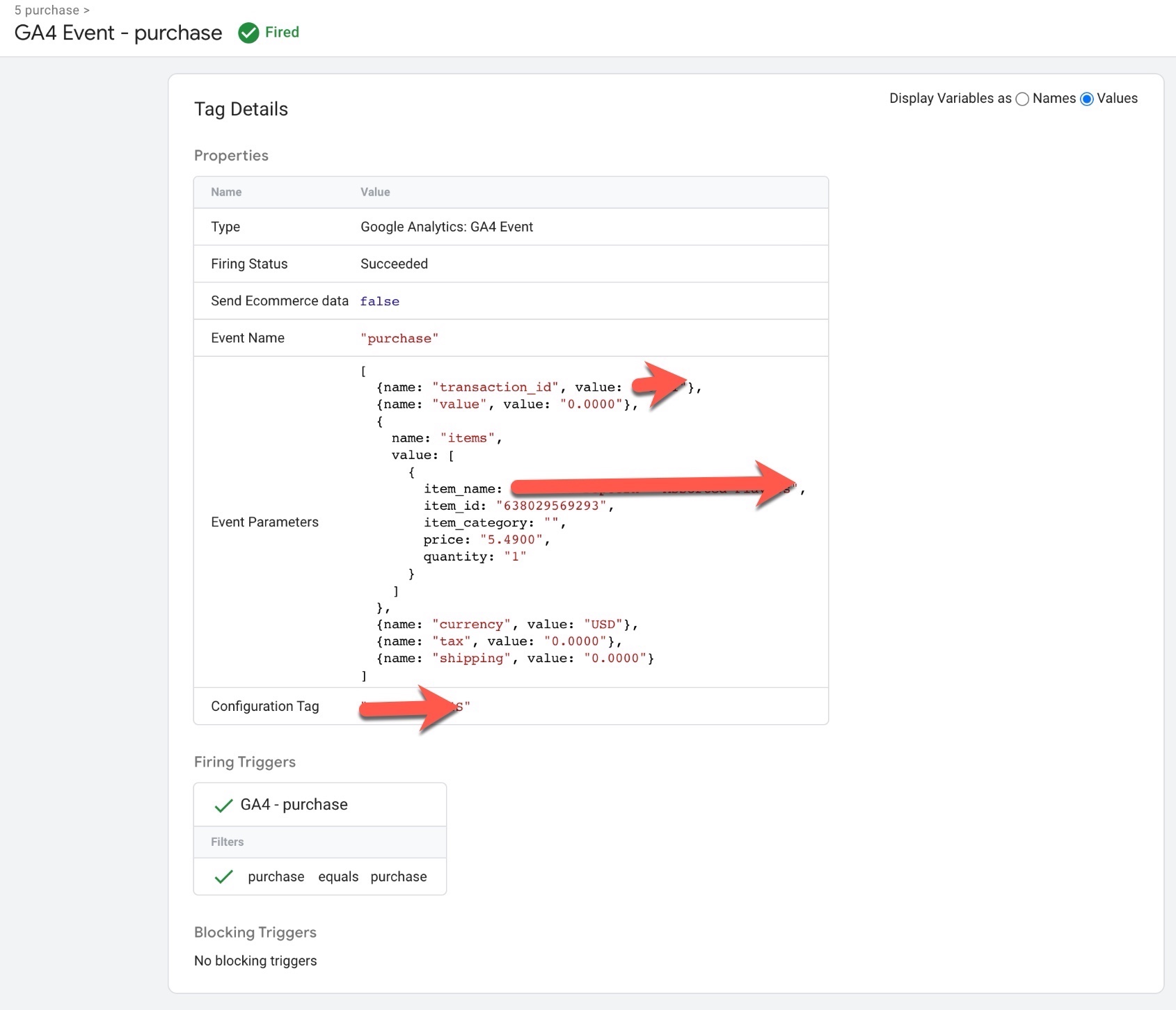
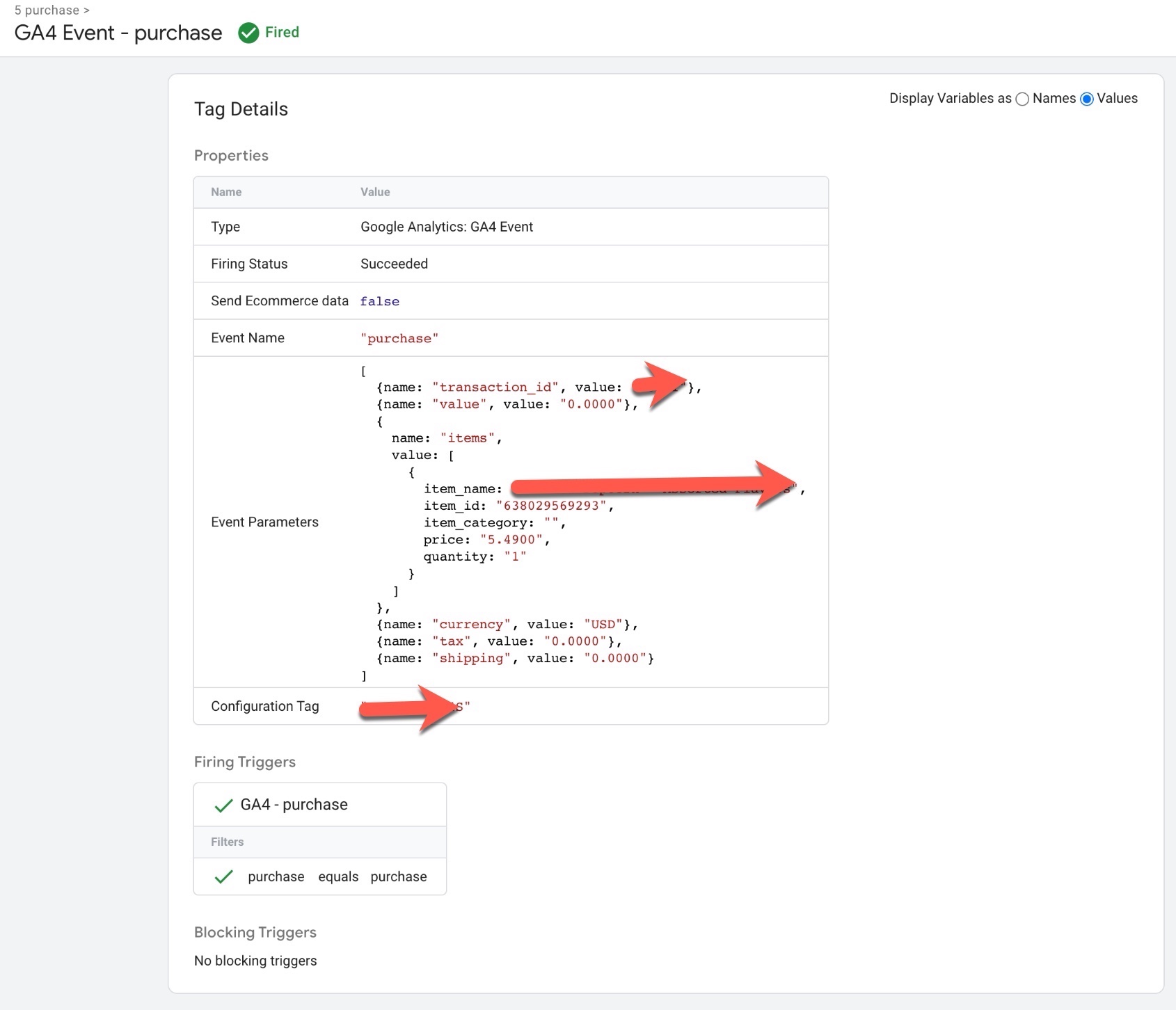
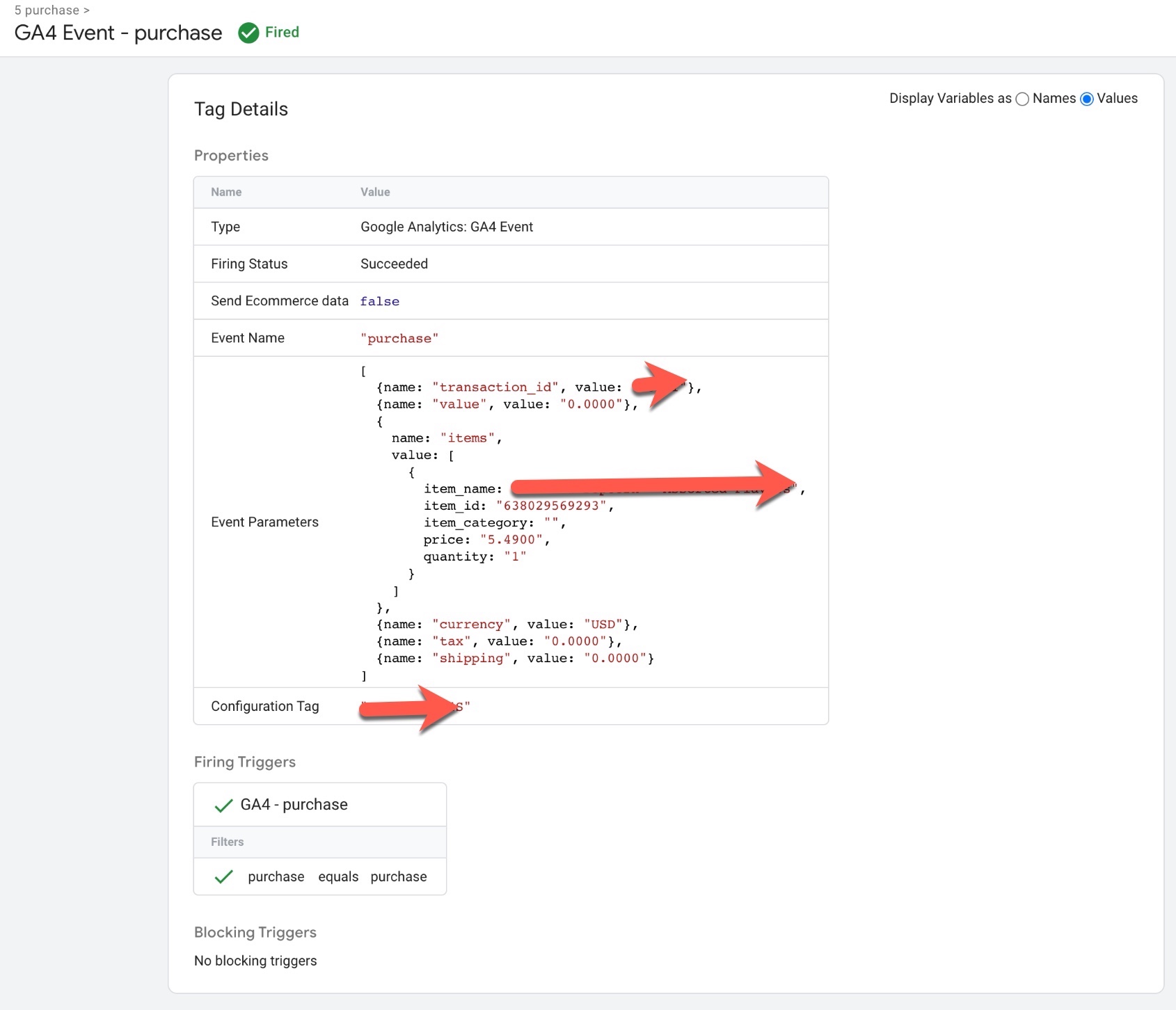
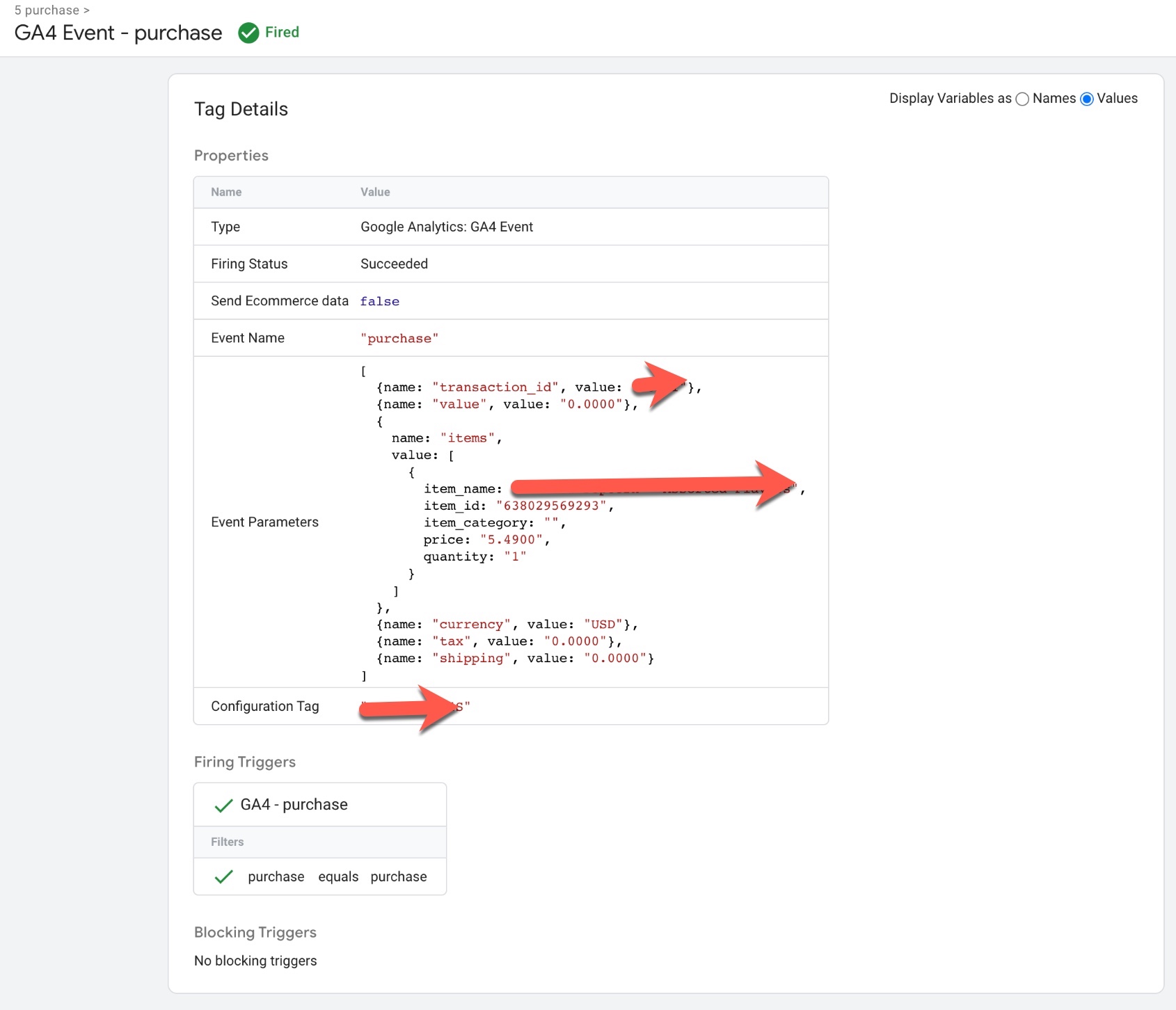
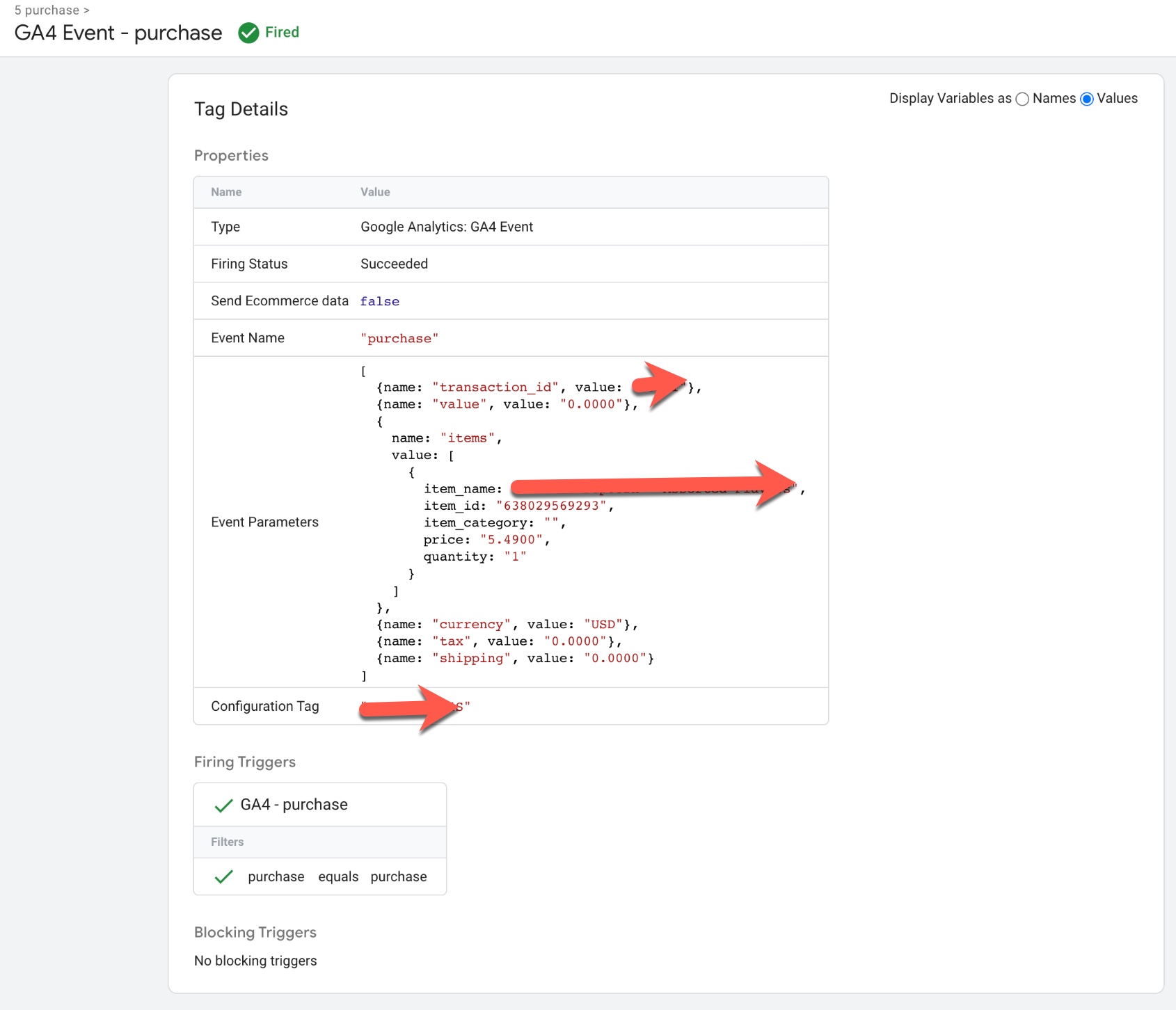
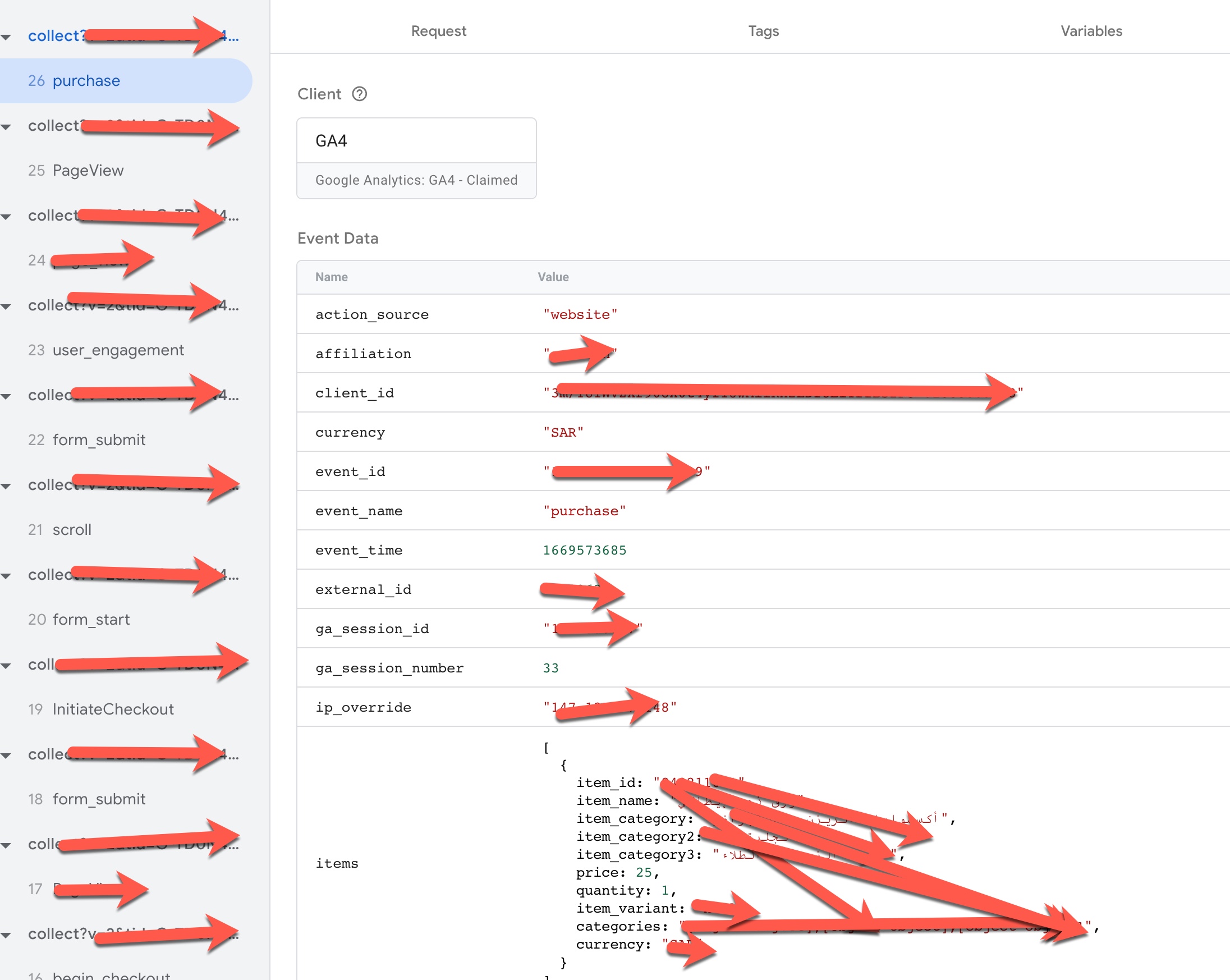
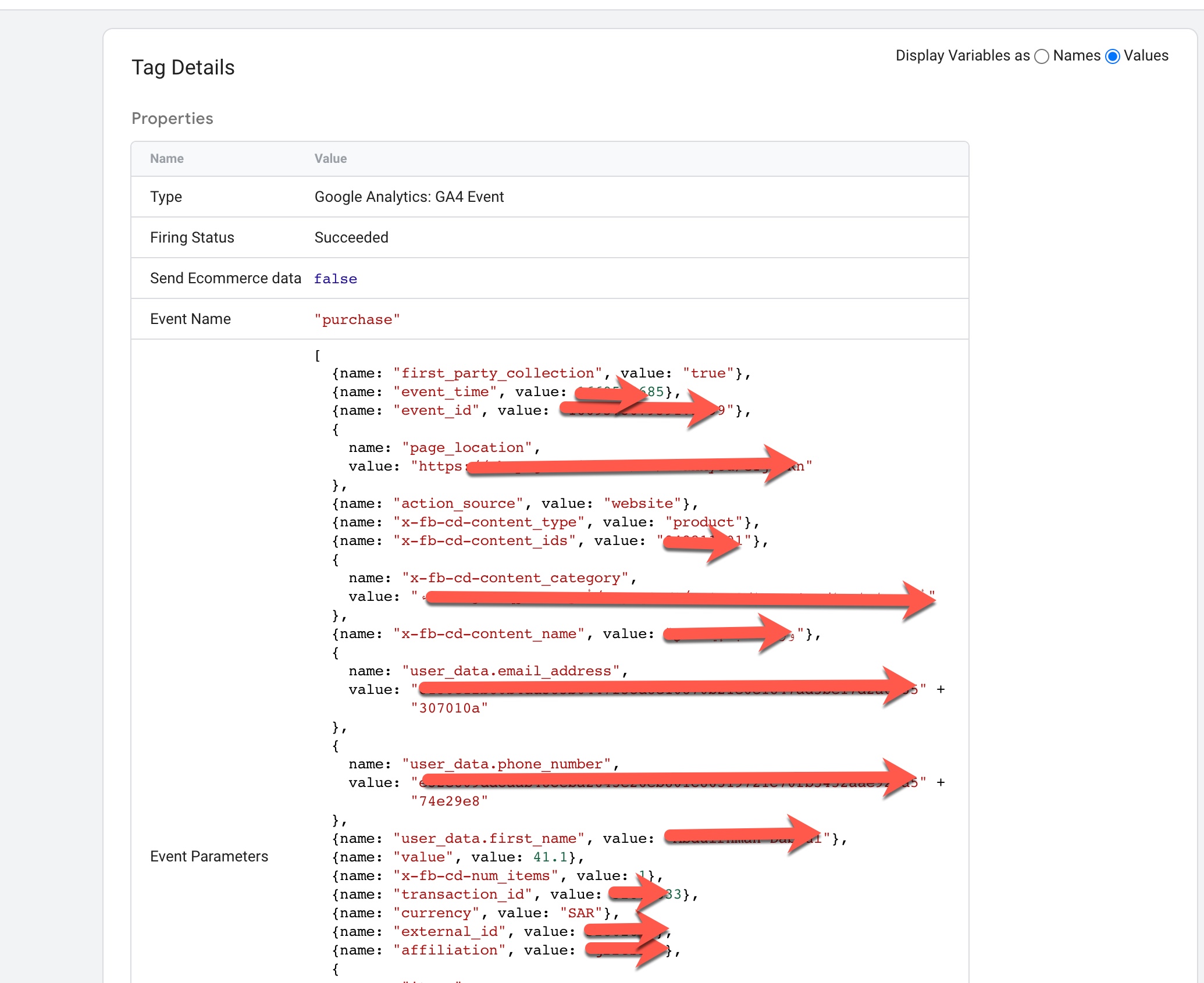
Volusion GA4 Enhanced Ecommerce Events for purchase: To Track when user completed purchase using Volusion GA4 Enhanced Ecommerce Tracking for Volusion Store using Google Tag Manager
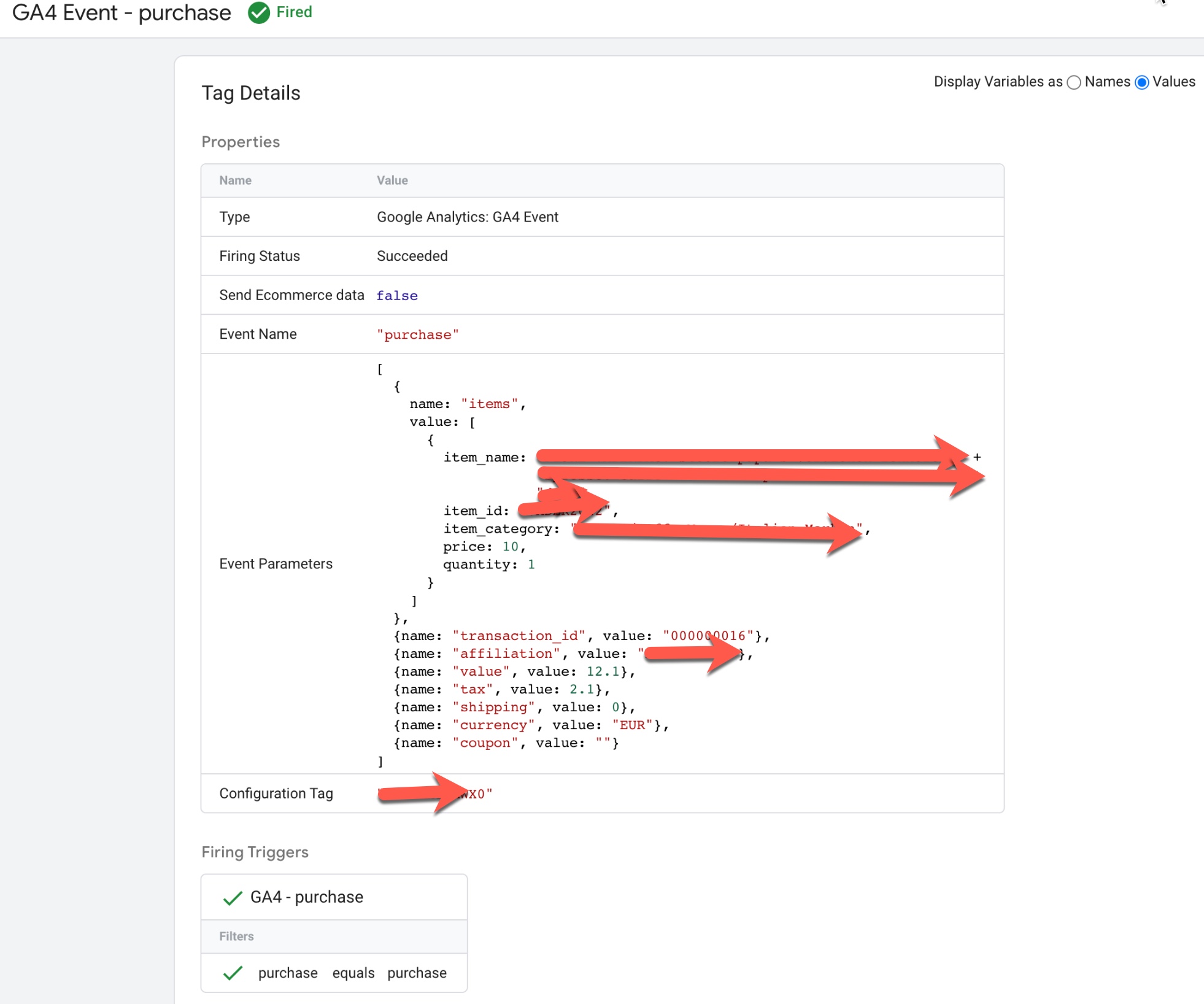
Purchase GA4 Volusion Ecommerce Tracking

Margate GA4 Volusion Enhanced Ecommerce Tracking using Google Tag Manager

Warning: If you do n’t know about javascript or do n’t have developing knowledge then do n’t try to GA4 Volusion Enhanced eCommerce Tracking using Google Tag Manager using Google Tag Manager that can broke your site, Cart and other functionality 

Disclaimer: Google tag manager belongs to Google property 

For Contact: mappchero@gmail.com

I am available for Hire on Freelancer: Freelancer.com

I am available for Hire on Upwork: Upwork.com

I am available for Hire on Peopleperhour: Peopleperhour.com

I am available for Hire on Guru: Guru.com
GA4 Enhanced Ecommerce Tracking with PrestaShop using Google Tag Manager

Standard

PrestaShop Enhanced eCommerce for Advanced Google Analytics 4 (GA4) using Google Tag Manager

Recently, one of client asks me to implement Prestashop Enhanced eCommerce Tracking using Google Tag Manager and look around that converted exiting data layer which is used for Enhanced eCommerce Tracking for Google Analytic

Google Analytics 4 for Prestashop

Ecommerce Tracking for Google Analytics 4 (GA4) with PrestaShop using Google Tag Manager

PrestaShop Enhanced eCommerce for Advanced Google Analytics 4 (GA4) using Google Tag Manager 

Paste this code as high in the <head> of the page as possible:

<!– Google Tag Manager –>

<script>(function(w,d,s,l,i){w[l]=w[l]||[];w[l].push({‘gtm.start’:
new Date().getTime(),event:’gtm.js’});var f=d.getElementsByTagName(s)[0],
j=d.createElement(s),dl=l!=’dataLayer’?’&l=’+l:”;j.async=true;j.src=
‘https://www.googletagmanager.com/gtm.js?id=’+i+dl;f.parentNode.insertBefore(j,f);
})(window,document,’script’,’dataLayer’,’GTM-XXXX’);</script>
<!– End Google Tag Manager –>

Additionally, paste this code immediately after the opening <body> tag:
<!– Google Tag Manager (noscript) –>
<noscript><iframe src=”https://www.googletagmanager.com/ns.html?id=GTM-XXXX”
height=”0″ width=”0″ style=”display:none;visibility:hidden”></iframe></noscript>
<!– End Google Tag Manager (noscript) –>

Note: Make you will replace GTM Tracking Code with your GTM ID XXXXX

PrestaShop Google Analytics 4 (GA4) Enhanced eCommerce Events for view_item_list: To Track when user reach out category pages where list of product listed on the Page for PrestaShop Enhanced eCommerce for Google Analytics 4 (GA4) using Google Tag Manager

Prestashop GA4 integration

GA4 Enhanced Ecommerce for Prestashop using Google Tag Manager

PrestaShop Google Analytics 4 (GA4) Enhanced eCommerce Events for select_item: To Track when user click on list of product listed on the pages using Enhanced Ecommerce Tracking Google Analytics 4 (GA4) with PrestaShop using Google Tag Manager

Analytics 4 (GA4) For eCommerce PrestaShop

Setup Google Analytics 4 (GA4) For eCommerce PrestaShop using Google Tag Manager

PrestaShop Google Analytics 4 (GA4) Enhanced eCommerce Events for view_item: To Track when user visit a product details page using  Enhanced Ecommerce Tracking with PrestaShop using Google Tag Manager

Google Analytics 4 (GA4) Setup for PrestaShop

Setting Up GA4 Enhanced eCommerce Tracking for PrestaShop using Google Tag Manager

PrestaShop Google Analytics 4 (GA4) Enhanced eCommerce Events for add_to_cart: To Track when user visit a product details page then Click on AddtoCart using  Enhanced Ecommerce Tracking with PrestaShop using Google Tag Manager

Google Analytics 4 (GA4) Prestashop

Implement Google Analytics 4 (GA4) on Prestashop using Google Tag Manager

PrestaShop Google Analytics 4 (GA4) Enhanced eCommerce Events for add_to_wishlist: To Track when Add a product into Add to Wishlist using PrestaShop Enhanced eCommerce for Google Analytics 4 (GA4) using Google Tag Manager

Google Analytics 4 Setup for PrestaShop

Google Analytics 4 Setup for PrestaShop using Google Tag Manager

PrestaShop Google Analytics 4 (GA4) Enhanced eCommerce Events for view_cart: To Track when user entered to View Cart using Enhanced Ecommerce Tracking with PrestaShop using Google Tag Manager


PrestaShop Google Analytic (GA4)

PrestaShop Google Analytic (GA4) Enhanced ecommerce tracking via Google Tag Manager

PrestaShop Google Analytics 4 (GA4) Enhanced eCommerce Events for begin_checkout: To Track when user entered to begin_checkout using Enhanced Ecommerce Tracking with PrestaShop using Google Tag Manager

Enhanced eCommerce for Advanced Google Analytics 4 (GA4)

PrestaShop Google Analytics (GA4) Enhanced eCommerce using Google Tag Manager

PrestaShop Google Analytics 4 (GA4) Enhanced Ecommerce Events for add_shipping_info: To Track when user entered to selected a Shipping Method using Enhanced Ecommerce Tracking with PrestaShop using Google Tag Manager

Enhanced Ecommerce for GA 4 PrestaShop

Google Analytics 4 (GA4) PrestaShop Enhanced eCommerce using Google Tag Manager

PrestaShop Google Analytics 4 (GA4) Enhanced eCommerce Events for add_payment_info: To Track when user entered to selected a Payment Method using Enhanced Ecommerce Tracking with PrestaShop using Google Tag Manager

PrestaShop Google Analytics 4 ecommerce

Prestashop Google Analytics 4 ecommerce tracking using Google Tag Manager

PrestaShop Google Analytics 4 (GA4) Enhanced eCommerce Events for purchase: To Track when user completed purchase using Enhanced Ecommerce Tracking with PrestaShop using Google Tag Manager

Advance Google Tag Manager PrestaShop for GA4

Advance Enhanced eCommerce Purchase Event Google Tag Manager PrestaShop for GA4

Warning: If you do n’t know about javascript or do n’t have developing knowledge then do n’t try to GA4 Enhanced Ecommerce Tracking with PrestaShop using Google Tag Manager that can broke your site, Cart and other functionality 

Disclaimer: Google tag manager belongs to Google property 

For Contact: mappchero@gmail.com

I am available for Hire on Freelancer: Freelancer.com

I am available for Hire on Upwork: Upwork.com

I am available for Hire on Peopleperhour: Peopleperhour.com

I am available for Hire on Guru: Guru.com
Drupal Google Analytics 4 Enhanced Ecommerce Tracking using Google Tag Manager

Standard

Google Analytics 4 (GA4) Enhanced Ecommerce Tracking for Drupal using Google Tag Manager

Recently one of client ask me to implement Drupal Google Analytics 4 (GA4) Enhanced Ecommerce Tracking using Google Tag Manager and I applied data layer for Drupal or Exiting data layer Conversion for GA4 Drupal Enhanced Ecommerce Tracking using Google Tag Manager

Drupal GA4 ecommerce tracking

Drupal GA4 Enhanced Ecommerce Tracking using Google Tag Manager

Drupal Google Analytics 4 (GA4) Enhanced Ecommerce Tracking using Google Tag Manager 

Paste this code as high in the <head> of the page as possible:

<!– Google Tag Manager –>

<script>(function(w,d,s,l,i){w[l]=w[l]||[];w[l].push({‘gtm.start’:
new Date().getTime(),event:’gtm.js’});var f=d.getElementsByTagName(s)[0],
j=d.createElement(s),dl=l!=’dataLayer’?’&l=’+l:”;j.async=true;j.src=
‘https://www.googletagmanager.com/gtm.js?id=’+i+dl;f.parentNode.insertBefore(j,f);
})(window,document,’script’,’dataLayer’,’GTM-XXXX’);</script>
<!– End Google Tag Manager –>

Additionally, paste this code immediately after the opening <body> tag:
<!– Google Tag Manager (noscript) –>
<noscript><iframe src=”https://www.googletagmanager.com/ns.html?id=GTM-XXXX”
height=”0″ width=”0″ style=”display:none;visibility:hidden”></iframe></noscript>
<!– End Google Tag Manager (noscript) –>

Note: Make you will replace GTM Tracking Code with your GTM ID XXXXX

Drupal Google Analytics 4 (GA4) Enhanced Ecommerce Events for view_item_list: To Track when user reach out category pages where list of product listed on the Page for GA4 (Google Analytics 4) Drupal Google Analytics 4 Enhanced Ecommerce Tracking using Google Tag Manager

Google Analytics 4 on Drupal

Setup Drupal GA4 (Google Analytics 4) using Google Tag Manager

Drupal Google Analytics 4 (GA4) Enhanced Ecommerce Events for select_item: To Track when user click on list of product listed on the pages using Drupal Google Analytics 4 Enhanced Ecommerce Tracking using Google Tag Manager

Drupal Google Analytics 4 (GA4) Enhanced E-Commerc

Drupal Google Analytics 4 (GA4) Enhanced E-Commerce using Google Tag Manager

Drupal GA4 Enhanced Ecommerce Events for view_item: To Track when user visit a product details page using GA4 Enhanced Ecommerce Tracking for Drupal using Google Tag Manager 

Drupal Google Analytics 4 (GA4)

Drupal Google Analytics 4 (GA4) Enhanced Ecommerce Tracking using Google Tag Manager

Drupal GA4 Enhanced Ecommerce Events for add_to_cart: To Track when user visit a product details page then Click on AddtoCart using Drupal Google Analytics 4 (GA4) Enhanced Ecommerce Tracking using Google Tag Manager

Configure Drupal Google Analytics 4

Configure Drupal Google Analytics 4 (GA4) Ecommerce Tracking using Google Tag Manager

Drupal Google Analytics 4 (GA4) Enhanced Ecommerce Events for add_to_wishlist: To Track when Add a product into Add to Wishlist using Drupal Google Analytics 4 (GA4) Enhanced Ecommerce Tracking using Google Tag Manager

Setup Drupal GA4 (Google Analytics 4)

Setup Drupal GA4 (Google Analytics 4) Enhanced Ecommerce tracking using Google Tag Manager

Drupal Google Analytics 4 (GA4) Enhanced Ecommerce Events for view_cart: To Track when user entered to View Cart using Drupal Google Analytics 4 Enhanced Ecommerce Tracking using Google Tag Manager

GA4 Enhanced Ecommerce tracking for Drupal

Google Analytics 4 / GA4 Enhanced Ecommerce tracking for Drupal

Drupal Google Analytics 4 (GA4) Enhanced Ecommerce Events for begin_checkout: To Track when user entered to begin_checkout using Google Analytics 4 (GA4) Enhanced Ecommerce Tracking for Drupal using Google Tag Manager

Google Analytics 4 for Drupal

Setup Drupal GA4 Ecommerce Tracking using Google Tag Manager

Drupal Google Analytics 4 (GA4) Enhanced Ecommerce Events for add_shipping_info: To Track when user entered to selected a Shipping Method using Drupal Google Analytics 4 Enhanced Ecommerce Tracking using Google Tag Manager

Drupal Enhanced Ecommerce tracking for Google Analytic 4

Drupal Enhanced Ecommerce tracking for Google Analytic 4 (GA4) using Google Tag Manager

Drupal Google Analytics 4 (GA4) Enhanced Ecommerce Events for add_payment_info: To Track when user entered to selected a Payment Method using Drupal Google Analytics 4 Enhanced Ecommerce Tracking using Google Tag Manager

Drupal Google Analytics 4 with Google Tag Manager (GTM)

Drupal Google Analytics 4 with Google Tag Manager (GTM)

Drupal Google Analytics 4 (GA4) Enhanced Ecommerce Events for purchase: To Track when user completed purchase using Drupal Google Analytics 4 Enhanced Ecommerce Tracking using Google Tag Manager

Implement Google Analytics 4 on Drupal

Implement Google Analytics 4 on Drupal with Enhanced eCommerce tracking using Google Tag Manager

Warning: If you do n’t know about javascript or do n’t have developing knowledge then do n’t try to Drupal Google Analytics 4 Enhanced Ecommerce Tracking using Google Tag Manager that can broke your site, Cart and other functionality 

Disclaimer: Google tag manager belongs to Google property 

For Contact: mappchero@gmail.com

I am available for Hire on Freelancer: Freelancer.com

I am available for Hire on Upwork: Upwork.com

I am available for Hire on Peopleperhour: Peopleperhour.com

I am available for Hire on Guru: Guru.com
Opencart GA4 Enhanced eCommerce Tracking using Google Tag Manager

Standard

GA4 Enhanced eCommerce Tracking for OpenCart using Google Tag Manager

Recently one client ask to implemented GA4 Enhanced eCommerce Tracking for OpenCart using Google Tag Manager, I wrote data layer on the Opencart to work GA4 for GA4 Enhanced eCommerce Tracking using Google Tag Manager

Google Analytics 4 eCommerce Tracking for OpenCart

Google Analytics 4 eCommerce Tracking for OpenCart using Google Tag Manager

Opencart GA4 Enhanced eCommerce Tracking Data Layer using Google Tag Manager 

Paste this code as high in the <head> of the page as possible:

<!– Google Tag Manager –>

<script>(function(w,d,s,l,i){w[l]=w[l]||[];w[l].push({‘gtm.start’:
new Date().getTime(),event:’gtm.js’});var f=d.getElementsByTagName(s)[0],
j=d.createElement(s),dl=l!=’dataLayer’?’&l=’+l:”;j.async=true;j.src=
‘https://www.googletagmanager.com/gtm.js?id=’+i+dl;f.parentNode.insertBefore(j,f);
})(window,document,’script’,’dataLayer’,’GTM-XXXX’);</script>
<!– End Google Tag Manager –>

Additionally, paste this code immediately after the opening <body> tag:
<!– Google Tag Manager (noscript) –>
<noscript><iframe src=”https://www.googletagmanager.com/ns.html?id=GTM-XXXX”
height=”0″ width=”0″ style=”display:none;visibility:hidden”></iframe></noscript>
<!– End Google Tag Manager (noscript) –>

Note: Make you will replace GTM Tracking Code with your GTM ID XXXXX

Opencart Google Analytic 4 (GA4) Enhanced eCommerce Events for view_item_list: To Track when user visitor visits to category pages product listed on the Page for Opencart GA4 Enhanced eCommerce Tracking using Google Tag Manager

Google Analytics 4 (GA4) for Opencart

Google Analytics 4 (GA4) Enhanced Ecommerce for Opencart using Google Tag Manager

Opencart Google Analytic 4 (GA4) Enhanced eCommerce Events for select_item: To Track when user click on list of product listed on the category Pages or List on Home page and related Page using Opencart GA4 Enhanced eCommerce Tracking using Google Tag Manager

Ecommerce Google Analytics 4 for OpenCart

Ecommerce Google Analytics 4 for OpenCart using Google Tag Manager

Opencart Google Analytic 4 (GA4) Enhanced eCommerce Events for view_item: To Track when user visit a product details page using Opencart GA4 Enhanced eCommerce Tracking using Google Tag Manager

 GA4 Opencart Enhanced eCommerce Tracking

GA4 Opencart Enhanced eCommerce Tracking using Google Tag Manager

Opencart Google Analytic 4 (GA4) Enhanced eCommerce Events for add_to_cart: To Track when user visit a product details page then added a product on cart Clicking on AddtoCart using Opencart GA4 Enhanced eCommerce Tracking using Google Tag Manager

implement Opencart GA4 for ecommerce

implement Opencart GA4 for ecommerce using Google Tag Manager

Opencart GA4 Enhanced eCommerce tracking Events for add_to_wishlist: To Track when Add a product into Add to Wishlist using Opencart GA4 Enhanced eCommerce Tracking using Google Tag Manager

Google Analytics 4 Opencart eCommerce conversion tracking

Opencart eCommerce conversion tracking with Google Analytics 4 using Google Tag Manager

Opencart GA4 Enhanced eCommerce Events for view_cart: To Track when user visit View Cart using GA4 Enhanced Ecommerce Tracking for Opencart GA4 Enhanced eCommerce Tracking using Google Tag Manager

Opencart Google Analytics 4 Integration

Google Analytics 4 Enhanced OpenCart using Google Tag Manager

Opencart GA4 Enhanced eCommerce Events for begin_checkout: To Track when user start Payment Process to begin_checkout using Opencart GA4 Enhanced eCommerce Tracking using Google Tag Manager

OpenCart Ecommerce Tracking for Google Analytics 4

OpenCart Enhanced Ecommerce Tracking for Google Analytics 4 using Google Tag Manager

Opencart GA4 Enhanced eCommerce Events for add_shipping_info: To Track when user entered to selected a Shipping Method using Opencart GA4 Enhanced eCommerce Tracking using Google Tag Manager

Analytics 4 eCommerce Tracking for OpenCart

Google Analytics 4 eCommerce Tracking for OpenCart using Google Tag Manager

Opencart GA4 Enhanced eCommerce for add_payment_info: To Track when user Visitor to selected a Payment Method using Opencart GA4 Enhanced eCommerce Tracking using Google Tag Manager

Opencart Analytics 4 Enhance Ecommerce

Opencart Analytics 4 Enhance Ecommerce With Google Tag Manager

Opencart GA4 Enhanced eCommerce for purchase: To Track when user completed purchase using GA4 Enhanced Ecommerce Tracking for Opencart GA4 Enhanced eCommerce Tracking using Google Tag Manager

GA4 Opencart Enhanced eCommerce Tracking

GA4 Opencart Enhanced eCommerce Tracking using Google Tag Manager

Warning: If you do n’t know about javascript or do n’t have developing knowledge then do n’t try to Opencart GA4 Enhanced eCommerce Tracking using Google Tag Manager that can broke your site, Cart and other functionality 

Disclaimer: Google tag manager belongs to Google property 

For Contact: mappchero@gmail.com

I am available for Hire on Freelancer: Freelancer.com

I am available for Hire on Upwork: Upwork.com

I am available for Hire on Peopleperhour: Peopleperhour.com

I am available for Hire on Guru: Guru.com
Magento 2 Google Analytics 4 Enhanced Ecommerce tracking using Google Tag Manager

Standard

Magento 2 Google Analytics 4 Enhanced Ecommerce tracking with Google Tag Manager

Recently once of client ask me to implement Magento 2 GA4 Enhanced eCommerce tracking using Google Tag Manager with Data layer on Magento 2 or using Exiting data layer which is used for Enhanced eCommerce tracking.

Google Analytics 4 (GA4) on Magento 2

Implement Google Analytics 4 (GA4) on Magento 2 using Google Tag Manager

Magento 2 Google Analytics 4 Enhanced Ecommerce tracking Data Layer using Google Tag Manager 

Paste this code as high in the <head> of the page as possible:

<!– Google Tag Manager –>

<script>(function(w,d,s,l,i){w[l]=w[l]||[];w[l].push({‘gtm.start’:
new Date().getTime(),event:’gtm.js’});var f=d.getElementsByTagName(s)[0],
j=d.createElement(s),dl=l!=’dataLayer’?’&l=’+l:”;j.async=true;j.src=
‘https://www.googletagmanager.com/gtm.js?id=’+i+dl;f.parentNode.insertBefore(j,f);
})(window,document,’script’,’dataLayer’,’GTM-XXXX’);</script>
<!– End Google Tag Manager –>

Additionally, paste this code immediately after the opening <body> tag:
<!– Google Tag Manager (noscript) –>
<noscript><iframe src=”https://www.googletagmanager.com/ns.html?id=GTM-XXXX”
height=”0″ width=”0″ style=”display:none;visibility:hidden”></iframe></noscript>
<!– End Google Tag Manager (noscript) –>

Note: Make you will replace GTM Tracking Code with your GTM ID XXXXX

Magento 2 Google Analytics 4 Enhanced Ecommerce Events for view_item_list: To Track when user visitor visits to category pages product listed on the Page for Magento 2 Google Analytics 4 Enhanced Ecommerce tracking using Google Tag Manager

Google Analytics 4 (GA4) on Magento 2

Implement Google Analytics 4 (GA4) on Magento 2 with Google Tag Manager (GTM)

Magento 2 Google Analytics 4 Enhanced Ecommerce Events for select_item: To Track when user click on list of product listed on the category Pages or List on Home page and related Page using Magento 2 Google Analytics 4 Enhanced Ecommerce tracking using Google Tag Manager

Add Google Analytics 4 (GA4) With Magento 2

Enhanced Ecommerce tracking Magento 2 Google Analytics 4 for Google Tag Manager

Magento 2 Google Analytics 4 Enhanced Ecommerce Events for view_item: To Track when user visit a product details page using Magento 2 Google Analytics 4 Enhanced Ecommerce tracking using Google Tag Manager

Setup Magento 2 GA4

Setup Magento 2 GA4 (Google Analytics 4) with Google Tag Manager

Magento 2 Google Analytics 4 Enhanced Ecommerce Events for add_to_cart: To Track when user visit a product details page then added a product on cart Clicking on AddtoCart using Magento 2 Google Analytics 4 Enhanced Ecommerce tracking using Google Tag Manager

Magento 2 Google Tag Manager

Implement Google Analytics 4 (GA4) on Magento 2 using Google Tag Manager

Magento 2 Google Analytics 4 Enhanced Ecommerce tracking Events for add_to_wishlist: To Track when Add a product into Add to Wishlist using Magento 2 Google Analytics 4 Enhanced Ecommerce tracking using Google Tag Manager

GA4 for Magento 2 Enhanced E-commerce Tracking for GA4

Magento 2 Google Tag Manager Enhanced E-commerce Tracking for GA4

Magento 2 Google Analytics 4 Enhanced Ecommerce Events for view_cart: To Track when user visit View Cart using GA4 Enhanced Ecommerce Tracking for Magento 2 Google Analytics 4 Enhanced Ecommerce tracking using Google Tag Manager

 GA4 Enhanced E-commerce Tracking for Magento 2

Google Tag Manager GA4 Enhanced E-commerce Tracking for Magento 2

Magento 2 Google Analytics 4 Enhanced Ecommerce Events for begin_checkout: To Track when user start Payment Process to begin_checkout using Magento 2 Google Analytics 4 Enhanced Ecommerce tracking using Google Tag Manager

Integrate Google Analytics 4 Magento

Setup Magento 2 GA4 Enhanced Ecommerce tracking using Google Tag Manager

Magento 2 Google Analytics 4 Enhanced Ecommerce Events for add_shipping_info: To Track when user entered to selected a Shipping Method using Magento 2 Google Analytics 4 Enhanced Ecommerce tracking using Google Tag Manager

Implement Google Analytics 4 on Magento 2

Implement Google Analytics 4 on Magento 2 Enhanced Ecommerce tracking using Google Tag Manager

Magento 2 Google Analytics 4 Enhanced Ecommerce for add_payment_info: To Track when user Visitor to selected a Payment Method using Magento 2 Google Analytics 4 Enhanced Ecommerce tracking using Google Tag Manager

Google Analytics 4 (GA4) on Magento 2

Implement Google Analytics 4 (GA4) on Magento 2 Enhanced Ecommerce tracking using Google Tag Manager

Magento 2 Google Analytics 4 Enhanced Ecommerce for purchase: To Track when user completed purchase using GA4 Enhanced Ecommerce Tracking for Magento 2 Google Analytics 4 Enhanced Ecommerce tracking using Google Tag Manager

 Google Analytics 4 for Magento2

Setup Magento 2 GA4 (Google Analytics 4) with Google Tag Manager

Warning: If you do n’t know about javascript or do n’t have developing knowledge then do n’t try to Magento 2 Google Analytics 4 Enhanced Ecommerce tracking using Google Tag Manager that can broke your site, Cart and other functionality 

Disclaimer: Google tag manager belongs to Google property 

For Contact: mappchero@gmail.com

I am available for Hire on Freelancer: Freelancer.com

I am available for Hire on Upwork: Upwork.com

I am available for Hire on Peopleperhour: Peopleperhour.com

I am available for Hire on Guru: Guru.com
GA4 Ecommerce Tracking for Salla E-Commerce Platform using Google Tag Manager

Standard

GA4 (Google Analytics 4) Ecommerce Tracking for Salla E-Commerce Platform using Google Tag Manager

Recently once of client ask me to implement GA4 Enhanced Ecomerce Tracking for Salla E-commerce it’s similar like any other E-commerce Platform, I wrote a data layer to work GA4 Enhanced eCommerce for Salla E-commerce Tracking for GA4 and other tracking Pixel.

Google Analytics 4 Tracking for Salla E-Commerce Platform

Google Analytics 4 Ecommerce Tracking for Salla E-Commerce Platform using Google Tag Manager

Salla E-Commerce Platform GA4 Ecommerce Tracking  Data Layer using Google Tag Manager 

Paste this code as high in the <head> of the page as possible:

<!– Google Tag Manager –>

<script>(function(w,d,s,l,i){w[l]=w[l]||[];w[l].push({‘gtm.start’:
new Date().getTime(),event:’gtm.js’});var f=d.getElementsByTagName(s)[0],
j=d.createElement(s),dl=l!=’dataLayer’?’&l=’+l:”;j.async=true;j.src=
‘https://www.googletagmanager.com/gtm.js?id=’+i+dl;f.parentNode.insertBefore(j,f);
})(window,document,’script’,’dataLayer’,’GTM-XXXX’);</script>
<!– End Google Tag Manager –>

Additionally, paste this code immediately after the opening <body> tag:
<!– Google Tag Manager (noscript) –>
<noscript><iframe src=”https://www.googletagmanager.com/ns.html?id=GTM-XXXX”
height=”0″ width=”0″ style=”display:none;visibility:hidden”></iframe></noscript>
<!– End Google Tag Manager (noscript) –>

Note: Make you will replace GTM Tracking Code with your GTM ID XXXXX

Salla E-Commerce Platform GA4 Enhanced Ecommerce Events for view_item_list: To Track when user visitor visits to category pages where list of product listed on the Page for GA4 Ecommerce Tracking for Salla E-Commerce Platform using Google Tag Manager

GA4 Ecommerce Tracking for Salla E-Commerce Platform

Salla E-Commerce Platform GA4 (Google Analytics 4) Ecommerce Tracking using Google Tag Manager

Salla E-Commerce Platform GA4 Enhanced Ecommerce Events for select_item: To Track when user selected product from the category Page using GA4 Ecommerce Tracking for Salla E-Commerce Platform using Google Tag Manager

GA4 Salla E-Commerce Platform

GA4 Salla E-Commerce Platform eCommerce Tracking with Google Tag Manager

Salla E-Commerce Platform GA4 Enhanced Ecommerce Events for view_item: To Track when user visit a product details to the Salla E-Commerce Platform using GA4 Ecommerce Tracking for Salla E-Commerce Platform using Google Tag Manager

Google Analytics 4 for Salla E-Commerce Platform

Google Analytics 4 Ecommerce Tracking for Salla E-Commerce Platform using Google Tag Manager

Salla E-Commerce Platform GA4 Enhanced Ecommerce Events for add_to_cart: To Track when user visit a product details page on the Salla E-Commerce Platform Click on AddtoCart using GA4 Ecommerce Tracking for Salla E-Commerce Platform using Google Tag Manager

Salla E-Commerce GA4 ecommerce tracking

Salla E-Commerce Platform GA4 for eCommerce tracking via Google Tag Manager

Salla E-Commerce Platform GA4 Enhanced Ecommerce Events for add_to_wishlist: To Track when Added a product into AddtoWishlist using Salla E-Commerce Platform GA4 Ecommerce Tracking for Salla E-Commerce Platform using Google Tag Manager

Salla E-Commerce Platform GA4 Enhanced Ecommerce Events for view_cart: To Track when user entered to View_Cart using GA4 Ecommerce Tracking for Salla E-Commerce Platform using Google Tag Manager

GA4 eCommerce Tracking

Google Analytics 4 (GA4) with Enhanced eCommerce for Salla E-Commerce Platform

Salla E-Commerce Platform GA4 Enhanced Ecommerce Events for begin_checkout: To Track when user visited to begin_checkout using GA4 Ecommerce Tracking for Salla E-Commerce Platform using Google Tag Manager

Google Analytics 4 ecommerce

Moving from Universal Analytics to Google Analytics 4 for Salla E-Commerce Platform

Salla E-Commerce Platform GA4 Enhanced Ecommerce Events for add_shipping_info: To Track when user visited to selected a Shipping Method using GA4 Ecommerce Tracking for Salla E-Commerce Platform using Google Tag Manager

 GA4 Enhanced eCommerce Tracking

Set up ecommerce tracking for GA4 for Salla E-Commerce Platform

Salla E-Commerce Platform GA4 Enhanced Ecommerce Events for add_payment_info: To Track when user Visited Payment Page to selected a Payment Method using Salla E-Commerce Platform using Google Tag Manager

Using Google Analytics 4 (GA4)

Add Google Analytics 4 to Salla E-Commerce Platform Via Google Tag Manager

Salla E-Commerce Platform GA4 Enhanced Ecommerce Events for purchase: To Track when user completed order to purchase using GA4 Ecommerce Tracking for Salla E-Commerce Platform using Google Tag Manager

Warning: If you do n’t know about javascript or do n’t have developing knowledge then do n’t try to GA4 Ecommerce Tracking for Salla E-Commerce Platform using Google Tag Manager that can broke your site, Cart and other functionality 

Disclaimer: Google tag manager belongs to Google property 

For Contact: mappchero@gmail.com

I am available for Hire on Freelancer: Freelancer.com

I am available for Hire on Upwork: Upwork.com

I am available for Hire on Peopleperhour: Peopleperhour.com

I am available for Hire on Guru: Guru.com
Shopify GA4 Ecommerce Tracking without using Elevar Plugin

Standard

GA4 Shopify Enhanced Ecommerce Tracking without using Elevar Plugin for Shopify Basic Versions

Recently once client asks me to implement Shopify Basic version GA4 Enhanced Ecomerce Tracking without Elevar Plugin using Google Tag Manager. I started writing a Data layer to working GA4 Enhnaced eCommerce Tracking without Elevar Plugin and Challenging was to work with a Checkout basic version of Shopify does not allow to modify anything on checkout, Which Control by it’s Shopify, I tried to manage somehow to work correct source attribution a transaction and other tracking as well as.

Set up Google Analytics 4 (GA4) on Shopify

GA4 Ecommerce Enhanced conversion tracking for Shopify without using Elevar Plugin

Shopify GA4 Ecommerce Tracking without using Elevar Plugin Data Layer using Google Tag Manager 

Paste this code as high in the <head> of the page as possible:

<!– Google Tag Manager –>

<script>(function(w,d,s,l,i){w[l]=w[l]||[];w[l].push({‘gtm.start’:
new Date().getTime(),event:’gtm.js’});var f=d.getElementsByTagName(s)[0],
j=d.createElement(s),dl=l!=’dataLayer’?’&l=’+l:”;j.async=true;j.src=
‘https://www.googletagmanager.com/gtm.js?id=’+i+dl;f.parentNode.insertBefore(j,f);
})(window,document,’script’,’dataLayer’,’GTM-XXXX’);</script>
<!– End Google Tag Manager –>

Additionally, paste this code immediately after the opening <body> tag:
<!– Google Tag Manager (noscript) –>
<noscript><iframe src=”https://www.googletagmanager.com/ns.html?id=GTM-XXXX”
height=”0″ width=”0″ style=”display:none;visibility:hidden”></iframe></noscript>
<!– End Google Tag Manager (noscript) –>

Note: Make you will replace GTM Tracking Code with your GTM ID XXXXX

Shopify GA4 Enhanced Ecommerce Events without Elevar Plugin for view_item_list: To Track when user visitscategory pages where list of product listed on the Page for GA4 (Google Analytics 4) Enhanced Ecommerce Tracking for Shopify without using Elevar Plugin via Google Tag Manager

Set up Google Analytics 4 (GA4) on Shopify

Add GA4 Shopify Enhanced Ecommerce Tracking without using Elevar Plugin Via Google Tag Manager

Shopify GA4 Enhanced Ecommerce Events without Elevar Plugin for select_item: To Track when user selected product  on list of product listed on the category Pages using Shopify GA4 Ecommerce Tracking without using Elevar Plugin via Google Tag Manager

Shopify GA4 Ecommerce Tracking

GA4 Shopify Enhanced Ecommerce Tracking using Google Tag Manager

Shopify GA4 Enhanced Ecommerce Events without Elevar Plugin for view_item: To Track when user visit a product details to the Shopify using GA4 Enhanced Ecommerce Tracking for Shopify GA4 Ecommerce Tracking without using Elevar Plugin via Google Tag Manager

GA4 Enhanced Ecommerce Datalayer

Google Analytics 4 Setup on Shopify without Elevar Plugin

Shopify GA4 Enhanced Ecommerce Events without Elevar Plugin for add_to_cart: To Track when user visit a product details page on the Shopify Click on AddtoCart using Shopify GA4 Ecommerce Tracking without using Elevar Plugin via Google Tag Manager

GA4 Ecommerce Tracking For Shopify

Implementation GA4 eCommerce Tracking on Shopify without using Elevar Plugin

Shopify GA4 Enhanced Ecommerce Events without Elevar Plugin for add_to_wishlist: To Track when Added a product into AddtoWishlist using Shopify GA4 Ecommerce Tracking without using Elevar Plugin via Google Tag Manager

Set Up Google Analytics 4 With Shopify

Set Up Google Analytics 4 With Shopify without Elevar Plugin

Shopify GA4 Enhanced Ecommerce Events without Elevar Plugin for view_cart: To Track when user entered to View_Cart using Shopify GA4 Ecommerce Tracking without using Elevar Plugin via Google Tag Manager

Ecommerce Tracking GA4 Shopify

Ecommerce Tracking GA4 Shopify without Elevar Plugin

Shopify GA4 Enhanced Ecommerce Events without Elevar Plugin for begin_checkout: To Track when user visited to begin_checkout using Shopify GA4 Ecommerce Tracking without using Elevar Plugin

Advanced GA4 Shopify E-commerce Tracking

Advanced GA4 Shopify E-commerce Tracking without using Elevar Plugin

Shopify GA4 Enhanced Ecommerce Events without Elevar Plugin for add_shipping_info: To Track when user visited to selected a Shipping Method using Shopify GA4 Ecommerce Tracking without using Elevar Plugin

Shopify GA4 Ecommerce Tracking

Shopify GA4 Ecommerce Tracking Implementation without using Elevar Plugin

Shopify GA4 Enhanced Ecommerce Events without Elevar Plugin for add_payment_info: To Track when user Visited Payment Page to selected a Payment Method using Shopify GA4 Enhanced Ecommerce Events without Elevar Plugin

Set up Google Analytics 4 (GA4) on Shopify

Setting Up Google Analytics 4 for Shopify using Google Tag Manager

Shopify GA4 Enhanced Ecommerce Events without Elevar Plugin for purchase: To Track when user completed order to purchase using Shopify GA4 Ecommerce Tracking without using Elevar Plugin

Google Analytics 4 With Shopify To Track Purchases

Set Up Google Analytics 4 With Shopify To Track Purchases without using Elevar Plugin

Warning: If you do n’t know about javascript or do n’t have developing knowledge then do n’t try to Shopify GA4 Ecommerce Tracking without using Elevar Plugin that can broke your site, Cart and other functionality 

Disclaimer: Google tag manager belongs to Google property 

For Contact: mappchero@gmail.com

I am available for Hire on Freelancer: Freelancer.com

I am available for Hire on Upwork: Upwork.com

I am available for Hire on Peopleperhour: Peopleperhour.com

I am available for Hire on Guru: Guru.com
GA4 Enhanced Ecommerce Tracking for BigCommerce

Standard

BigCommerce for GA4 Enhanced Ecommerce Tracking using Google Tag Manager

Recently one of Client me to Implement GA4 Enhanced E-commerce tracking for BigCommerce using Google Tag Manager, I wrote a couple of Javascript to get require variable to pass int GA4 to see all the event parameters into GA4 BigCommerce for Enhanced Ecommerce Tracking using Google Tag Manager.

BigCommerce GA4 Enhanced Ecommerce Tracking

GA4 Ecommerce Tracking BigCommerce using Google Tag Manager

GA4 (Google Analytics 4) Enhanced Ecommerce Tracking using Google Tag Manager 

Paste this code as high in the <head> of the page as possible:

<!– Google Tag Manager –>

<script>(function(w,d,s,l,i){w[l]=w[l]||[];w[l].push({‘gtm.start’:
new Date().getTime(),event:’gtm.js’});var f=d.getElementsByTagName(s)[0],
j=d.createElement(s),dl=l!=’dataLayer’?’&l=’+l:”;j.async=true;j.src=
‘https://www.googletagmanager.com/gtm.js?id=’+i+dl;f.parentNode.insertBefore(j,f);
})(window,document,’script’,’dataLayer’,’GTM-XXXX’);</script>
<!– End Google Tag Manager –>

Additionally, paste this code immediately after the opening <body> tag:
<!– Google Tag Manager (noscript) –>
<noscript><iframe src=”https://www.googletagmanager.com/ns.html?id=GTM-XXXX”
height=”0″ width=”0″ style=”display:none;visibility:hidden”></iframe></noscript>
<!– End Google Tag Manager (noscript) –>

Note: Make you will replace GTM Tracking Code with your GTM ID XXXXX

BigCommerce GA4 Enhanced Ecommerce Events for view_item_list: To Track when user reach out category pages where list of product listed on the Page for GA4 (Google Analytics 4) Enhanced Ecommerce Tracking for BigCommerce using Google Tag Manager 

GA4 BigCommerce Enhanced Ecommerce Tracking

GA4 BigCommerce Enhanced Ecommerce Tracking using Google Tag Manager

BigCommerce GA4 Enhanced Ecommerce Events for select_item: To Track when user click on list of product listed on the pages using GA4 Enhanced Ecommerce Tracking for BigCommerce Via Google Tag Manager

GA4 eCommerce Tracking for BigCommerce

GA4 Ecommerce Enhanced Tracking setup for BigCommerce using Google Tag Manager

BigCommerce GA4 Enhanced Ecommerce Events for view_item: To Track when user visit a product details page using GA4 Enhanced Ecommerce Tracking for BigCommerce Via Google Tag Manager 

 GA4 Enhanced eCommerce for BigCommerce

Google Analytics 4 (GA4) with Enhanced eCommerce for BigCommerce using Google Tag Manager

BigCommerce GA4 Enhanced Ecommerce Events for add_to_cart: To Track when user visit a product details page then Click on AddtoCart using GA4 Enhanced Ecommerce Tracking for BigCommerce Via Google Tag Manager 

Enhanced Ecommerce Google Analytics 4 (GA4) BigCommerce

Enhanced Ecommerce Google Analytics 4 (GA4) to BigCommerce

BigCommerce GA4 Enhanced Ecommerce Events for add_to_wishlist: To Track when Add a product into Add to Wishlist using GA4 Enhanced Ecommerce Tracking for BigCommerce Via Google Tag Manager 

GA4 integration Enhanced Ecommerce Tracking

BigCommerce GA4 integration Enhanced Ecommerce Tracking using Google Tag Manager

BigCommerce GA4 Enhanced Ecommerce Events for view_cart: To Track when user entered to View Cart using GA4 Enhanced Ecommerce Tracking for BigCommerce Via Google Tag Manager 

Migration GA4 BigCommerce Enhanced Ecommerce Tracking

GA4 Migration for BigCommerce for Enhanced Ecommerce Tracking using Google Tag Manager

BigCommerce GA4 Enhanced Ecommerce Events for begin_checkout: To Track when user entered to begin_checkout using GA4 Enhanced Ecommerce Tracking for BigCommerce Via Google Tag Manager 

GA4 BigCommerce Enhanced Ecommerce Tracking

Google Tag Manager With GA4 BigCommerce Enhanced Ecommerce Tracking

BigCommerce GA4 Enhanced Ecommerce Events for add_shipping_info: To Track when user entered to selected a Shipping Method using GA4 Enhanced Ecommerce Tracking for BigCommerce Via Google Tag Manager 

BigCommerce Ecommerce Analytics to GA4

BigCommerce Google Tag Manager Integration Enhanced Ecommerce Tracking for GA4

BigCommerce GA4 Enhanced Ecommerce Events for add_payment_info: To Track when user entered to selected a Payment Method using GA4 Enhanced Ecommerce Tracking for BigCommerce Via Google Tag Manager 

 BigCommerce GA4 for Enhanced Ecommerce

Integration BigCommerce GA4 for Enhanced Ecommerce Tracking using Google Tag Manager

BigCommerce GA4 Enhanced Ecommerce Events for purchase: To Track when user completed purchase using GA4 Enhanced Ecommerce Tracking for BigCommerce Via Google Tag Manager

Setting Up Google Analytics 4 (GA4) Purchase Event

Google Analytics 4 (GA4) Purchase event to BigCommerce using Google Tag Manager

Warning: If you do n’t know about javascript or do n’t have developing knowledge then do n’t try to GA4 Enhanced Ecommerce Tracking for BigCommerce using Google Tag Manager that can broke your site, Cart and other functionality 

Disclaimer: Google tag manager belongs to Google property 

For Contact: mappchero@gmail.com

I am available for Hire on Freelancer: Freelancer.com

I am available for Hire on Upwork: Upwork.com

I am available for Hire on Peopleperhour: Peopleperhour.com

I am available for Hire on Guru: Guru.com
Set Up Server-Side GA4 Tracking for Enhanced Ecommerce tracking

Standard

GA4 Server Side Tagging for Enhanced Ecommerce tracking using Google Tag Manager without Code Changes

Recently, one of client asks me to implement GA4 Server-side eCommerce Tracking and Enhanced eCommerce Tracking using Google Tag Manager without changing the previous data layer Code for Server Side Enhanced eCommerce tracking for GA4.

Implement GA4 Server-side Tracking with Google Tag Manager 

Server Side GA4 Ecommerce Tracking

Server Side Google Analytics 4 ( GA4) Ecommerce Tracking

Set Up Server-Side GA4 Tracking for Enhanced Ecommerce tracking for GA4 Server-side

Paste this code as high in the <head> of the page as possible:
<!– Google Tag Manager –>
<script>(function(w,d,s,l,i){w[l]=w[l]||[];w[l].push({‘gtm.start’:
new Date().getTime(),event:’gtm.js’});var f=d.getElementsByTagName(s)[0],
j=d.createElement(s),dl=l!=’dataLayer’?’&l=’+l:”;j.async=true;j.src=
‘https://www.googletagmanager.com/gtm.js?id=’+i+dl;f.parentNode.insertBefore(j,f);
})(window,document,’script’,’dataLayer’,’GTM-XXXX’);</script>
<!– End Google Tag Manager –>
Additionally, paste this code immediately after the opening <body> tag:
<!– Google Tag Manager (noscript) –>
<noscript><iframe src=”https://www.googletagmanager.com/ns.html?id=GTM-XXXX”
height=”0″ width=”0″ style=”display:none;visibility:hidden”></iframe></noscript>
<!– End Google Tag Manager (noscript) –>

Note: Make you will replace GTM Tracking Code with your GTM ID XXXXX

    • Server Side Tagging Conversion API Magento – Set Up Server-Side GA4 Tracking for Enhanced Ecommerce tracking  Server Side integration using Google Tag without touchCode for Magento
    • Server Side Tagging Conversion API Woocommerce – Set Up Server-Side GA4 Tracking for Enhanced Ecommerce tracking Server Side integration using Google Tag without touchCode for Woocommerce
    • Server Side Tagging Conversion API Volusion – Set Up Server-Side GA4 Tracking for Enhanced Ecommerce tracking integration using Google Tag without touchCode for Volusion
    • Server Side Tagging Conversion API for Bigcommerce – Set Up Server-Side GA4 Tracking for Enhanced Ecommerce tracking integration using Google Tag without touchCode for BigCommerce 
    • Server Side Tagging Conversion API for Neto – Set Up Server-Side GA4 Tracking for Enhanced Ecommerce tracking using Google Tag without touchCode for Neto
    • Server Side Tagging Conversion API for Shopify – Set Up Server-Side GA4 Tracking for Enhanced Ecommerce tracking using Google Tag without touchCode for Shopify
    • Server Side Tagging Conversion API for Custom Website – Set Up Server-Side GA4 Tracking for Enhanced Ecommerce tracking using Google Tag without touchCode for Custom Website
    • Server Side Tagging Conversion API for SquareSpace – Set Up Server-Side GA4 Tracking for Enhanced Ecommerce tracking integration using Google Tag without touchCode for SquareSpace
    • Server Side Tagging Conversion API for Opencart – Set Up Server-Side GA4 Tracking for Enhanced Ecommerce tracking using Google Tag without touchCode for Opencart
    • Server Side TaggingConversion API for Wix -Set Up Server-Side GA4 Tracking for Enhanced Ecommerce tracking using Google Tag without touchCode for Wix
    • Server Side TaggingConversion API for weebly – Set Up Server-Side GA4 Tracking for Enhanced Ecommerce tracking using Google Tag without touchCode for Weebly
    • Server Side TaggingConversion API for osCommerce – Set Up Server-Side GA4 Tracking for Enhanced Ecommerce tracking using Google Tag without touchCode for osCommerce
    • Server Side Tagging Conversion API for Joomla – Set Up Server-Side GA4 Tracking for Enhanced Ecommerce tracking using Google Tag without touchCode for Joomla
    • Server Side TaggingConversion API for Drupal – Set Up Server-Side GA4 Tracking for Enhanced Ecommerce tracking using Google Tag without touchCode for Drupal
    • Server Side Tagging Conversion API for OpenCart – Set Up Server-Side GA4 Tracking for Enhanced Ecommerce tracking integration using Google Tag without touchCode for OpenCart
    • Server Side Tagging Conversion API for PestaShop – Set Up Server-Side GA4 Tracking for Enhanced Ecommerce trackingusing Google Tag without touchCode for PestaShop

view_item_list: To Track product impression for Server-side GA4 Tagging Enhanced Ecommerce Tracking Enhanced Ecommerce Tracking using Google Tag Manager used custom javascript to get the value of price, product and brand etc

GA4 Server-Side Ecommerce Tracking

Set Up GA4 Tracking Using GTM Server-Side Ecommerce Tracking

select_item: To Track Product Click from Category to Work Server Side GA4 Enhance Ecommerce Tracking using Google Tag Manager used custom javascript to get the value of price, product and brand etc

GA4 Integrating Server Side Enhanced Ecommerce

Integrating Server Side Enhanced Ecommerce Tracking for GA4

add_to_cart: To Track number product added to shopping Cart Server Side GA4 Enhance Ecommerce Tracking using Google Tag Manager used custom javascript to get the value of price, product and brand etc

Implementing a Server-side GTM

Google GA4 Analytics Server side Pixel Tracking

view_cart: To Track views the cart process by Server Side GA4 Enhance Ecommerce Tracking using Google Tag Manager used custom javascript to get the value of price, product and brand etc

 Server Side Conversion API Events

Configure Server Side Conversion API Events using Google Tag Manager

begin_checkout: To Track start  Process of checkout process by Server Side GA4 Enhance Ecommerce Tracking using Google Tag Manager used custom javascript to get the value of price, product and brand etc

Sever Side GA4 Enhanced Ecommerce tracking

Server-side GA4 Enhanced Ecommerce tracking using Google Tag Manager

purchase: measuring a purchase a product by customer event sent to Server Side GA4 Enhance Ecommerce Tracking using Google Tag Manager used custom javascript to get the value of price, product and brand etc


Server-Side GA4 Tracking for Enhanced Ecommerce tracking

Purchase Event Server-Side GA4 Tracking for Enhanced Ecommerce tracking

Warning: If you do n’t know about javascript or do n’t have developing knowledge then do n’t try to Set Up Set Up Server-Side GA4 Tracking for Enhanced Ecommerce tracking using Google Tag Manager that can broke your site, Cart and other functionality 

Disclaimer: Google tag manager belongs to Google property 

For Contact: mappchero@gmail.com

I am available for Hire on Freelancer: Freelancer.com

I am available for Hire on Upwork: Upwork.com

I am available for Hire on Peopleperhour: Peopleperhour.com

I am available for Hire on Guru: Guru.com
Migrating Google Analytics 4 (GA4) for Enhanced Ecommerce Setup without Touching Website Code

Standard

         Migrating Google Analytics 4 (GA4) Enhanced Ecommerce Reporting & Tracking without touching Back-end Code

Recently I migrated E-commerce and Enhanced eCommerce Tracking Reporting Funnel & Tracking without touching back-end Code using Google Tag Manage for Migrating Google Analytics 4 (GA4) without using any plugin or an App

Recently I migrated Google Analytics 4 (GA4) Enhanced Ecommerce tracking using Google Tag Manager and below List CMS and Custom Website Ecommerce Tracking 

  • Magento – Migrating Google Analytics 4 (GA4) Enhanced Ecommerce Reporting
  • Woocommerce – Migrating Google Analytics 4 (GA4) Enhanced Ecommerce Reporting
  • Volusion – Migrating Google Analytics 4 (GA4) Enhanced Ecommerce Reporting
  • Bigcommerce – Migrating Google Analytics 4 (GA4) Enhanced Ecommerce Reporting
  • Neto – Migrating Google Analytics 4 (GA4) Enhanced Ecommerce Reporting
  • Shopify – Migrating Google Analytics 4 (GA4) Enhanced Ecommerce Reporting
  • Custom Website – Migrating Google Analytics 4 (GA4) Enhanced Ecommerce Reporting
  • SquareSpace – Migrating Google Analytics 4 (GA4) Enhanced Ecommerce Reporting
  • Opencart – Migrating Google Analytics 4 (GA4) Enhanced Ecommerce Reporting
  • Wix – Migrating Google Analytics 4 (GA4) Enhanced Ecommerce Reporting
  • weebly – Migrating Google Analytics 4 (GA4) Enhanced Ecommerce Reporting
  • osCommerce – Migrating Google Analytics 4 (GA4) Enhanced Ecommerce Reporting
  • Joomla – Migrating Google Analytics 4 (GA4) Enhanced Ecommerce Reporting
  • Drupal – Migrating Google Analytics 4 (GA4) Enhanced Ecommerce Reporting
  • OpenCart – Migrating Google Analytics 4 (GA4) Enhanced Ecommerce Reporting
  • PestaShop – Migrating Google Analytics 4 (GA4) Enhanced Ecommerce Reporting

Step 1: Install Google Tag Manager on Move from Universal Analytics to Google Analytics 4  using  Google Tag Manager Tracking without touching Back-end Code

Paste this code as high in the <head> of the page as possible:
<!– Google Tag Manager –>
<script>(function(w,d,s,l,i){w[l]=w[l]||[];w[l].push({‘gtm.start’:
new Date().getTime(),event:’gtm.js’});var f=d.getElementsByTagName(s)[0],
j=d.createElement(s),dl=l!=’dataLayer’?’&l=’+l:”;j.async=true;j.src=
‘https://www.googletagmanager.com/gtm.js?id=’+i+dl;f.parentNode.insertBefore(j,f);
})(window,document,’script’,’dataLayer’,’GTM-XXXX’);</script>
<!– End Google Tag Manager –>
Additionally, paste this code immediately after the opening <body> tag:
<!– Google Tag Manager (noscript) –>
<noscript><iframe src=”https://www.googletagmanager.com/ns.html?id=GTM-XXXX”
height=”0″ width=”0″ style=”display:none;visibility:hidden”></iframe></noscript>
<!– End Google Tag Manager (noscript) –>

Note: Make you will replace GTM Tracking Code with your GTM ID XXXXX

  • GA4 view_item_list Enhanced E-commerce TrackingIt will pass all the list of product listed on the category or home page includes all the items all the parameters.
Google Analytics 4 eCommerce Tracking

Google Analytics 4 eCommerce Tracking with Google Tag Manager

  • GA4 select_item Enhanced E-commerce TrackingIt will tracking product Click from  the category or home page includes all the items all the parameters.
 Enhanced Ecommerce Tracking in GA4

Google Analytics 4 (GA4) with Enhanced eCommerce

  • GA4 view_item Enhanced E-commerce TrackingIt will track when product page is viewed by customer tor tracking all require event parameters using GA4
Enhanced E-commerce Google Analytics

Enhanced E-commerce Google Analytics 4 implementation using Google Tag Manager

  • GA4 add_to_cart Enhanced E-commerce TrackingIt will track when users click on add to cart include all events and parameters for GA4 Enhanced E-commerce Tracking 
Google Analytics 4 (GA4) Enhanced Ecommerce

Configuring Google Analytics 4 (GA4) Enhanced Ecommerce using Google Tag Manager

  • GA4 view_cart Enhanced E-commerce TrackingIt will track when users view to view_cart include all events and parameters for GA4 Enhanced E-commerce Tracking
Set up ecommerce tracking for GA4 without Dev

Set up Enhanced Ecommerce tracking for GA4 without Dev

  • GA4 begin_checkout Enhanced E-commerce TrackingIt will track when users start begin_checkout process include all events and parameters for GA4 Enhanced E-commerce Tracking
Google Analytics 4 / GA4 Enhanced Ecommerce

Google Analytics 4 / GA4 Enhanced Ecommerce tracking using Google Tag Manager

  • GA4 purchase Enhanced E-commerce TrackingIt will track when user completed purchase process include all events and parameters for GA4 Enhanced E-commerce Tracking
Purchase GA4 Ecommerce

Purchase GA4 Ecommerce Event Setup using Google Tag Manager

Warning: If you do n’t know about javascript or do n’t have developing knowledge then do n’t try to Implement Migrating Google Analytics 4 (GA4) for Enhanced Ecommerce Setup without Touching Website Code API using Google Tag Manager  that can broke your site, Cart and other functionality 

Disclaimer: Google tag manager belongs to Google property 

For Contact: mappchero@gmail.com
I am available for Hire on Freelancer: Freelancer.com
I am available for Hire on Upwork: Upwork.com
I am available for Hire on Peopleperhour: Peopleperhour.com
I am available for Hire on Guru: Guru.com